

Thể Thao & Ngoài Trời
Thiết bị chống mờ kính Anti Fog Device

- Downloads
- 383
- Likes
- 71
- Views
- 3,018
- Remixes
- 0
- Comments
- 0
Files 4 940.7 KB
- Backplate_1776896598.stlSTL · 45.2 KB
- Backplate_concave_1776896599.stlSTL · 58.5 KB
- Body_1776896600.stlSTL · 289.1 KB
- Anti_Fog_Device_1776896600.f3dF3D · 547.8 KB
Make a variant with AI
Build another version of this model.
Details
- Model ID
- #328659
- Category
- Thể Thao & Ngoài Trời
- Published
Description
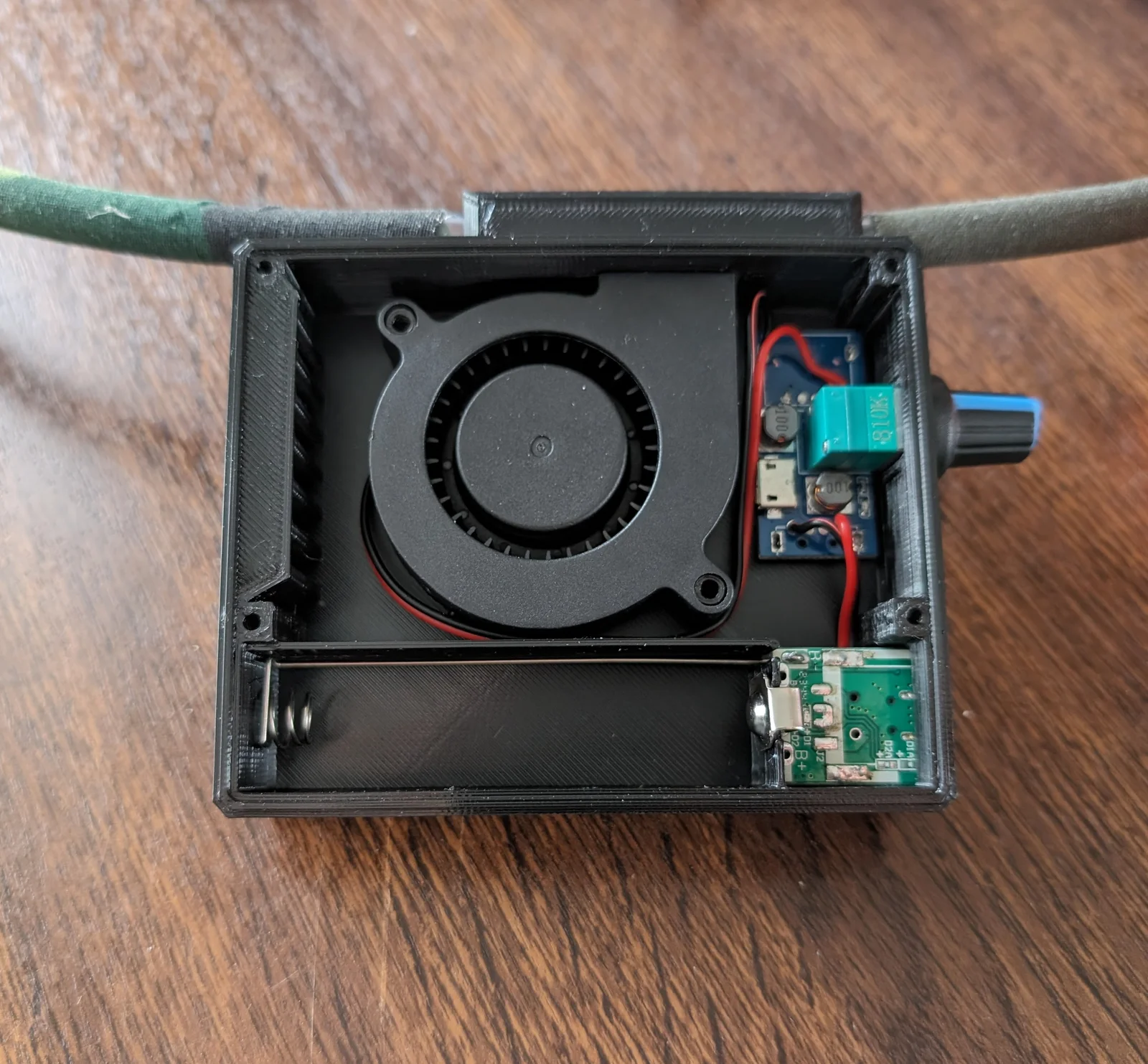
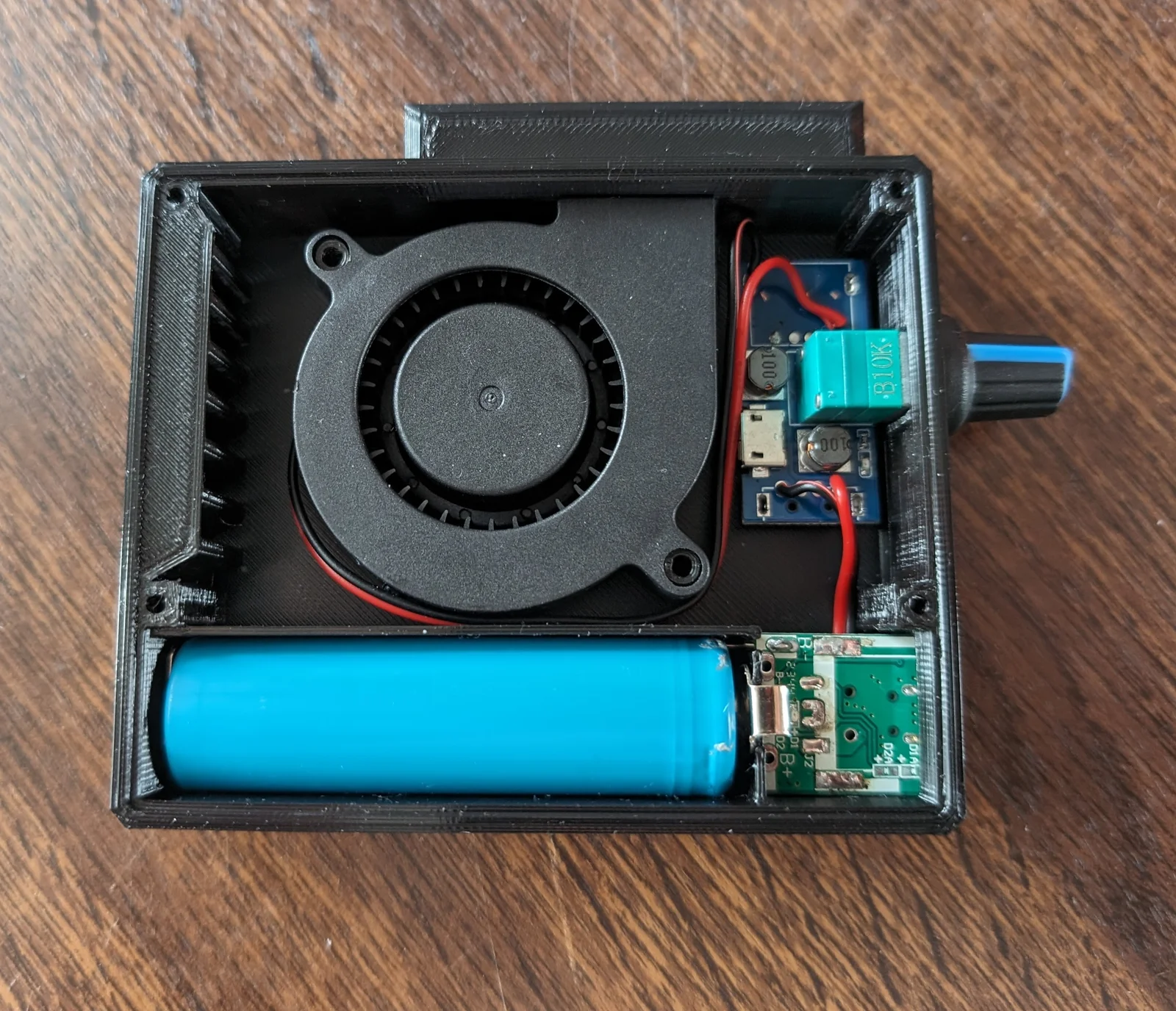
Anti Fog Device to keep the fog out of your airsoft goggless.
Features:
- Angled air intake to reduce water ingression during light rain
- Adjustable speed
- Rechargeable
- Tubes slide inside instead of over to maximize air path
- Uses voltage step-down/up instead of PWM controller to eliminate whining sound.
Updates:
2024-06-25: Concave backplate for mounting with velcro on hat or helmet
Parts list:
- USB fan speed controller (china)
- 12v 5015 blower fan (china)
- 5v also works but controller can go up to 8v
- Make sure your fan fits by printing just a part of the assembly or measuring it. These fans tend to be all over the place with tolerances…
- 18650 DIY Power Bank (china)
- 18650 battery
- PVC tube (6mm inner, 8mm outer diameter)
- Screws:
- 2 x M3 up to 10mm length for the fan (optionally some washers)
- 4 x M3 up to 20mm length for the backplate
Print instructions:
- Designed to print without any supports the way it is orientated in the stl.
- Any solid material should do (PLA, PETG, ABS)
- Infill: 15%
- Backplate only: Bridging angle: 45 (to print backplate bridges without sagging)
Assembly instructions:
- Desolder USB-A ports from speed controller and power bank (leave Micro USB for charging)
- Solder wires to power bank
- I needed to solder directly to battery connectors (controller still steps it up to 8v), because power bank voltage regulator will turn of with no load after fan is turned of and then speed controller does not turn back on anymore without replugging it. If your parts work by directly connecting to powerdbank's USB out, then better solder to usb pads for battery discharge protection (if there is any…?)
- Solder wires from power bank to controller inputs
- Solder controller outputs to the fan
- Assemble and screw everything in (it helps to heat up screws a bit to form some threads)
- Device can be put in the helmet pouch or mounted with some velcro
- Put PVC tubes in the outlets and route them to your goggles
- Have fun playing without fogged up googles!
Print spec
- Formats
- f3dstl
- Model files
- 4
- Total size
- 940.7 KB
- Largest file
- 547.8 KB