



Kẹp giữ gậy golf cho túi đựng gậy
 ByCubaLibreee_2869176Likes125Downloads1K
Build another version of this model.
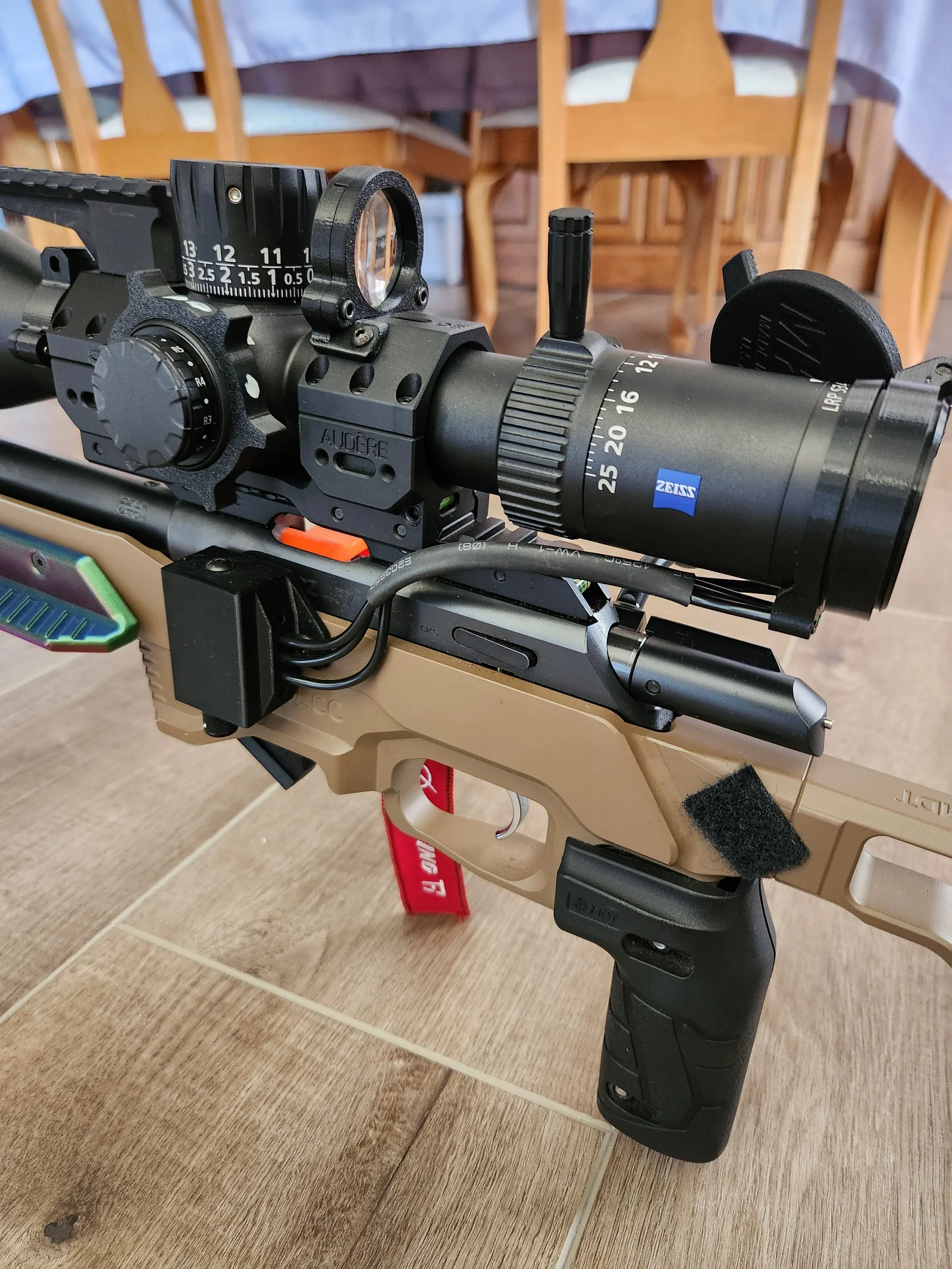
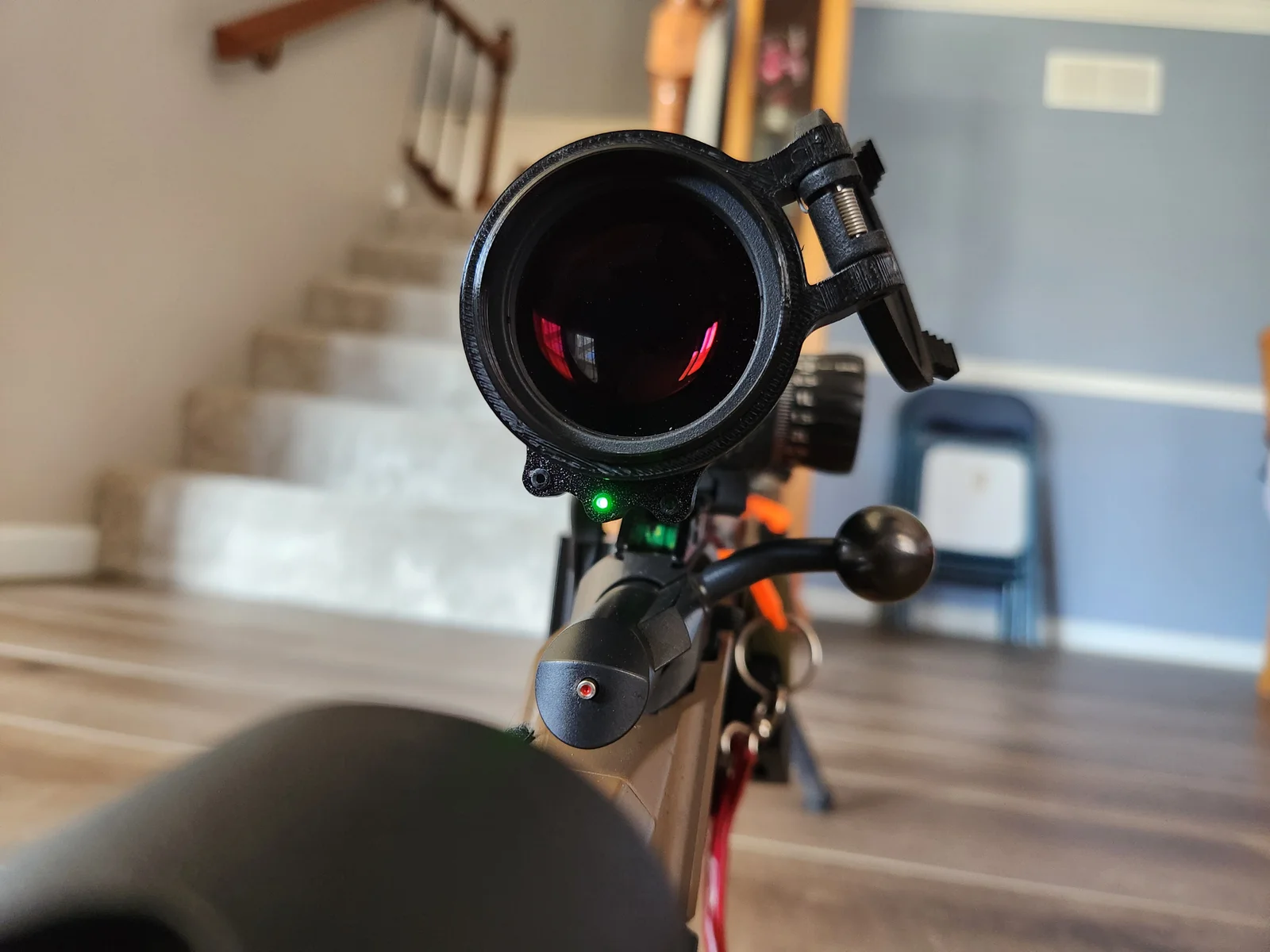
This is a case for MDT SendIt Version 2 to allow you to route fiber optic cable from the MDT SendIt unit to a ring on the ocular housing of your scope to see the lights while looking through the scope. Vertical case fits (2) M-lock holes/cutouts on a MDT ACC Chassis. Unit slides in the case and is attached with a screw from the MDT unit.
Case is printed using PETG, and Ocular Rings are printed using TPU.
Part Needed.
(1) 30 inches of .120 OD/.080 Core ID, fiber optic cable
(2) 10-24 x ¼" button head screws
(1) MDT SendIt Case (PETG)
(1) Ocular Housing Ring (TPU)
(1) ½ ID x 8" shrink wrap
Mount MDT unit/case and put ocular ring on the scope. Ocular ring should be as close as possible to the end of the eye piece.
Route the cables between the two and cut to length. Cut three cables to length. Add 3/8" to the length to account for cable that goes into the case and ring.
Cut shrink wrap about two inches shorter than cables. Put shrink wrap around cables and heat it to shrink it.
Press cables into case and ocular ring. The cables will press in hard. Press cables in until flush on the front of the ocular ring. Press cables into the case until they touch the unit and pull out slightly.
ByCubaLibreee_2869176Likes125Downloads1K

 By3d-finesseLikes0Downloads145

 ByXDr4g0nXLikes198Downloads831

 ByGerhard_48223Likes240Downloads471

 ByBillRichardsLikes32Downloads389

 ByKorriLikes60Downloads619

 ByTarzLikes28Downloads583

 ByMachaki_1134160Likes36Downloads371

 ByMauroVanDerG_4110408Likes378Downloads2.7K

 By3DGearSupplyLikes26Downloads449

 ByMFTuningLikes153Downloads1.8K

 ByMaverick0197Likes161Downloads1.3K