



Thùng rác in Vase Mode
 BybobmakesLikes2.5KDownloads17.5K
Build another version of this model.
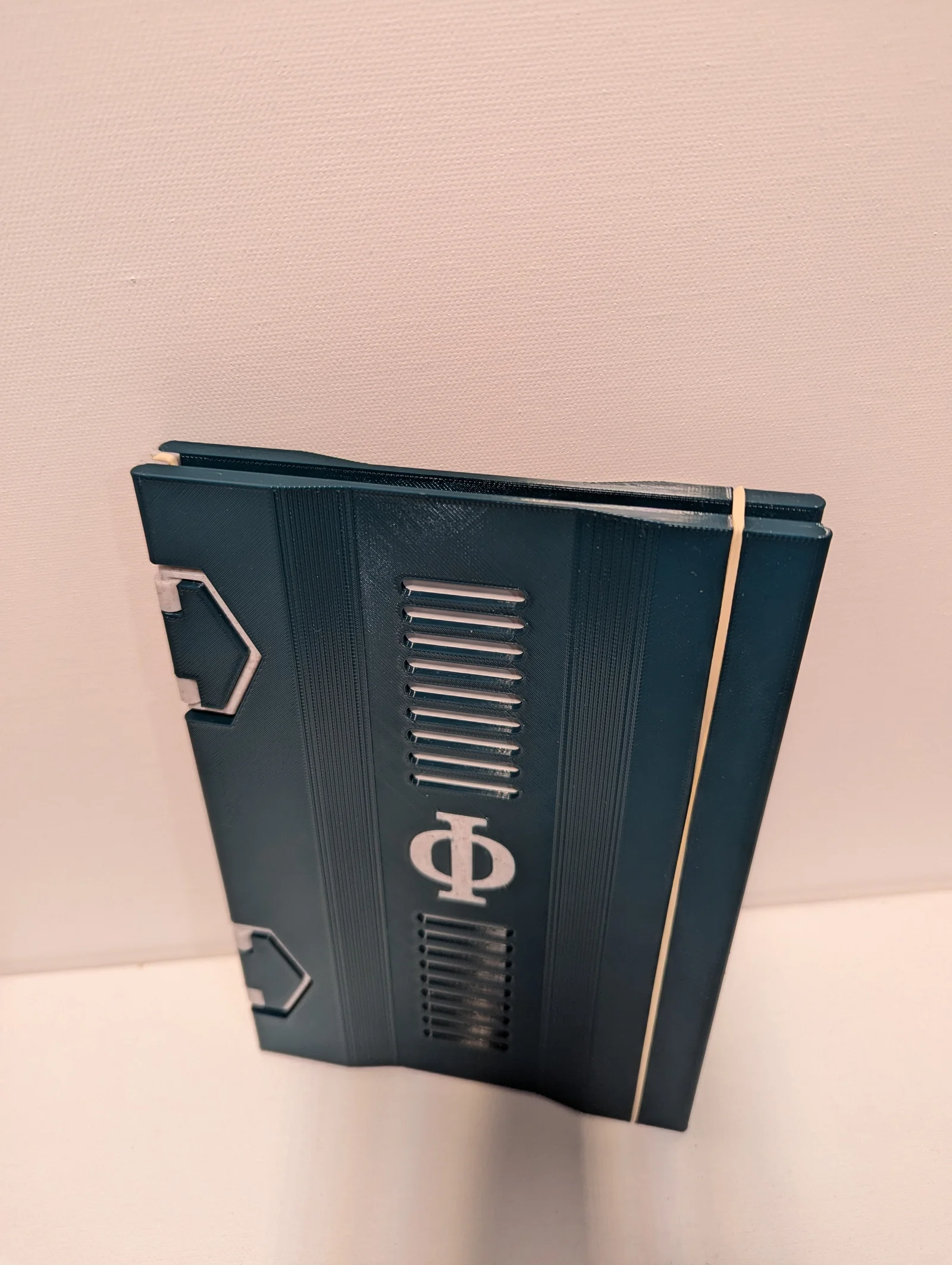
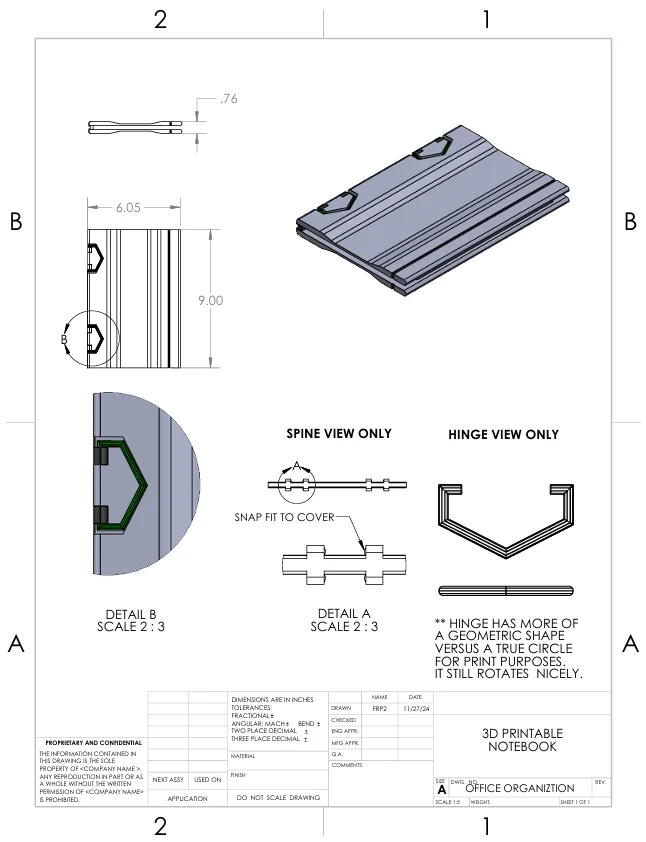
The notebook in the images I made for my self. It was a multi-body part and is not available. The slots look nice…but were not good for writing! So I removed them. The model available for download is blank, like the reference model. Use any 8.5" x 11" piece of paper, fold in half and slip into rubber band along spine. Enjoy!
** 8/30/2025: Added .STEP files for users to customize **
3D Printable Notebook Considerations:
Designed in Solidworks
BybobmakesLikes2.5KDownloads17.5K

 Byquibeck_3353173Likes1.5KDownloads11.5K

 ByVinors3DLabLikes393Downloads999

 ByHydratedMini_1690513Likes173Downloads721

 ByimanorangutanLikes0Downloads672

 Bym-collectableLikes0Downloads3.9K

 ByTommy3DLab_2023125Likes636Downloads2.5K

 Byaxis-prints-3dLikes0Downloads784

 ByTheMerchant_560996Likes104Downloads273

 Bymoleculecrtr_1215658Likes544Downloads2K

 Byextrablind_178817Likes40Downloads226

 Bygleb_sexy_1069616Likes42Downloads239