



Pocket Memory — SD & microSD Case | Print in Place
 By3dwakeLikes0Downloads370
Build another version of this model.
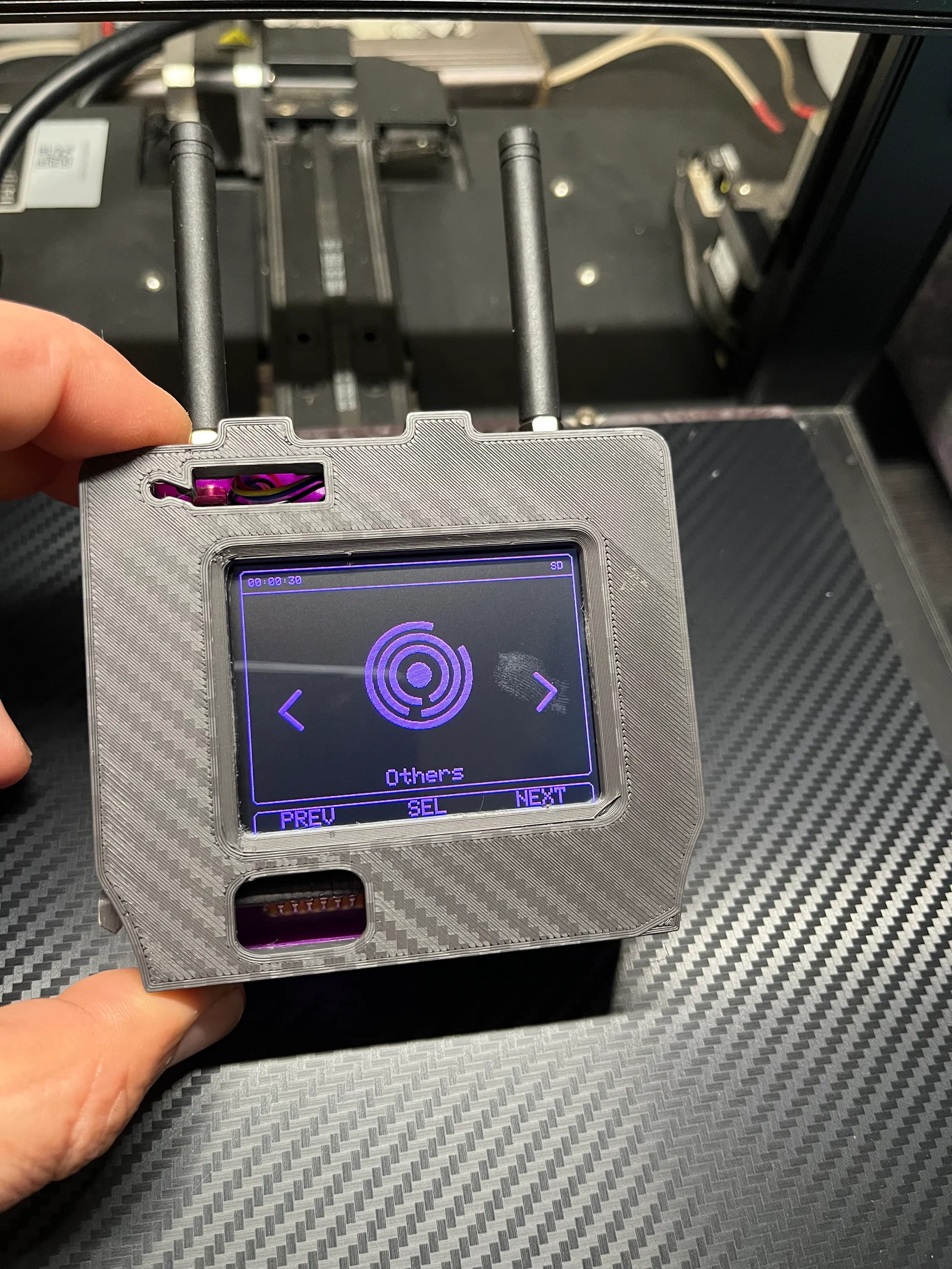
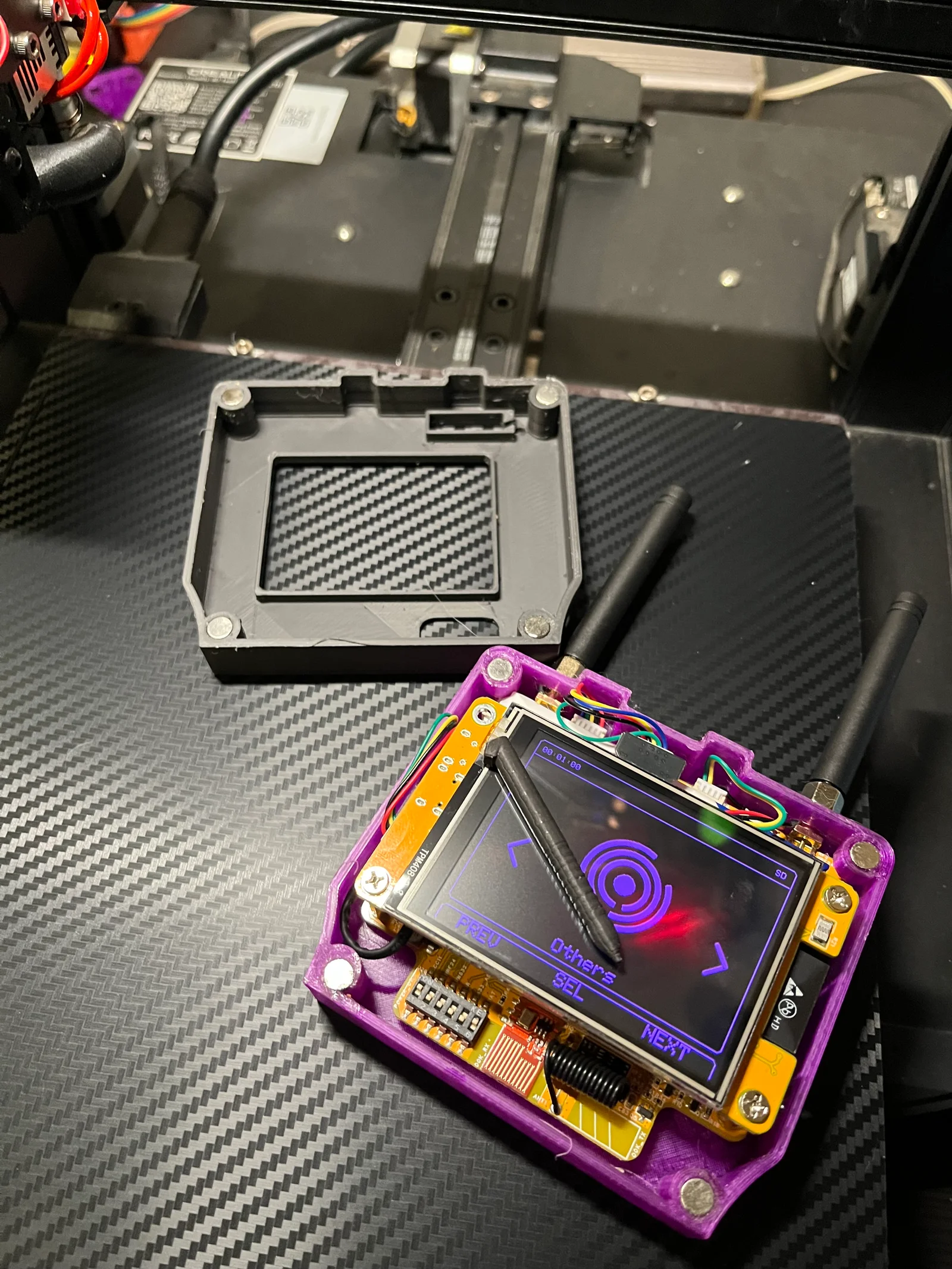
This is a enclosure designed for the CYD RF Hat (commonly used with the Cheap Yellow Display). The case protects the electronics while keeping full access to the screen, antennas, and connectors.
The lid is secured using 6×2 mm magnets, allowing the enclosure to snap closed without screws. This makes it quick to open for development, firmware updates, or hardware changes.
The design provides clearance for dual antennas, keeps the display fully visible, and maintains a compact and sturdy form factor.
This model is loosely inspired by the design from Thingiverse, but the enclosure was redesigned and adapted specifically for the CYD RF Hat layout and magnetic assembly.
Inspiration:
https://www.thingiverse.com/thing:7305463
Features
Designed for the CYD RF Hat
Magnetic snap-fit lid
Uses 6×2 mm magnets
No screws required
Dual antenna clearance
Full screen visibility
Easy access to components
Hole for Stylus
Compact and durable enclosure
Hardware Required
Magnets are designed to press-fit, but a drop of glue can help secure them if needed.
⚠ Check magnet polarity before inserting so the lid attracts instead of repelling.
Printing
Recommended settings:
Layer height: 0.2 mm
Infill: 15–20%
Supports: Not required
Material: PLA / PETG
The case bottom should be printed with supports
A brim is recommended for the stylus only.
Print orientation:
Base: flat on the bed
Lid: flat on the bed
Assembly
Insert the 6×2 mm magnets into the base and lid.
Verify polarity before installing.
Install the CYD RF Hat board into the case.
Place the lid — magnets will hold it securely.
By3dwakeLikes0Downloads370

 BylclabLikes0Downloads301

 ByckthLikes148Downloads2.4K


 BynasikLikes0Downloads235

 Bylarp3dLikes0Downloads1.4K

 ByBrokentooth_designsLikes30Downloads231

 ByJaronLikes310Downloads1K

 Byw3rN42Likes127Downloads941

 Byrorys3DLikes0Downloads332

 ByburkminipupLikes0Downloads602

 ByAustin Wolt WoltLikes162Downloads389