



Mẫu gảy đàn Guitar (Guitar Pick) in 3D tùy chỉnh độ dày
 ByWolf_115355Likes513Downloads8.4K
Build another version of this model.
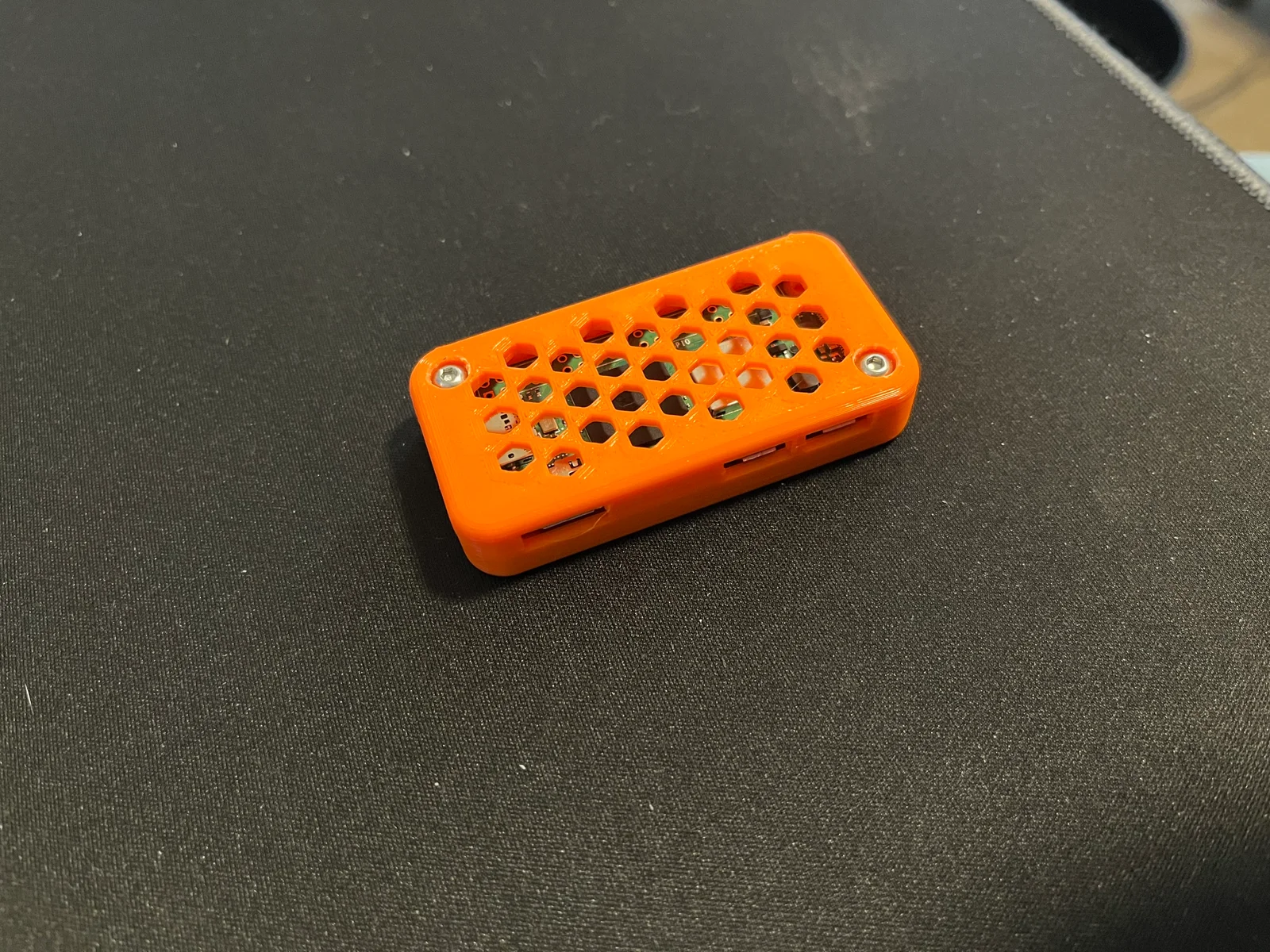
I've been running Octo-print on my Raspberry PI 3B for a couple years now, but when I recently bought a new printer, and wanted to also connect it to Octo-print, I started casting about for an alternative. I discovered that the Raspberry PI Zero 2W is a recommended platform for running Octo-print. One thing lead to another and I needed an enclosure for my Zero.
Update: If like me you use your PI to run Octo-print and want to attach it to your printer, check out my brackets.
A simple enclosure for the PI Zero 2W with lots of ventilation.
Print one of each of the parts
I printed these on a standard Cura PLA profile, modified for Inland Tough PLA at 0.2mm layer height, and 20% infill. Supports are not required. There is a single layer bridge inside each of the screw holes in the top that you'll need to break to get a screw through.
Check out my brackets for attaching to a 40mm V-Slot profile, making it easy to secure to the printer instead of being at the mercy of the cables attached to it.
ByWolf_115355Likes513Downloads8.4K

 ByZED4EverLikes313Downloads5.2K

 ByVC_DesignLikes271Downloads748

 ByfifindrLikes500Downloads4K

 Bymrfixit_324954Likes65Downloads471

 ByDan Schwartz SchwartzLikes744Downloads3.4K

 ByBrokentooth_designsLikes83Downloads447

 ByUpcrid3D_1585693Likes808Downloads2.1K

 ByAdam Záhořák ZáhořákLikes39Downloads250

 ByWilko_SLOLikes935Downloads2K

 Bychubbs8697_2027893Likes585Downloads1.7K

 Byquibeck_3353173Likes965Downloads1.9K