



Pocket-Size Third Hand Mini Spring Loaded Vise
 ByrjunLikes0Downloads310
Build another version of this model.
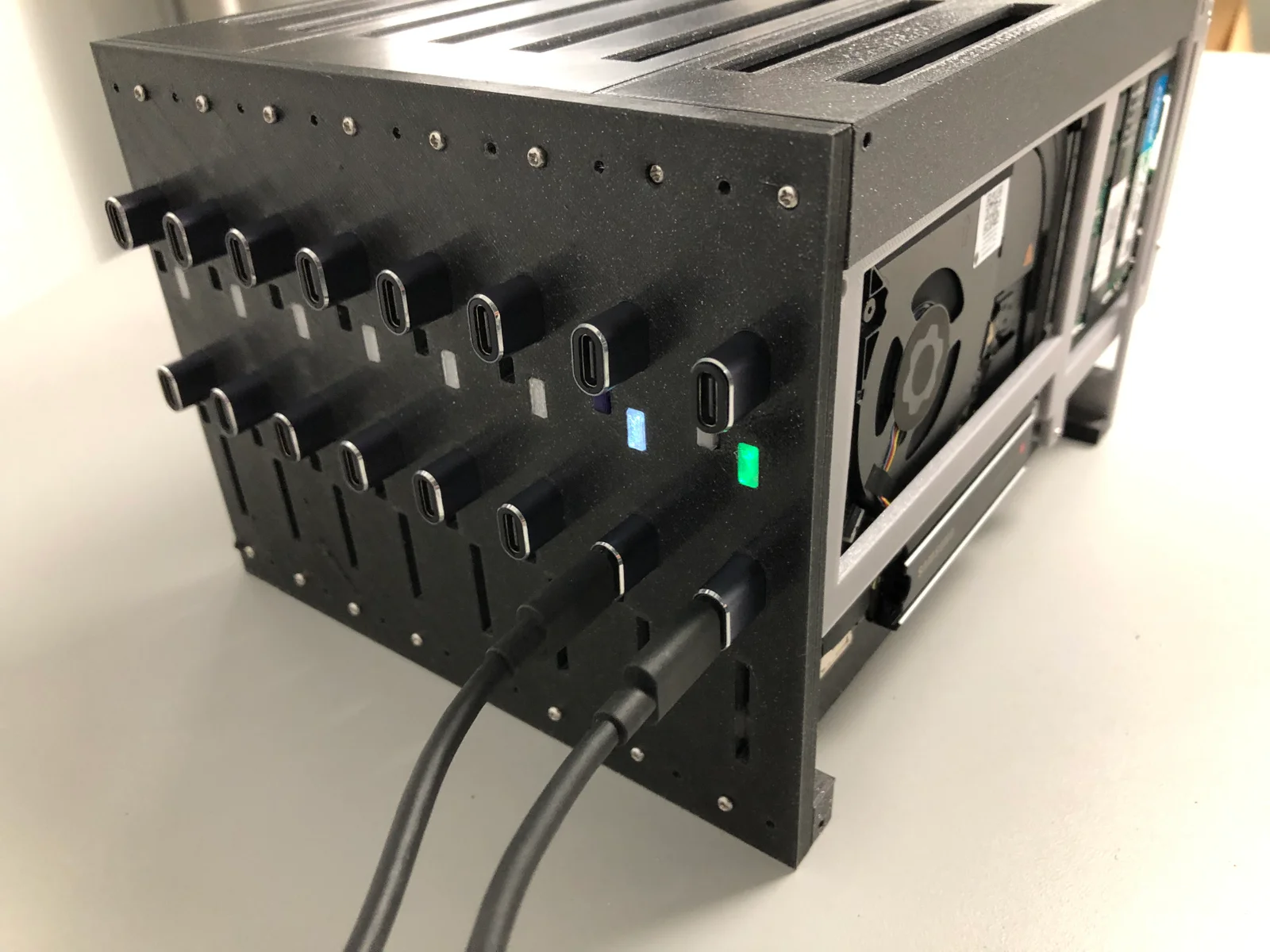
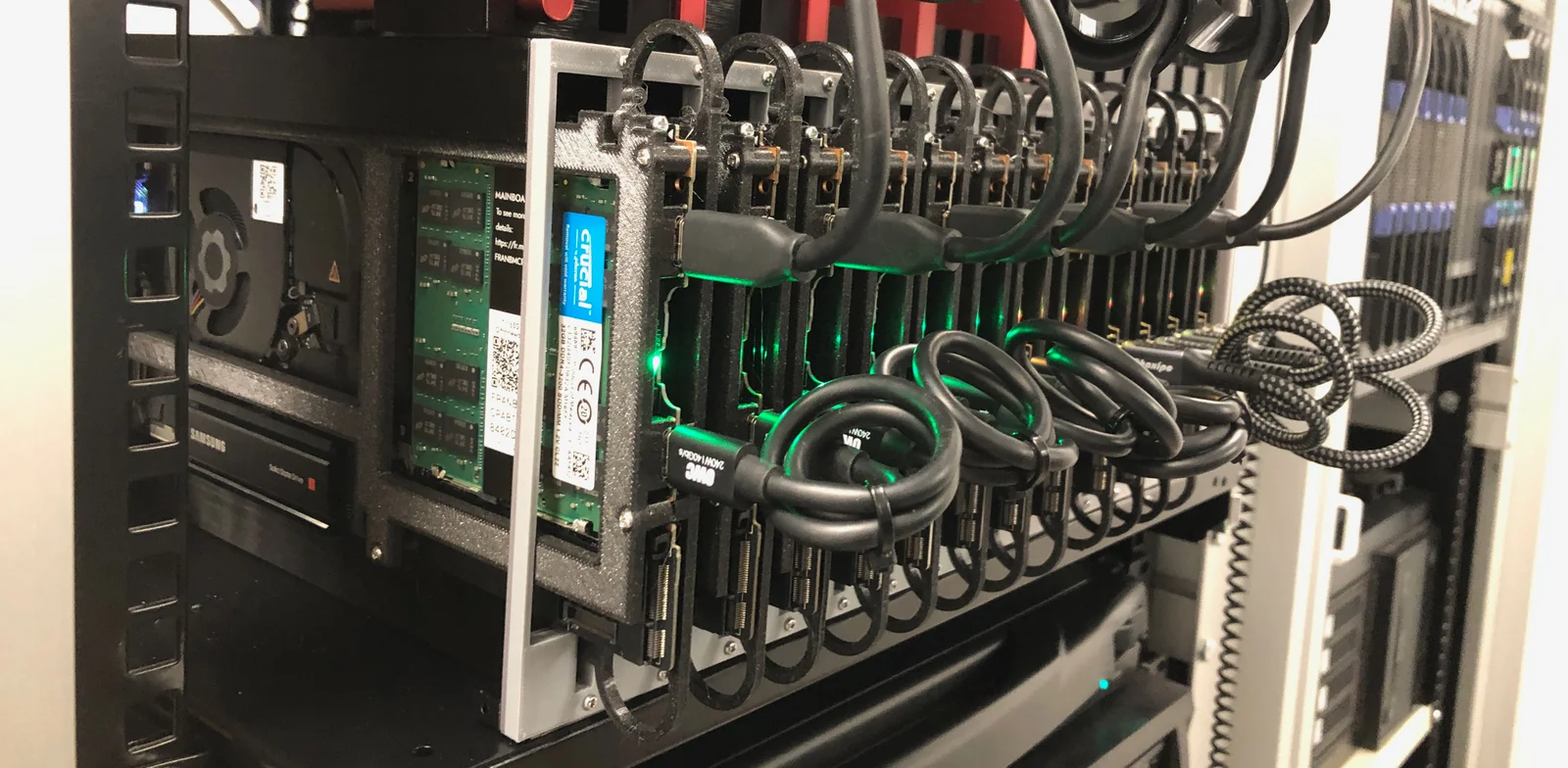
This project extends the Framework philosophy of making “fantastic devices that are easy to repair” to creating a high-performance cluster from Framework Mainboards. The model files include all components necessary to make a chassis to hold 4 or 8 Framework mainboards.
Each Framework mainboard is enclosed in an upper and lower “carrier” with 15mm screws, which enables it to slide in and out of the chassis. Slots are included in the rear plate for USB-C pass-thu devices, providing easy connectivity to power and ethernet devices. The LED insert provides visibility to the Framework mainboard LED's.
We configure the Framework Mainboards in mirrored pairs, using Debian Bookworm and DRBD, to synchronize NVMe VM images over Thunderbolt at 15G/s.
Individual Framework mainboards can be powered on and off with the Power Switch Cam Assembly, attached to the Framework Blade Upper Carrier with a 10mm screw.
ByrjunLikes0Downloads310

 Bykonstantin-radchenkoLikes0Downloads165

 ByleonicLikes0Downloads1.4K


 Byreinvent3dLikes0Downloads145

 ByZED4EverLikes313Downloads5.2K

 BydcmtlLikes0Downloads132

 Bythe-stock-potLikes0Downloads122

 By20gs09Likes0Downloads105

 BymiceciczeLikes0Downloads606

 Bymrfixit_324954Likes65Downloads484

 Bydoc-no-aka-guppykLikes0Downloads140