


Kẹp Kính Mát Gắn Xe Hơi
 ByVC_DesignLikes721Downloads2.9K
Remix of Kệ Rượu Modular (Modular Wine Rack) By berk_105279
Build another version of this model.
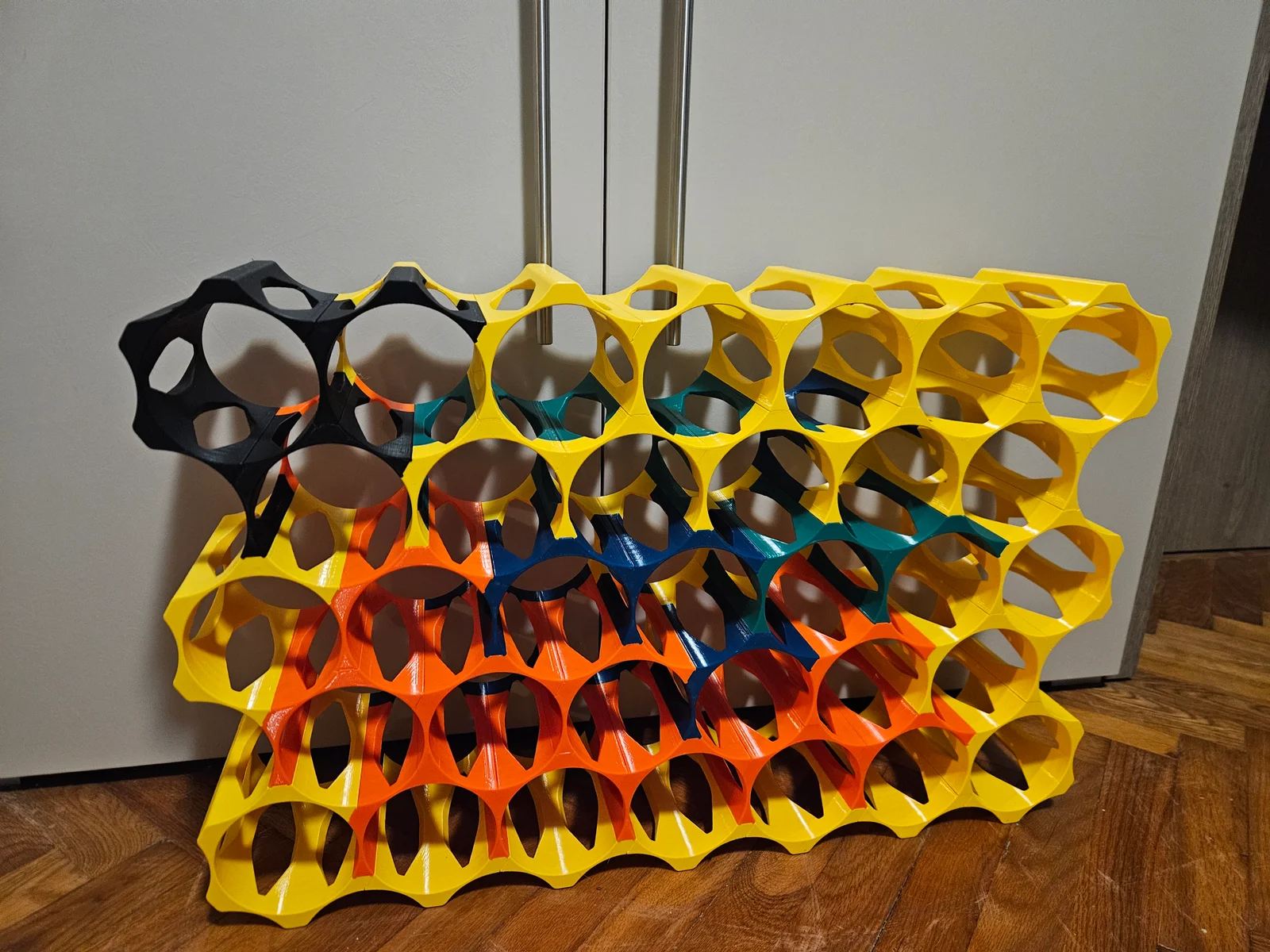
I did like the idea of the original model, but not a fan of press fit and the arrangement the original had. The F3D file was hard to use (to me), so decided to redesign it a bit, which ended up in a full rebuild of the model (pretty much from scratch).
2025-01-23
Initial upload
Use a material which is not too rigid (I used PETG) to print, my settings are:
I uploaded the modules needed to build a rack, no special needs are fulfilled (See the file descriptions for details), however the source file (Fusion 360) is attached, use it to build your own module. I attached step files, personally I have better experience with them. Feel free to export your modules in 3mf or stl.
BottleRack_D[AAA]_S[B]H[C]_H[DDDDDD]_L[EEEEEE]
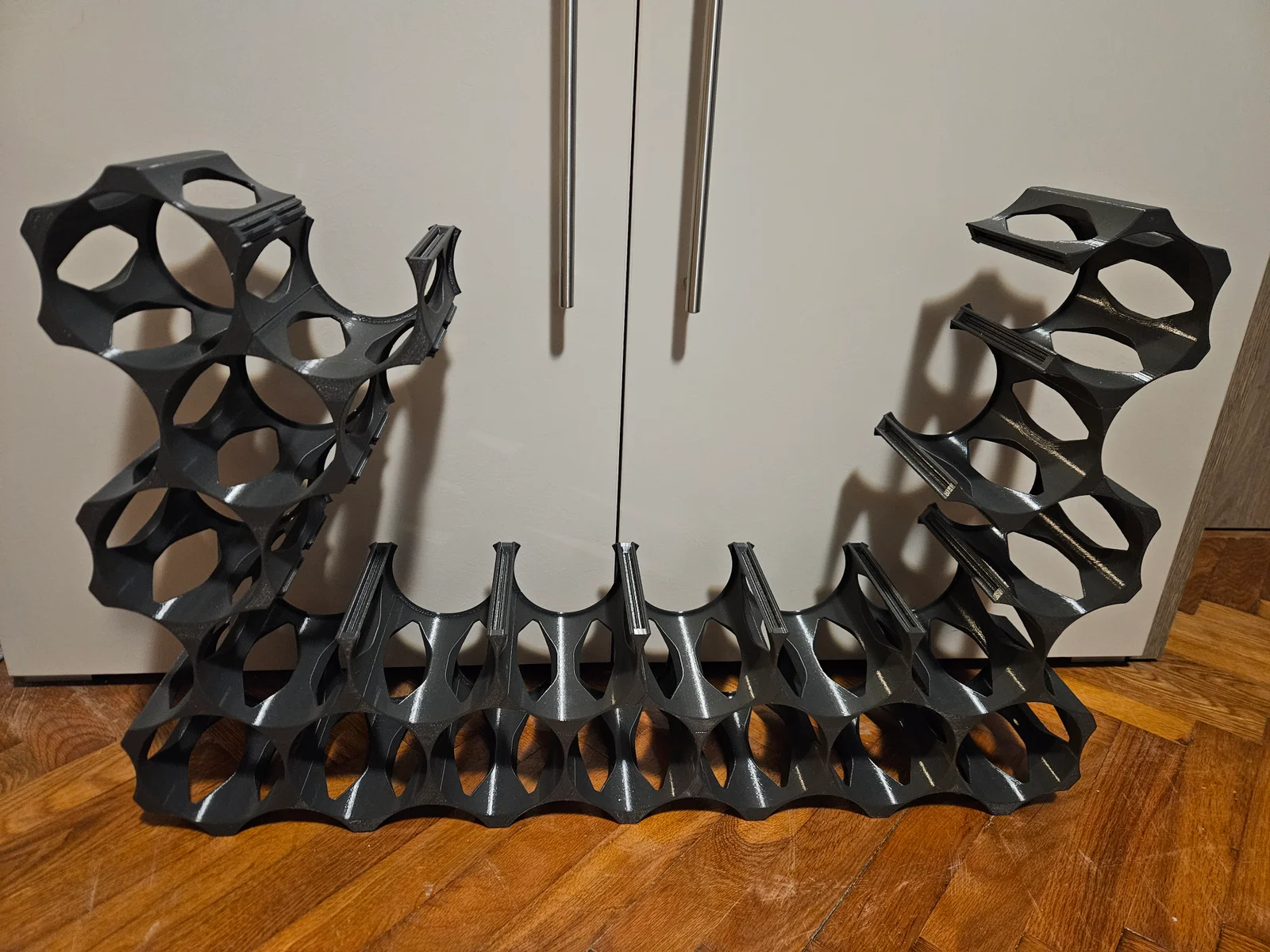
BottleRack_D100_S5H4_HX0001X_L00001X is for a 100mm diameter bottle, has 5 segments and 4 hubs all between the segments and only the last one has a connector. There is one outer lip at the last segment. (This is the top-right corner piece).
bottleDiameter
The maximum size the rack can hold
bodyThickness
The maximum width of the body (this is at the hubs)
bodyHeight
The height of the body (when printed with the lips on the print plate)
tenonWidth
tenonDepth
The depth of the tenon
tolerance
The tolerances used for the tenon and the mating surfaces
bodyChamfer
The size of the chamfer on the body (top and bottom surfaces)
bodyFillet
The size of the fillet used for the hubs which have no tenons on them
lipWidth
The width of the lip at the back/bottom of the module
lipThickness
The thickness of the lip
Most combinations of the segments and hubs are prepared as separate components in the file, however the exact configuration needs to be adjusted manually. (Too many variations to effectively handle it via parameters in Fusion - or I don't know how to do it :) )
Select the component you would like to print (say S3H2 for a half circle with 2 hubs on it).
There will be a few features on the timeline for the component (these are pretty much the same for each component). Some might be suppressed, unsuppress to use them. They are suppressed when all hubs have tenons (none needs to be removed).
Make the sketch under the main component visible and hide all other components. That sketch has all the elements necessary to configure the module.
To remove a tenon, edit the first and second extrude feature (the first one removes the tenon, the second one will fill in the corner). Adjust the fillet (select all corners where the tenon was removed).
The third extrude is the lip, select the ones you need and unselect the ones you don't. If you don't want any lips, suppress the feature.
Adjust the offset face, add/remove faces as necessary. All meeting faces needs to be added and move by half of the configured tolerance value.
Finally adjust the chamfer.
Make sure that everything is good and export the body.
ByVC_DesignLikes721Downloads2.9K

 ByUpcrid3D_1585693Likes808Downloads2.1K

 ByWilko_SLOLikes935Downloads2K

 ByTater_364200Likes486Downloads1.6K

 ByfifindrLikes709Downloads1.7K

 ByGi_TLikes801Downloads1.3K

 Bydona3d_Likes456Downloads679

 ByshoheiyLikes0Downloads425

 Bymbadin_1412087Likes246Downloads427

 ByRobertoGalloc_356815Likes549Downloads1.8K

 Byvc-designLikes0Downloads3.2K

 Bywhilex_1739192Likes644Downloads1.1K