F3D
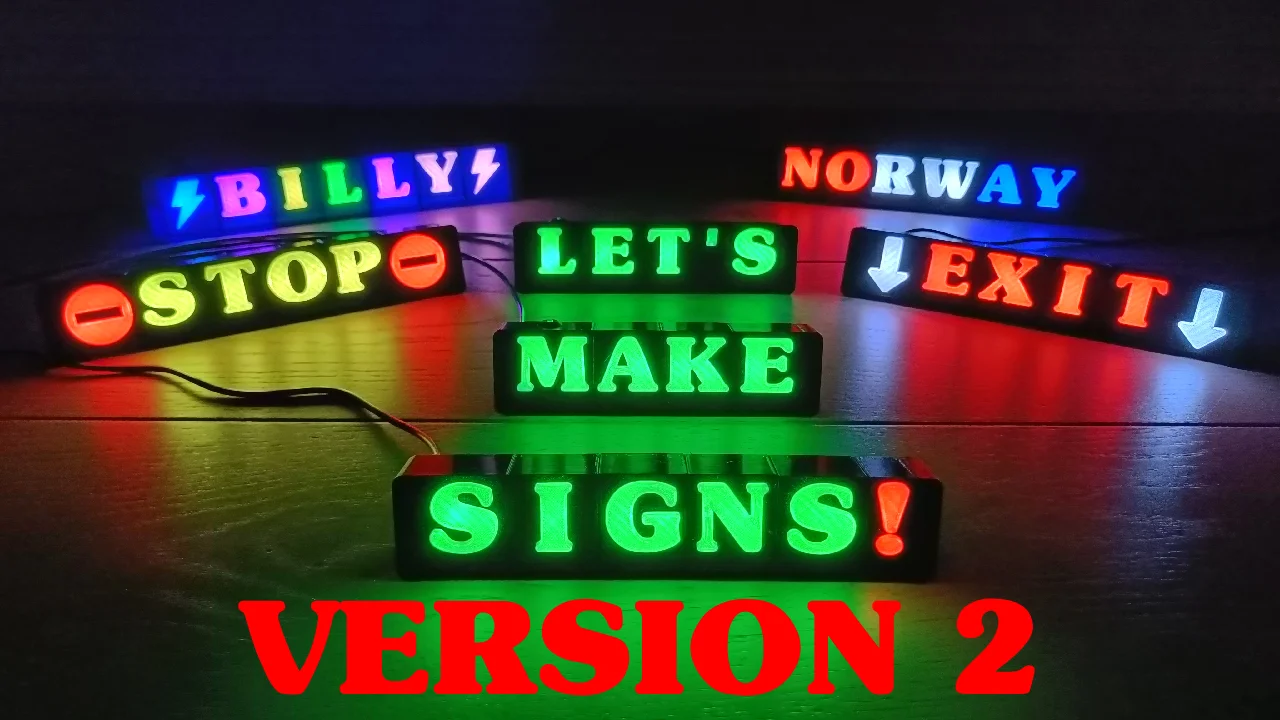
Bảng Chữ Modular RGB LED Sign Version 2 1

12 images

Large file collection DIY

Bảng Chữ Modular RGB LED Sign Version 2

By TheSkjegg_1402932

Downloads
277
Likes
61
Views
1,309

Files 661 56.2 MB

  • BB_1772379681.stlSTL · 96.6 KB
  • OO_1772380855.stlSTL · 109.8 KB
  • LL_1772380856.stlSTL · 56.8 KB
  • KK_1772380858.stlSTL · 58 KB

Make a variant with AI

Build another version of this model.

Open Studio

Description

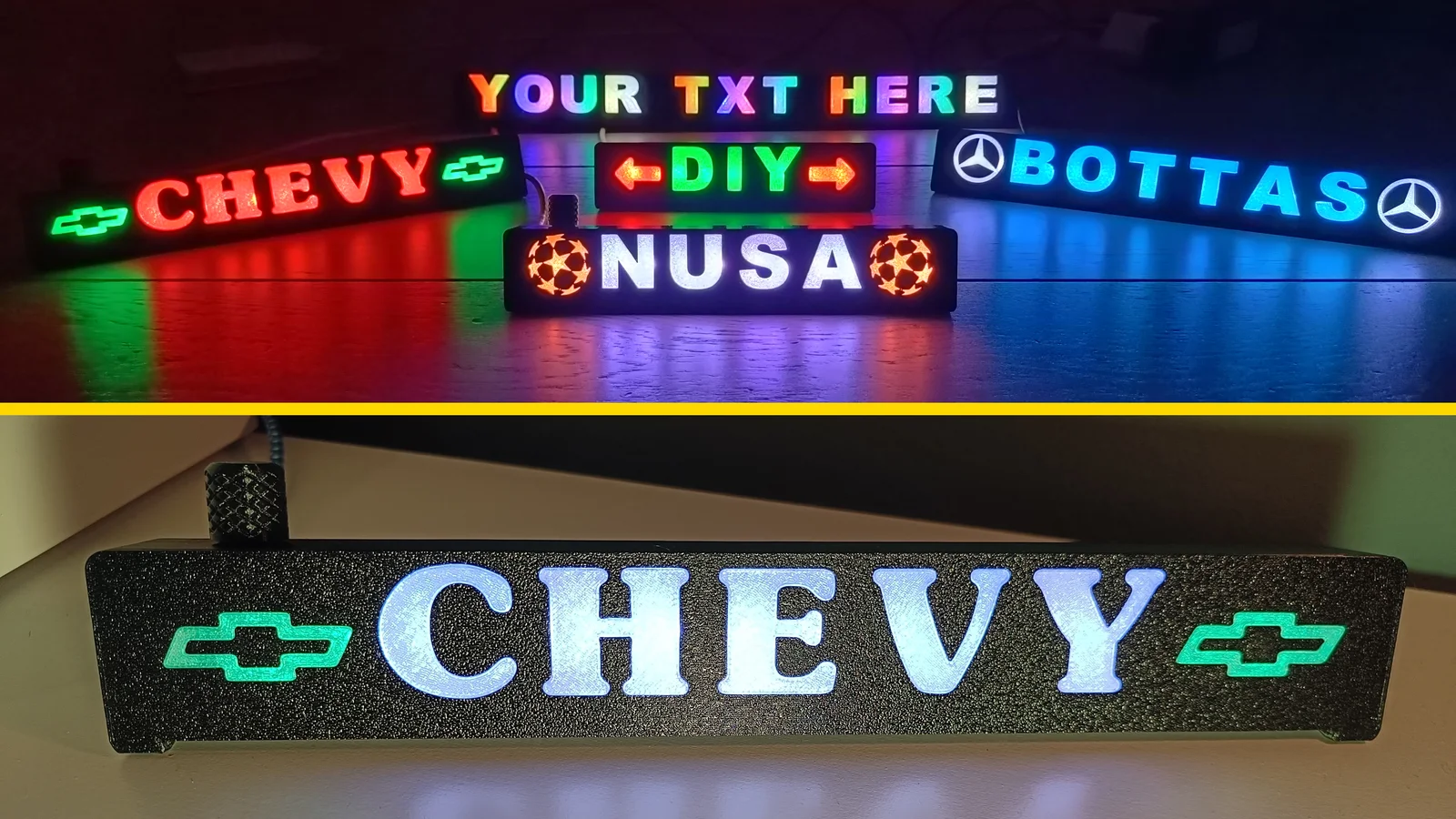
VERSION 2

*NOTE: I will update with more files and corrections as I make them, so make sure you download latest and greatest files before printing. See update list below.

Updated modular sign based on a RGB LED strip controlled by Arduino and encoder.

This video describes version 2 updates and explain how you can merge signs in slicer and make your own symbols/fonts in Fusion 360 + a few tips & tricks:

https://youtu.be/HEkK1SbHGLY

Hopefully this video will walk you through the main build process:

https://youtu.be/QHCL2vn8N_w?si=xBbaYYko0cjVSfuB

You find the code here:

https://github.com/TheSkjegg/Modular_RGB_LED_Sign

General info:

  • NOTE: I did not print all characters myself yet, so if you hit issues please let me know!
  • I will update with more files and correction as I make them, so make sure you got latest and greatest set of files.
  • “Smart boxes” shall be used as first character, as it has space for the microcontroller. Encoder is optional, I have made files for both.
  • Build rest of the sign of “Regular boxes”.
  • Complete the sign by using a “DumbEndAngeled” .
  • General inside width of boxes are 30mm, those who differ from this has _XX in the name (like MM_35 and WW_38). Rear covers needs to reflect this.
  • Get the latest and greatest code from GitHub.
  • You find wiring diagram with BOM among the pictures. 
  • Tip: I've seen that too fast printing on Bambu makes rounded corners in letters, so don't go too fast. 
  • Tip: It's tight fit between letters/fills. Put sign on flat surface and press in all fills from top first, it normally enters with some force.
  • V2 - The Bambu Lab tab issue is now fixed.
  • V2 - New font, Arial Black. You find both Subway and Arial Black files here (PS: I did not make lower case letters for Arial Black).
  • V2 - You may now make your own symbols/letters by using my BoxTemplates.step files.

PrusaSlicer settings:

Sign boxes & cover: 

  • 0,20mm Quality

Transparent fills (important for light diffusion and to hide infill):

  • 0,20mm Quality
  • Vertical shells, perimeters: 1
  • Horizontal shells, solid layers, top: 12 (8 for flush fills)
  • Horizontal shells, solid layers, bottom: 1
  • Infill, fill density: 25%
  • Infill, fill pattern: Gyroid

Parts needed:

  • Seedstudio XIAO SAMD21 microcontroller
  • RGB Led Strip, 60 LED's per meter (WS2812B)
  • Rotary Encoder, KY-040 with angled header
  • 220 Ohm resistor

Here are some Amazon links for the parts:

XIAO: https://a.co/d/1hMEElo

Led Strip: https://a.co/d/j3JhLWk

Encoder: https://a.co/d/8fbNGSe

UPDATES:

24.01.25: Updated 15mm regular Subway boxes as they didn't align in slicer. 

Good luck with the build - I would love to see the result!

Read more Show less

Print spec

Formats
stepstl
Model files
661
Total size
56.2 MB
Largest file
489.4 KB

0 comments

See all