



Ngăn Kéo Đa Năng Lắp Ghép Modular
 ByWilko_SLOLikes935Downloads2K
Build another version of this model.
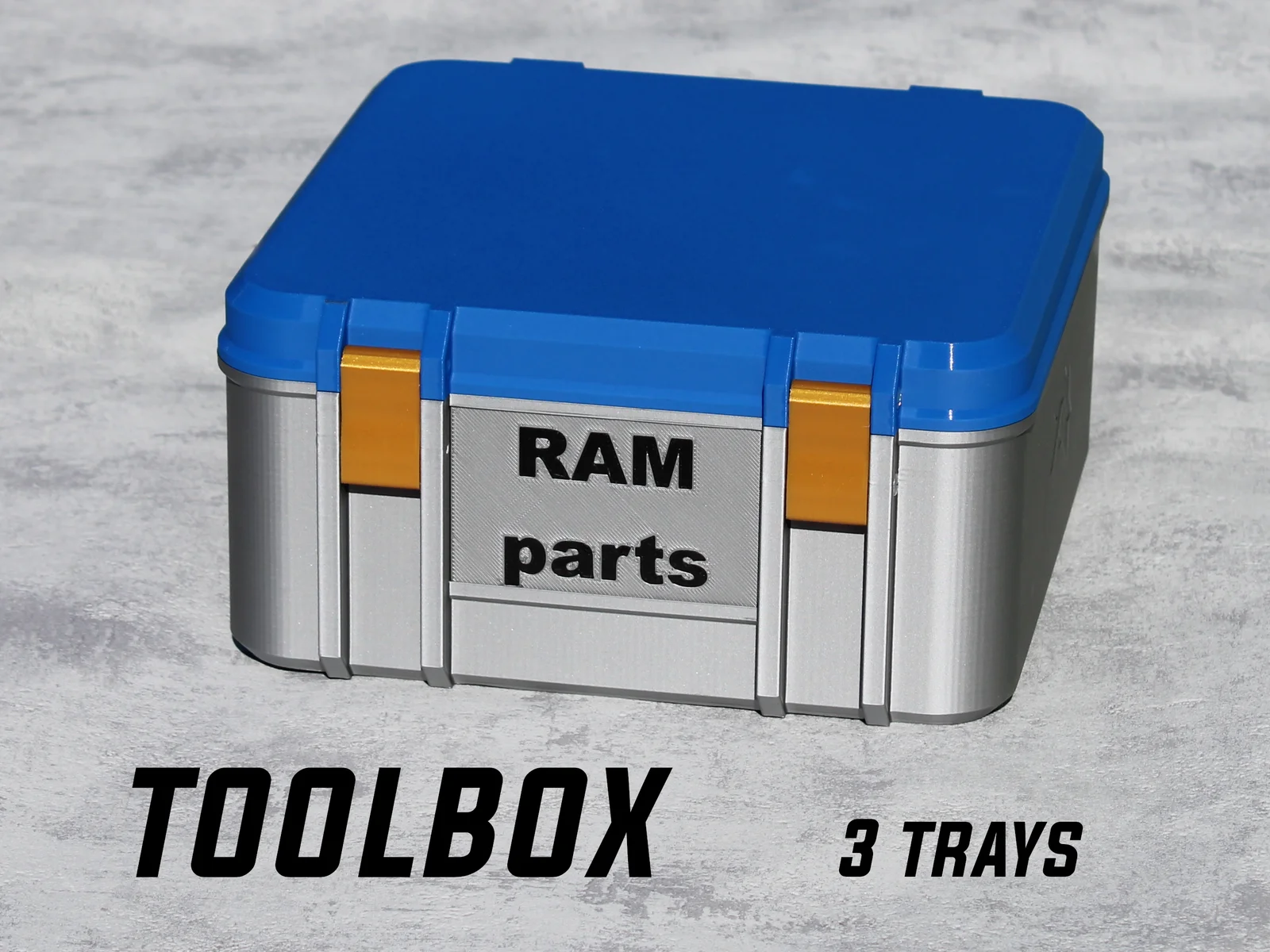
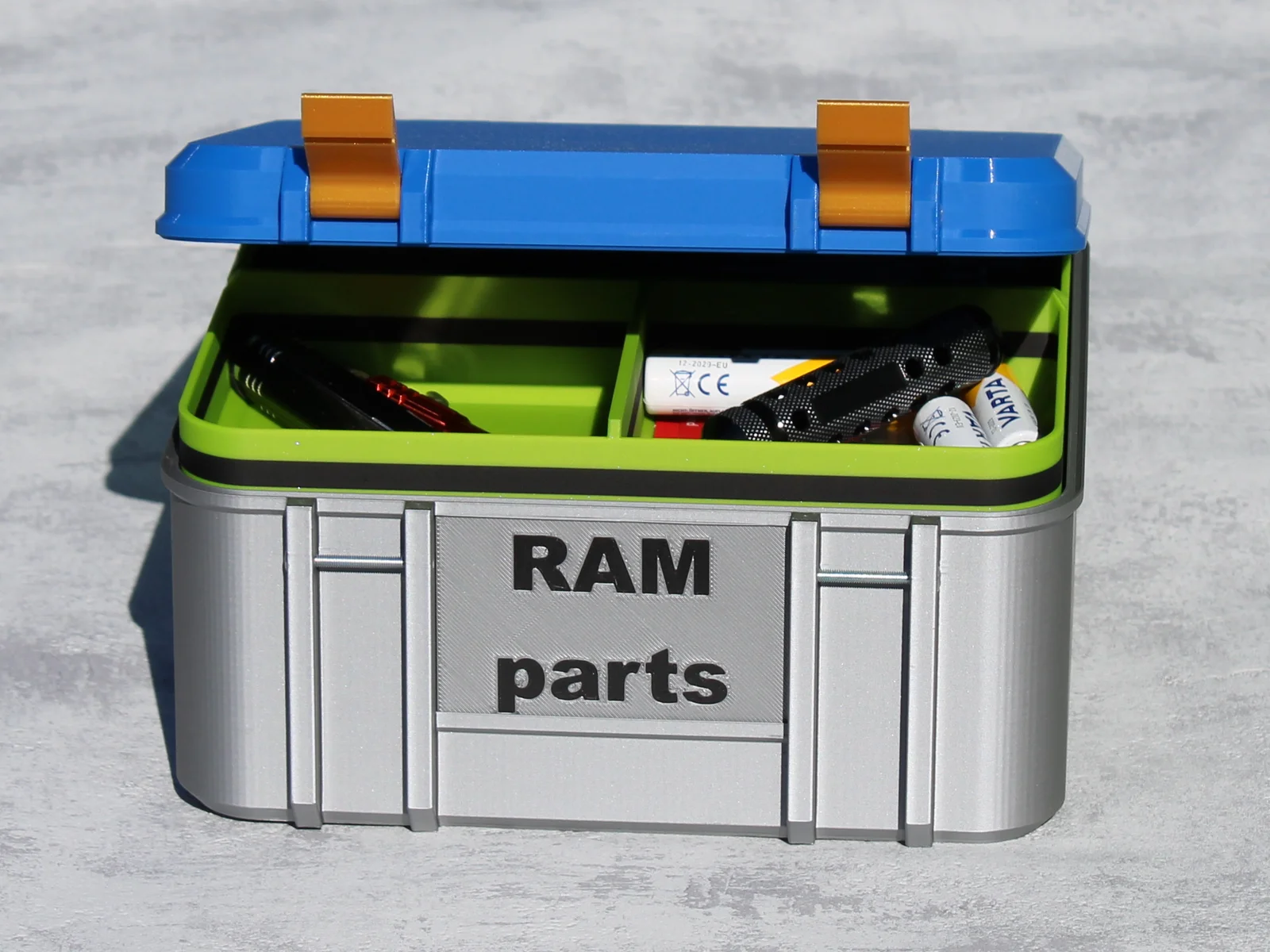
This 3D-printable toolbox features a modular design with three stackable trays, ideal for organizing tools, hardware, or small components, using 6x M3x30 screws. Each tray is designed for smooth inserting and stacking, and comes with a variable number of sections to suit different needs. Designed for easy and support-free printing using PLA.
Whether you're a maker, technician, or hobbyist, this toolbox offers a practical and adaptable solution for keeping your tools and parts neatly sorted.
Top feature is the front-mounted, replaceable label, which inserts from the top and is held in place by the lid - ideal for keeping track of contents. To make customization easy, a .3df file is included so you can design and print your own labels. Photos also include a blueprint for creating your own version in another CAD program.
If you're not familiar with CAD programs, simply print the "Label_blank" file and make your own with a marker.
- The number in each tray’s filename corresponds to the number of sections it contains.
- Trays from different levels (top, middle, bottom) are not interchangeable; they can only be swapped within the same level.
- The box labeled "Box_only_top_tray" is designed to be used exclusively with top trays, while the rest of the box forms a single section.
- Alternatively, you can use just two levels by combining high trays.
- The boxes are stackable using the frame file.
- Requires 6x M3x30 screws.
- If the clip is too tight, sand it or trim it slightly.
- If the clip is too loose, use the Clips_tight version.
- Different filaments and brands can affect the final dimensions, so you may need to slightly adjust the scale or perform some post-processing to achieve a perfect clip fit.
ByWilko_SLOLikes935Downloads2K

 ByGray_m4Likes36Downloads142

 ByUpcrid3D_1585693Likes808Downloads2.1K

 ByMatthew_GhostLikes350Downloads944

 BymoonyxLikes0Downloads704

 Bydona3d_Likes456Downloads689

 BykizzardLikes0Downloads105

 ByfifindrLikes709Downloads1.7K

 Bymarketar_4049646Likes42Downloads141

 ByRobertoGalloc_356815Likes48Downloads125

 ByshoheiyLikes0Downloads438

 BymindthelightLikes251Downloads399