



Thùng rác in Vase Mode
 BybobmakesLikes2.5KDownloads17.5K
Build another version of this model.
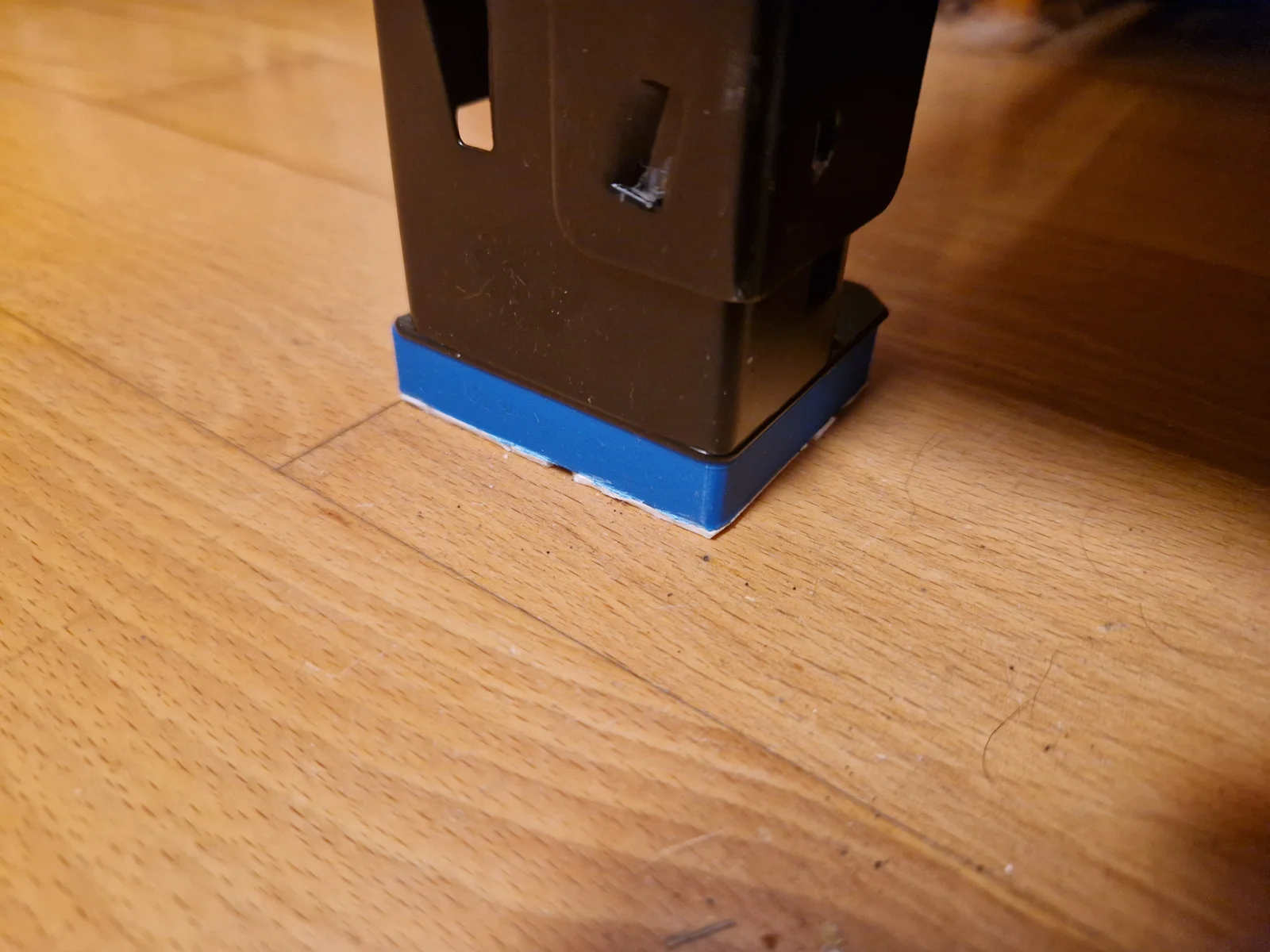
This is a two-part stabilization system designed to:
Compensate for uneven floors
Eliminate wobble
Reduce vibration
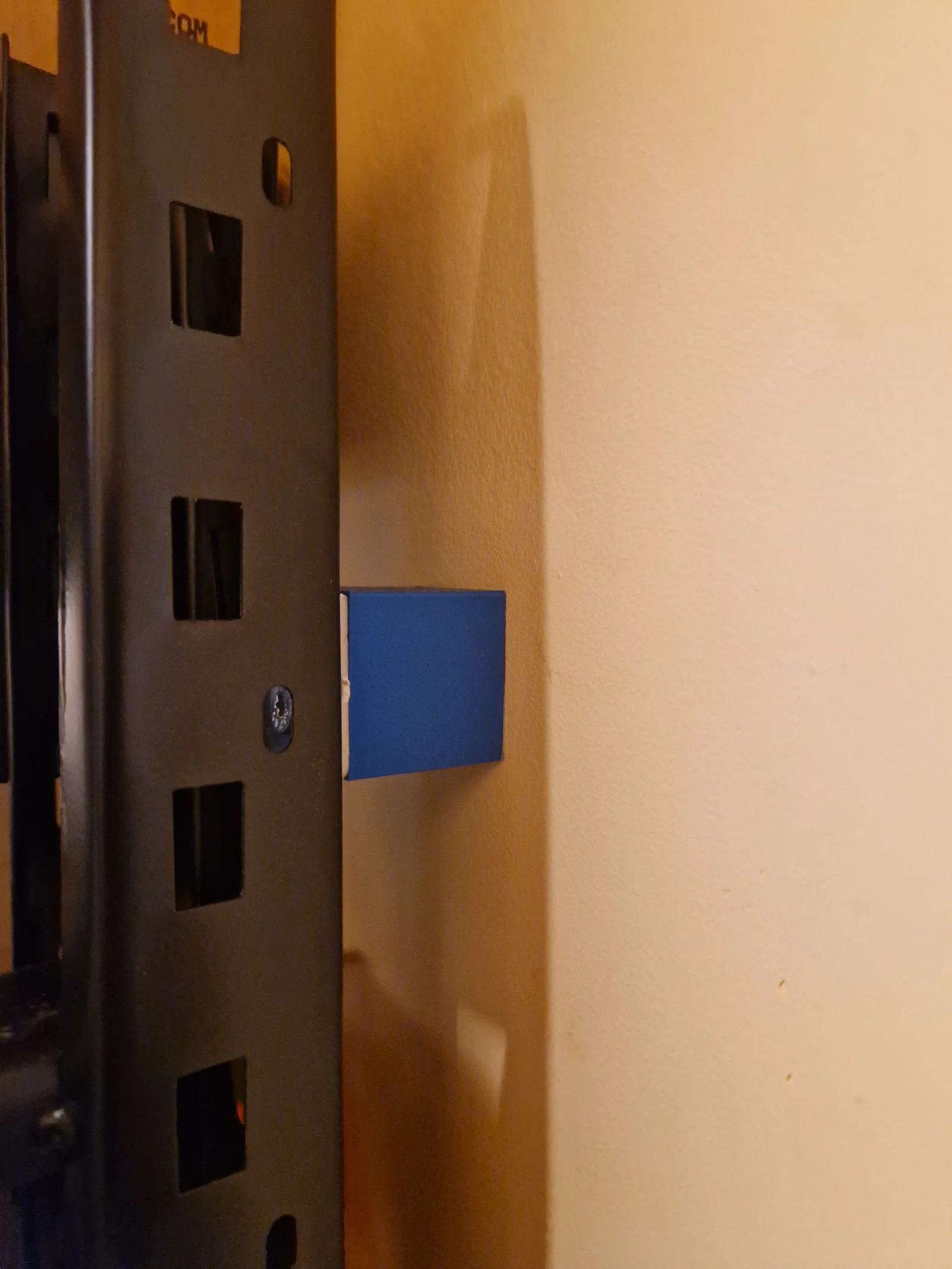
Secure a shelf or rack to the wall despite plinth (baseboard) offset
Ideal for workshop furniture, server racks, storage units, and especially 3D printer shelves where vibration control is critical.
Function:
Installs under the feet of the shelf or rack to compensate for floor deviation and improve leveling.
Benefits:
Customizable thickness to match floor irregularities
Improves load distribution
Reduces micro-movement
Optional vibration damping
Optional vibration reduction methods:
Print first layers in TPU (dual-material print)
Or attach adhesive furniture foam pad under the support
Function:
A square spacer with a central hole installed behind the shelf/rack and fixed to the wall.
Purpose:
Compensates for plinth (baseboard) gap
Locks shelf to wall
Reduces lateral movement
Improves overall structural rigidity
Spacer height can be customized depending on the plinth thickness.
Recommended Materials
Floor Support
ABS – Strong, durable, slightly impact resistant
ASA – Similar to ABS with better UV resistance
Optional: TPU bottom layers for vibration absorption
Wall Spacer Lock
ABS or ASA (recommended)
PETG also acceptable for indoor use
Avoid PLA for heavy or long-term load applications, especially in warm environments.
General Settings
Layer height: 0.2 mm
Perimeters/Walls: 4–5
Top/Bottom layers: 5–6
Infill: 40–60% (Gyroid or Cubic recommended)
100% infill if supporting heavy equipment
Orientation
Floor Support:
Print flat on its base
Ensures maximum compressive strength
Wall Spacer Lock:
Print flat on one face
Hole printed vertically for strength
For heavy loads (e.g., 3D printer, server equipment):
Increase wall count to 5–6
Use 60–100% infill
Use at least 4 top and bottom solid layers
Consider increasing layer height to 0.24 mm for better interlayer bonding (if printer allows)
Measure floor deviation before selecting support thickness
Measure plinth thickness before printing spacer
Use appropriate wall anchors depending on wall material
Do not overtighten screws to avoid crushing printed parts
BybobmakesLikes2.5KDownloads17.5K

 Byaxis-prints-3dLikes0Downloads789

 BytsmccLikes0Downloads317

 Bygummiegecko8477Likes0Downloads264

 Bycustom-3d-partsLikes0Downloads215

 ByVinors3DLabLikes393Downloads1K

 By178222178222_2484344Likes449Downloads1.7K

 ByHydratedMini_1690513Likes173Downloads728

 ByowlartLikes527Downloads1.3K

 Byxtruderline-3dLikes0Downloads138

 ByimanorangutanLikes0Downloads678

 ByVeco_2904087Likes46Downloads113