

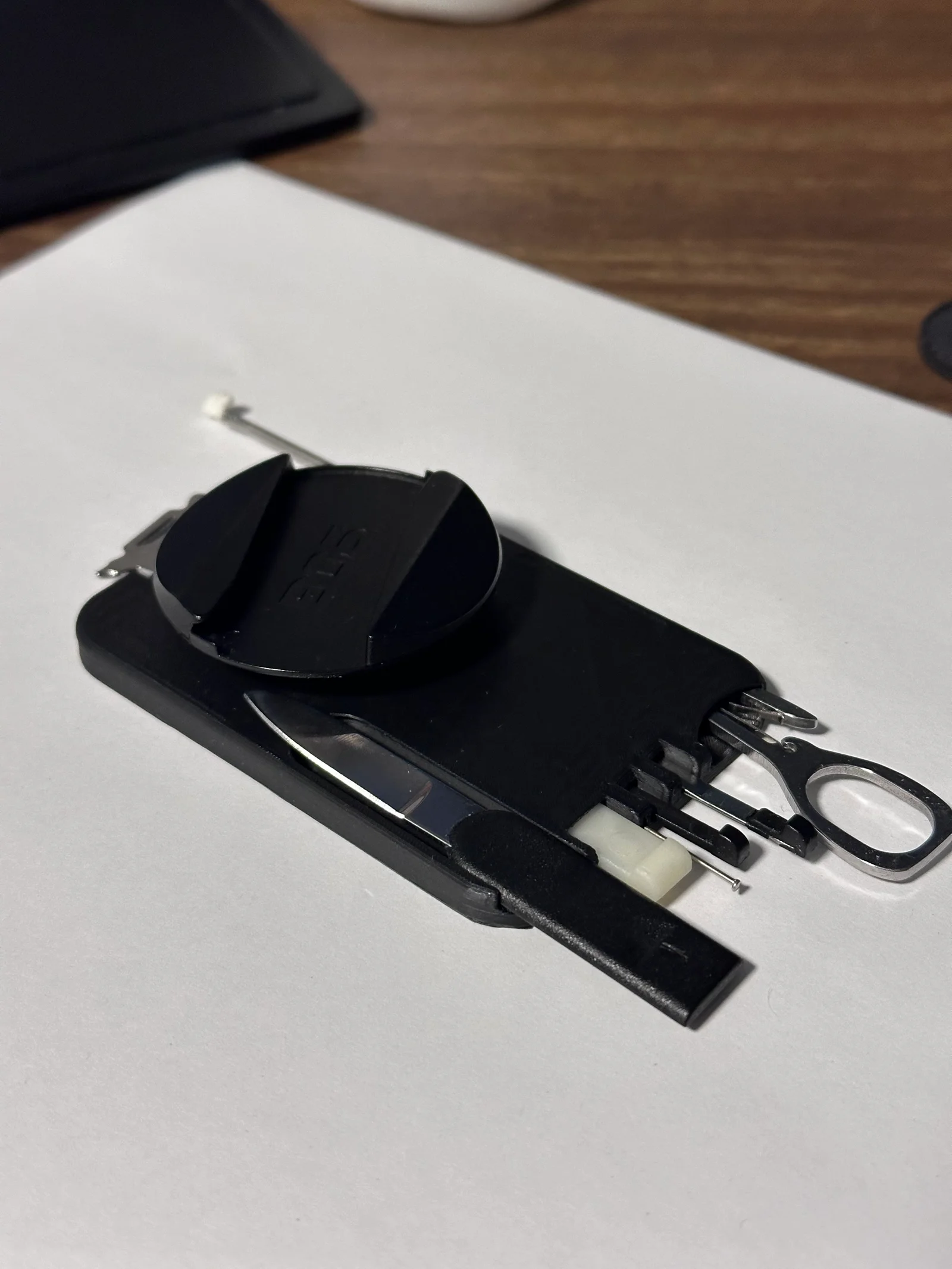


Còi Tàu Hơi Nước Mini
 ByfifindrLikes500Downloads4K
Remix of Multitool gắn MagSafe kèm ngàm PopSocket By Ben2113_2047854
Build another version of this model.
Print Settings:
Layer height: 0.05mm
Nozzle: 0.2mm
Walls: 4
Top and bottom layers: 4
Infill: 10%
Material: PLA
Supports: snug, rectilinear
Brim: optional(depends on printer and filament), I used an inner and outer brim with 12mm width
Extra materials:
Magnets: Here are the magnets I used;https://www.amazon.ca/dp/B08Q7XWB85?ref=ppx_yo2ov_dt_b_fed_asin_title&th=1
Multitool: I used the tools from this Swisscard Lite knockoff(if you have the actual thing, it should work too, idk tho). The new slots I added allow you to carry the implements from the normal Swisscard. https://www.amazon.ca/dp/B0FBGBWHK8?ref=ppx_yo2ov_dt_b_fed_asin_title&th=1
Printing instructions:
Supports: You will need to paint on supports(can be seen in the images above, highlighted in blue, they should look like the last image)
NOTE: Make sure supports run parallel to the walls of the slots so they're easier to remove(trust me, they're impossible to remove if you don't do this)
Magnets: You will need to add a print pause at about 0.75mm. If you have other magnets that are a similar size, I've added a step file so you can edit the size of the magnet cavity.
NOTE: Make sure the poles are in the correct direction, or else it won't stick to your phone.
Popsocket Mount: Print extra as they will break over time.
Feel free to comment if you have questions. Otherwise Enjoy!
ByfifindrLikes500Downloads4K

 ByWolf_115355Likes513Downloads8.4K

 ByZED4EverLikes313Downloads5.2K

 ByVC_DesignLikes271Downloads748

 Bymrfixit_324954Likes65Downloads471

 ByDan Schwartz SchwartzLikes744Downloads3.4K

 ByBrokentooth_designsLikes83Downloads447

 ByUpcrid3D_1585693Likes808Downloads2.1K

 ByAdam Záhořák ZáhořákLikes39Downloads250

 ByWilko_SLOLikes935Downloads2K

 Bychubbs8697_2027893Likes585Downloads1.7K

 Byquibeck_3353173Likes965Downloads1.9K