
F3D
Hộp Parametric Nắp Trượt (Parametric Box with Sliding Lid) 1

3 images

Large file collection DIY

Hộp Parametric Nắp Trượt (Parametric Box with Sliding Lid)

By Jon_15623

Downloads
614
Likes
71
Views
2,365
Remixes
1

Files 36 11 MB

  • ParametricBox-4_Compartment_Box-50x100x30_1768170008.stepSTEP · 126 KB
  • ParametricBox-Lid-50x100_1768170008.stepSTEP · 74.9 KB
  • ParametricBox-Lid-83x55x17_1768170009.stepSTEP · 53.5 KB
  • ParametricBox-Body-83x55x17_1768170010.stepSTEP · 84.8 KB

Make a variant with AI

Build another version of this model.

Open Studio

Remix versions 1

See all 1 remix

Description

Overview

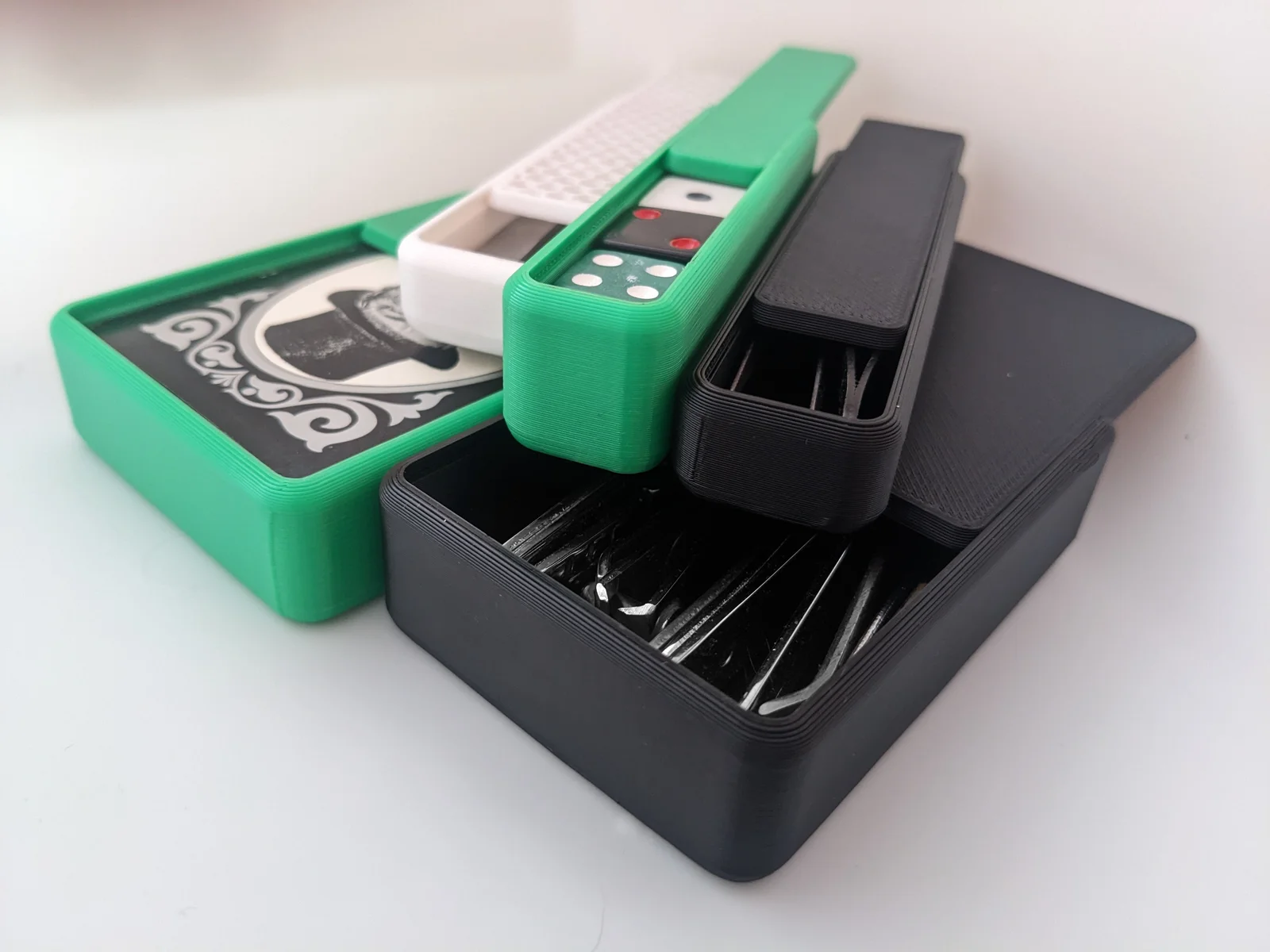
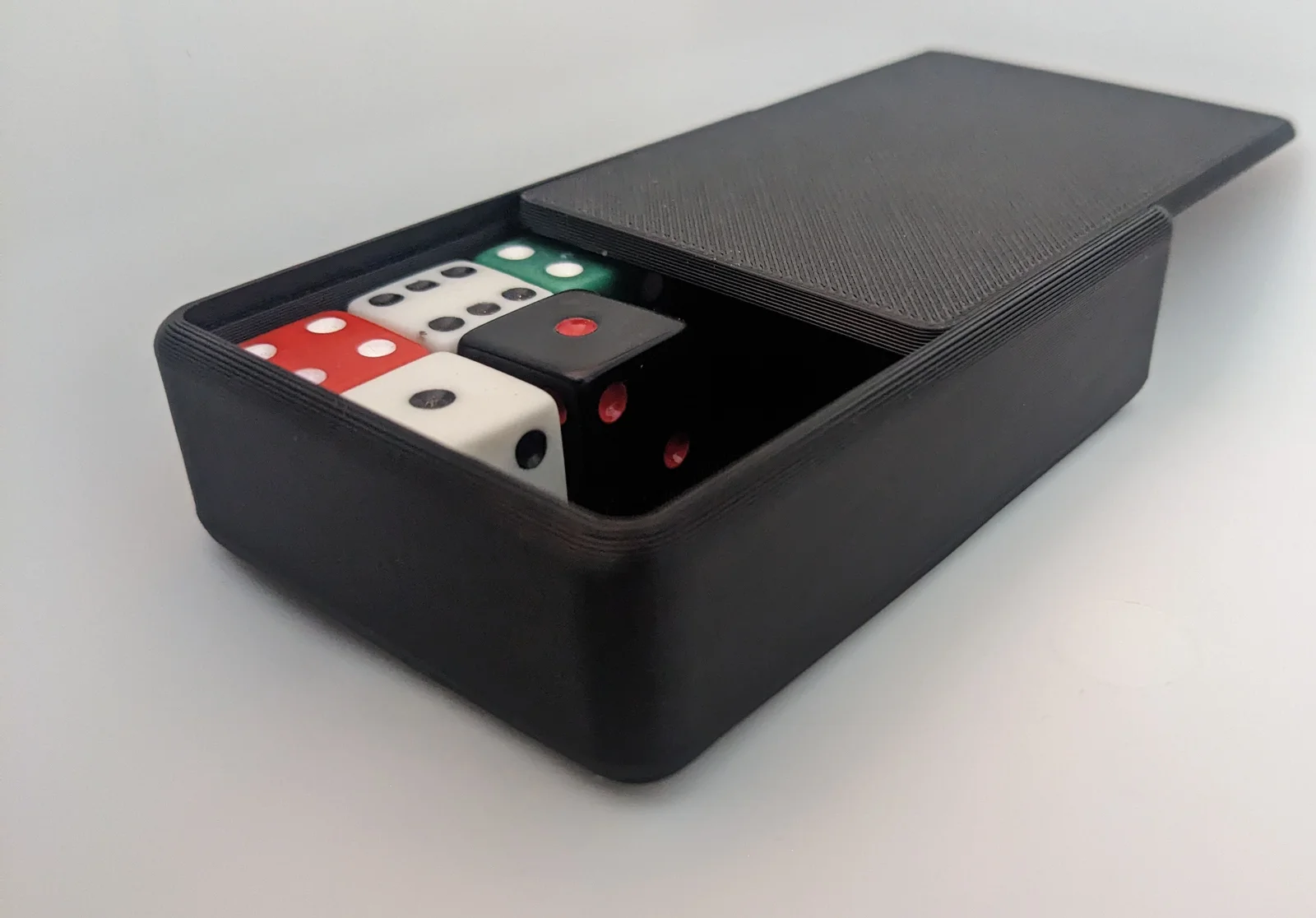
This customizable, parametric FreeCAD model features a simple box with a sliding lid that clicks into place.

Features

  • Fully parametric design
  • Easy-to-print design without the need for supports
  • Snap-fit sliding lid mechanism
  • Ideal for organizing small items or as a gift box

Step Files

I've included a few step files I used for various things to make it easier to customize without FreeCad. The sizes are based on the inside dimensions.

  • 50 mm x 100 mm (4 compartment side slide example)
  • 83 mm x 55 mm
  • 84 mm x 25 mm ( 7 day pill box tall )
  • 88 mm x 18 mm (5 Dice in photo)
  • 91 mm x 20 mm
  • 91 mm x 47 mm
  • 93 mm x 47 mm
  • 94 mm x 62 mm (Playing cards in photo)
  • 95 mm x 20 mm
  • 124 mm x 45 mm
  • 162 mm x 25 mm ( 7 Compartment pill box )
  • 185 mm x 20 mm
  • 200 mm x 60 mm ( Pencil Case )

Customization

You can also modify the dimensions, wall thickness, and other parameters to fit your needs by editing the provided FreeCAD files.

How to Update Parameters in FreeCAD

  1. Open the FreeCAD file in FreeCAD.
  2. In the Model tree, locate and expand the 'Spreadsheet' item. 
  3. Double-click the 'Parameters' item to open the spreadsheet. 
  4. Change the values in the spreadsheet to customize the dimensions, wall thickness, and other features of the box.
  5. After updating the parameters, close the spreadsheet and the model will automatically update based on the new values. 

Printing Recommendations

  • Layer height: 0.2mm
  • Infill: 20%
  • Supports: None required
  • Material: PLA, PETG, or any material of your choice
  • Try setting the lid top and bottom layers to 0 and adding a honeycomb infill so you can see what's inside

Have fun printing and customizing your box, and don't forget to share your makes!

About FreeCAD

FreeCAD is an open-source, parametric 3D modeling software that allows you to create, modify, and customize 3D models easily. With its parametric design capabilities, you can define and adjust model parameters to create highly customizable designs, making it a versatile and powerful tool for 3D printing enthusiasts. FreeCAD is available for Windows, macOS, and Linux platforms, and it's completely free to download and use.

Known Issues

  • FreeCad file is finicky, be patient with it and make sure you're on the latest version.

Read more Show less

Print spec

Formats
3mffcstdgcodeobjstep
Model files
36
Total size
11 MB
Largest file
3.3 MB

0 comments

See all