

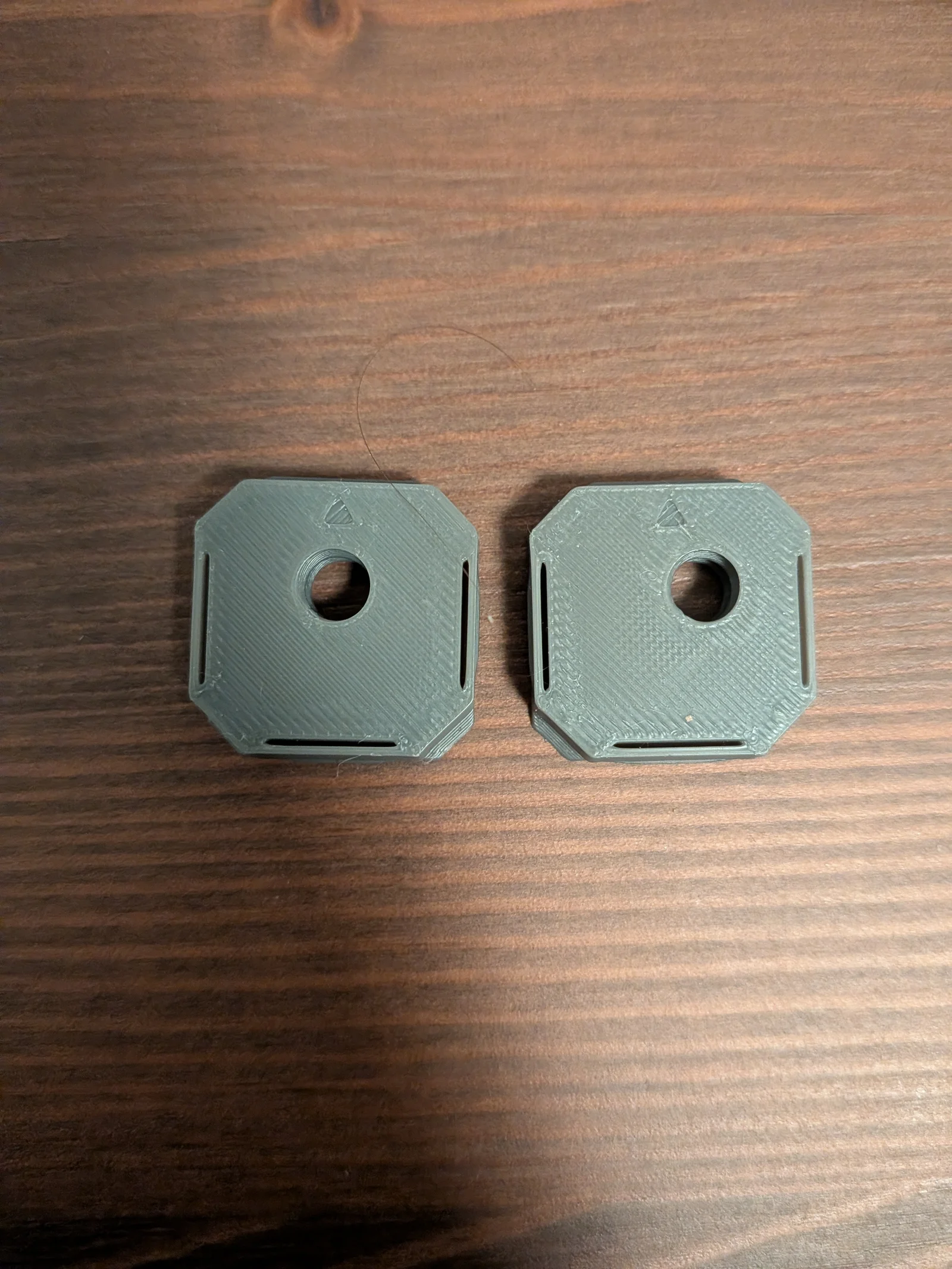


Kẹp Kính Mát Gắn Xe Hơi
 ByVC_DesignLikes721Downloads2.9K
Remix of openGrid - Chốt nối Multiboard By DavidD
Build another version of this model.
If you need more variants feel free to ask in the comments, or here is a lose step by step on how I did it in Fusion 360. I've also provided the Fusion archive among the files.
Download and open the STEP file you wish to modify from the original models.
Create a copy of the body so you have two.
Sketch a circle around 4mm bigger in diameter around the hole on one of the bodies a extrude with intersect to remove everything outside the cylinder. This will be called the cylinder from now on
On the second body create a sketch and add a point in the middle. Check the dimensions to the edge which should be 12.40mm. Remove the constraints and set the new dimension to this - 3mm in the direction you want to offset and 12.40 in the direction you don't (edge to point)
Draw a circle with a diameter of 2mm less than the one you created in step 3 around the point and extrude as a throughole. The exact dimension is unimportant, just make it sligtly smaller than the cylinder.
Align (with the align tool under modify) the cylinder with the point, make sure to select the whole body. Then align the top face of the cylinder to the top face of the first body.
Combine the two bodies with a join operation.
(Optional) If you need to make a double or even more offset just multiply the 3mm in step 4. If you are using Fusion or another paramteric CAD this should be as easy as changing the sketch in the history.
ByVC_DesignLikes721Downloads2.9K

 ByUpcrid3D_1585693Likes808Downloads2.1K

 ByWilko_SLOLikes935Downloads2K

 ByRobertoGalloc_356815Likes549Downloads1.8K

 ByTater_364200Likes486Downloads1.6K

 ByfifindrLikes709Downloads1.7K

 Bywhilex_1739192Likes644Downloads1.1K

 ByGi_TLikes801Downloads1.3K

 ByzeroflowLikes186Downloads1.2K

 ByMatthew_GhostLikes350Downloads938

 ByWolf_115355Likes513Downloads8.4K

 ByZED4EverLikes313Downloads5.2K