



Móc treo chổi thông minh Bistable - Giải pháp treo đồ 3D cực chắc
 Bytjfenwick_306961Likes385Downloads1K
Remix of Tường lưu trữ Honeycomb By RostaP
Build another version of this model.
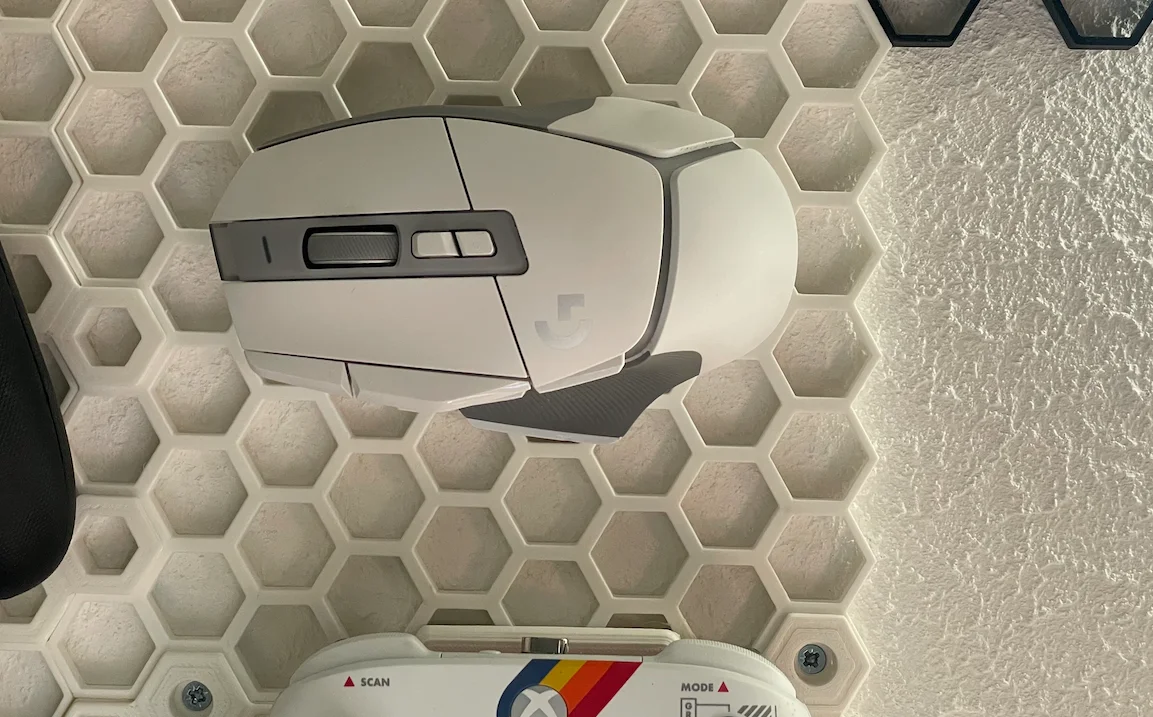
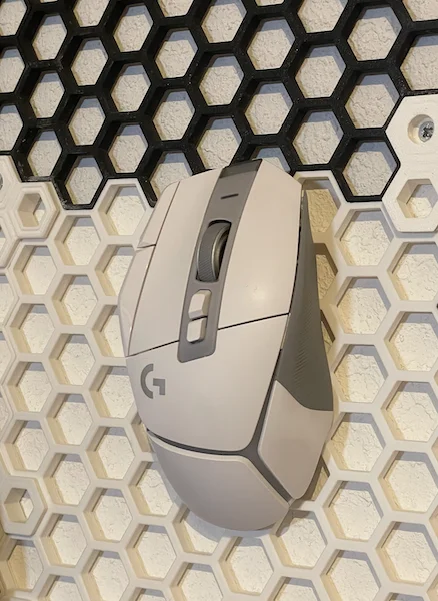
Hold your Logitech G502 X on your HSW!
You'll need 4 6x2.1mm magnets (same ones used in Gridfinity).
There are 2 models. One to hold the mouse up (or down) and one to hold it sideways both of them with and without the G logo.
Slicing & Print instructions:
Open the model you'd like in your favourite slicer
Slice the model with Layer Height of 0.2mm
On layer 24 (4.8mm) add a Pause / Color change
Slice and Print
The printer will pause to let you install the magnets
Make a stack of 2 magnets and install them on the left, reverse the polarity and install them on the right. It is left as an exercise to the reader to think about logo orientation / depending on his mouse's magnets polarity.
Resume the print
Again pay attention when you install the magnets as this will determine the mouse orientation and the position of the G logo.
Reversing the polarity of the magnets between the two holes, will make a "down mouse" -> up and an "up mouse" -> down, same goes for the left-right model.
Note: I removed the original cover puck from my mouse and stored it away. I use it without that cover at all time for quick pick up and storage from HSW.
If you like this make sure to check my other models.
Bytjfenwick_306961Likes385Downloads1K

 Bymatus158Likes0Downloads114

 BybobmakesLikes2.5KDownloads17.5K

 ByfifindrLikes141Downloads427

 BymakerxLikes0Downloads360

 By178222178222_2484344Likes449Downloads1.7K

 ByVaclav_ZahradkaLikes181Downloads1.2K

 ByowlartLikes527Downloads1.3K

 BycuplcompgLikes0Downloads167

 Bythe-kit-card-guyLikes0Downloads186

 ByAWSWLikes148Downloads585

 Bycustom-3d-partsLikes0Downloads209