F3D
Microlab 2 - Mini Modular Home Server Rack 1

10 images

Large file collection Dụng Cụ Tiện Ích

Microlab 2 - Mini Modular Home Server Rack

By CB4D_250517

Downloads
103
Likes
33
Views
1,199

Files 73 11.9 MB

  • Top-Panel-Fan-120_1767602213.stepSTEP · 171.7 KB
  • Mini-Tray-0.5-RPi4_1767602214.stepSTEP · 79.4 KB
  • Tray-1U-Template-Starter_1767602215.stepSTEP · 37.8 KB
  • Panel-1U-Mag-Button12mm_1767602216.stepSTEP · 34.1 KB

Make a variant with AI

Build another version of this model.

Open Studio

Description

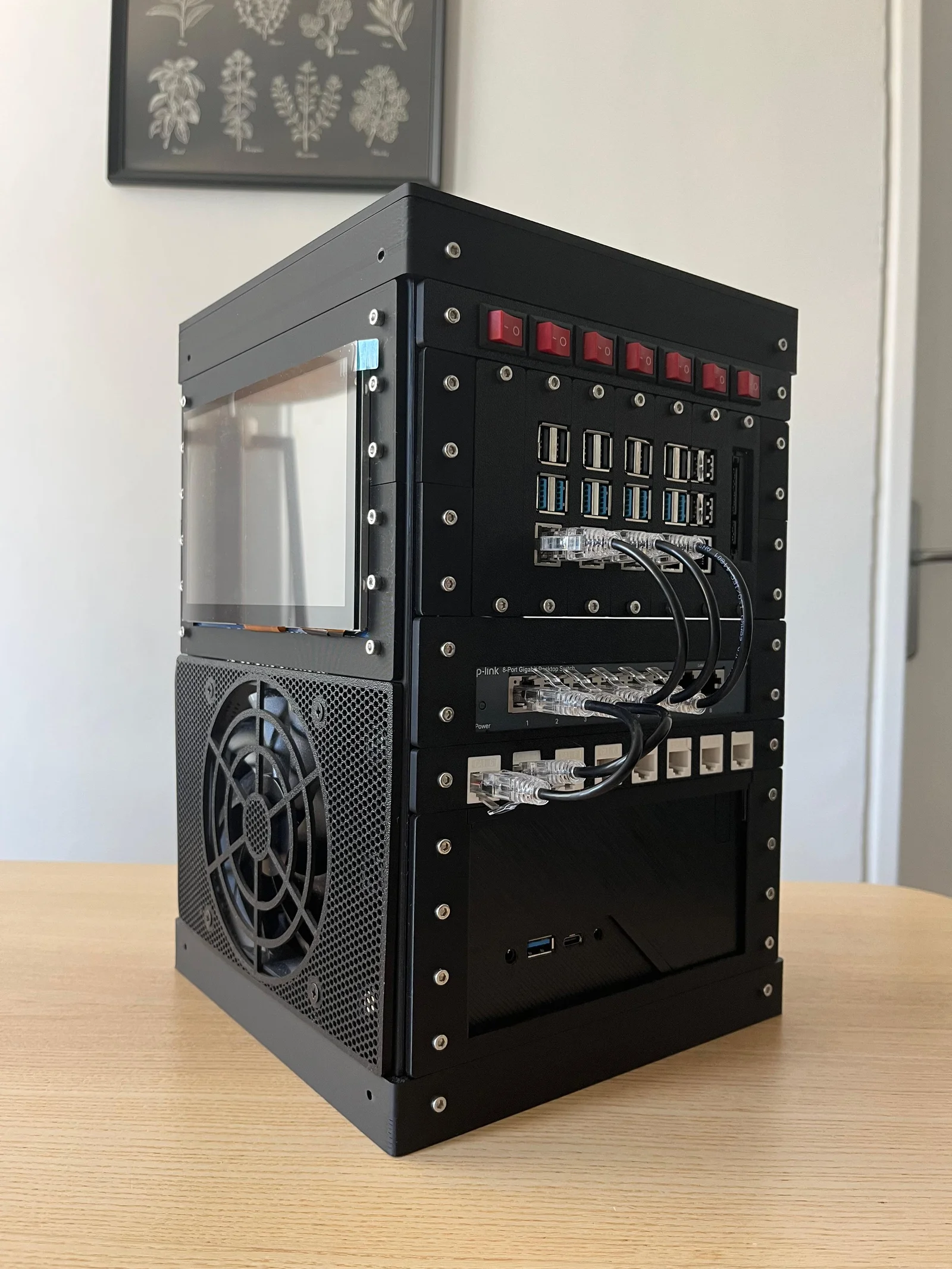
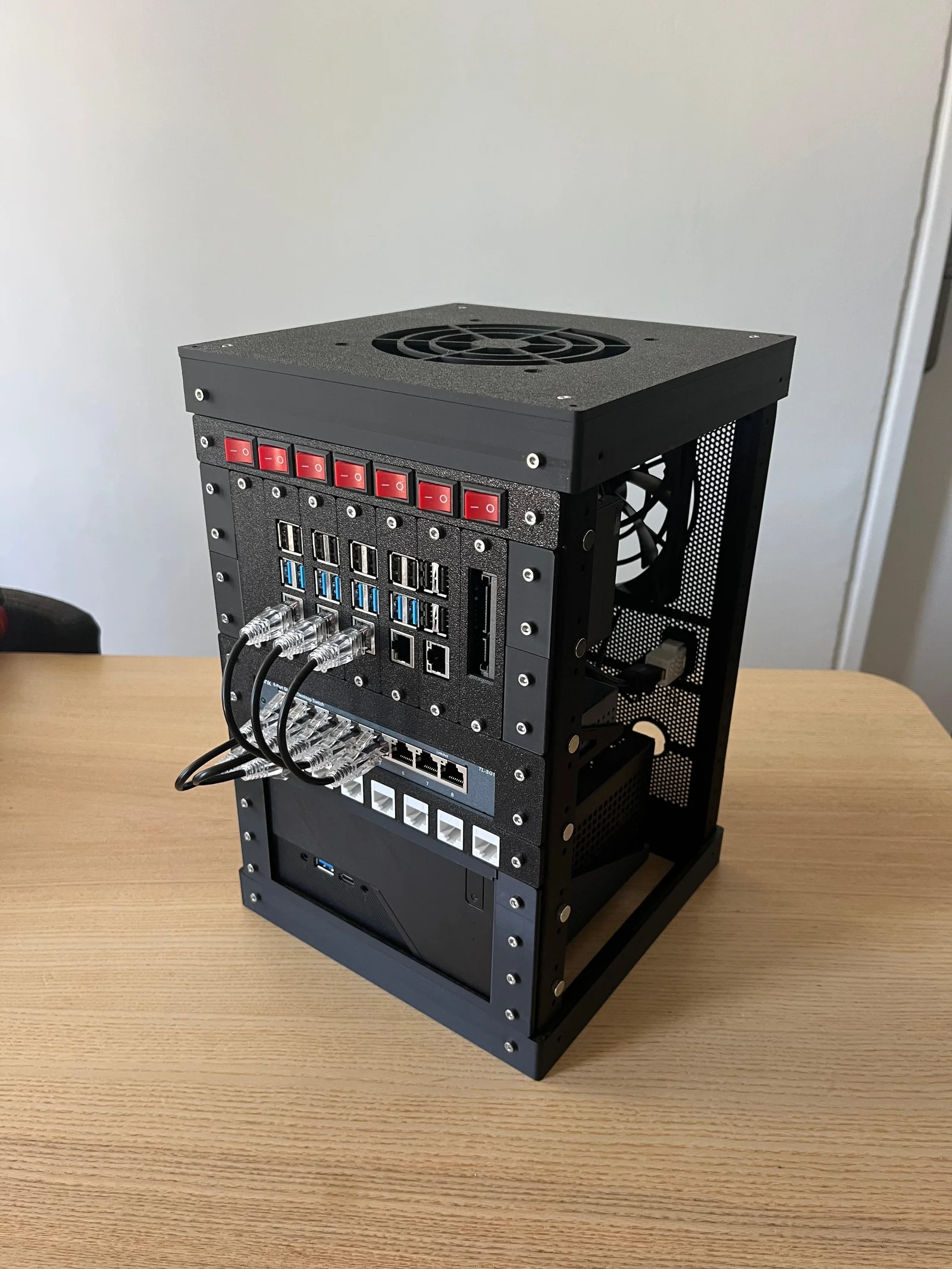
Microlab 2 — Modular 3D-Printable Mini Homelab

Microlab 2 is a fully modular, open-source mini-rack system designed for makers, homelab enthusiasts, and anyone who wants a compact, customizable workspace for electronics or servers.
Unlike common 10″ racks, Microlab 2 is:

  • Compact & Square – Small footprint, flexible orientation.
  • Fully Modular – Columns, caps, trays, and panels snap together with M3 screws or magnets.
  • 100% 3D-Printable – Print the entire project with just a couple of PLA rolls.
  • Open & Hackable – Build trays and panels for Raspberry Pi, SATA drives, fans, screens, buttons, switches, and more.

Key Features

  • Scalable frame: Start with 6U and extend vertically as needed.
  • Universal panel standard: Any panel or tray can be mounted on any side.
  • Cooling options: Perforated panels, magnetic fan mounts, and vertical airflow support.
  • Accessory ecosystem: Mini-trays for SBCs and 2.5″ drives, panels for keystones, switches, rotary encoders, and displays up to 7″.
  • Magnetic or screw-mounted side panels for quick swaps.

Printing & Assembly

  • Print the columns, caps, and trays in PLA or PETG.
  • Use standard M3 screws and nuts (optional 8×3 mm magnets for tool-less panels).
  • All files are modular — you only print what you need.

Materials

  • M3x10 or M3x12 screws & nuts
    • Minimum: ~32 pairs (all magnetic panels)
    • Full 6U build: ~112 pairs
    • Large setups (e.g., 6U+4U extension): ~160–180 pairs
  • Optional: 8×3 mm magnets (4 per 1U panel) for magnetic mounting

Tip: Glue the magnets and let the adhesive dry before attaching panels. Make sure all magnets share the same polarity for maximum flexibility.

Example Use Cases

  • Raspberry Pi clusters or NAS builds
  • Compact home servers and firewalls
  • Network switch + mini PC combos
  • Sensor dashboards, HMI, or DIY control panels

More info: https://github.com/canberkdurmus/microlab-2

Read more Show less

Print spec

Formats
step
Model files
73
Total size
11.9 MB
Largest file
1.5 MB

0 comments

See all