



Bộ sưu tập 11 nhân vật mô hình Mecca Chameleon in 3D vui nhộn
 ByZED4EverLikes313Downloads5.2K
Build another version of this model.
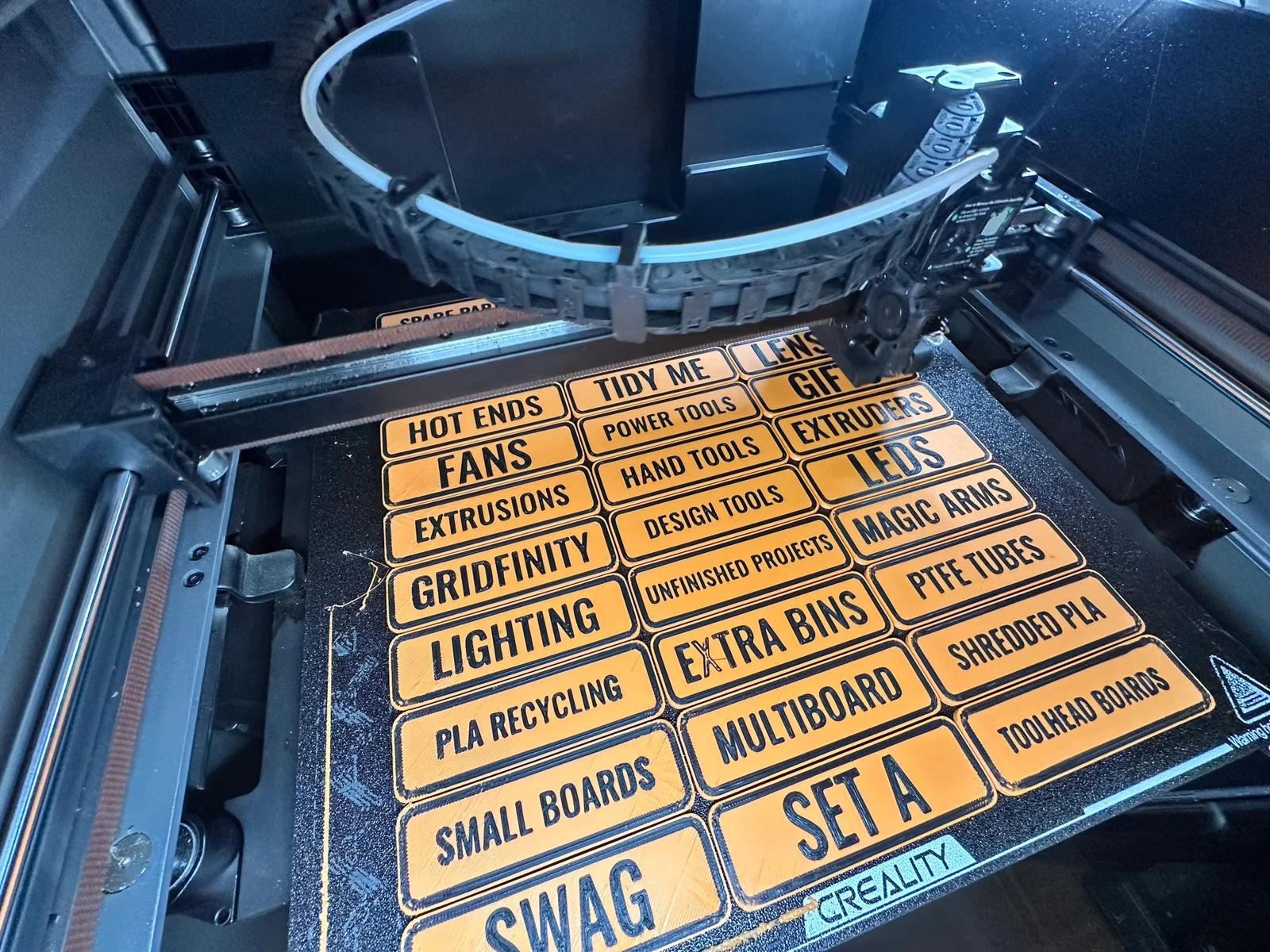
This script will allow you to use the Command Line on your computer + OpenScad to generate HUGE amounts of any OpenScad file (Labels, Personalized Designs, etc) using a simple CSV.
How To Use It:
python3 stllabels.py label_template.scad labels.csvIf it doesn't work, you might need to create a “symlink” to tell your computer where to get OpenScad:
sudo ln -s "/Applications/OpenSCAD.app/Contents/MacOS/OpenSCAD" /usr/local/bin/openscad
Thanks to Fiverr & Ali
This script was created by Fiverr seller "Ali" as part of a collaboration with Fiverr. To check Ali out and hire him for your own tasks, you can click here.
See it in action!
ByZED4EverLikes313Downloads5.2K

 ByBasementLABLikes888Downloads1.5K

 Bydan-sabauLikes0Downloads2.6K

 ByleonicLikes0Downloads1.4K

 BymoonyxLikes0Downloads704

 ByVC_DesignLikes679Downloads3.6K

 ByDan Schwartz SchwartzLikes744Downloads3.4K

 Byvc-designLikes0Downloads494

 Bythorin-oakenshieldLikes0Downloads539

 Bytorii-creative-studioLikes0Downloads455

 ByUpcrid3D_1585693Likes808Downloads2.1K

 ByshoheiyLikes0Downloads438