



Fortnite Pirate Shop Token
 Bylarp3dLikes0Downloads1.4K
Build another version of this model.
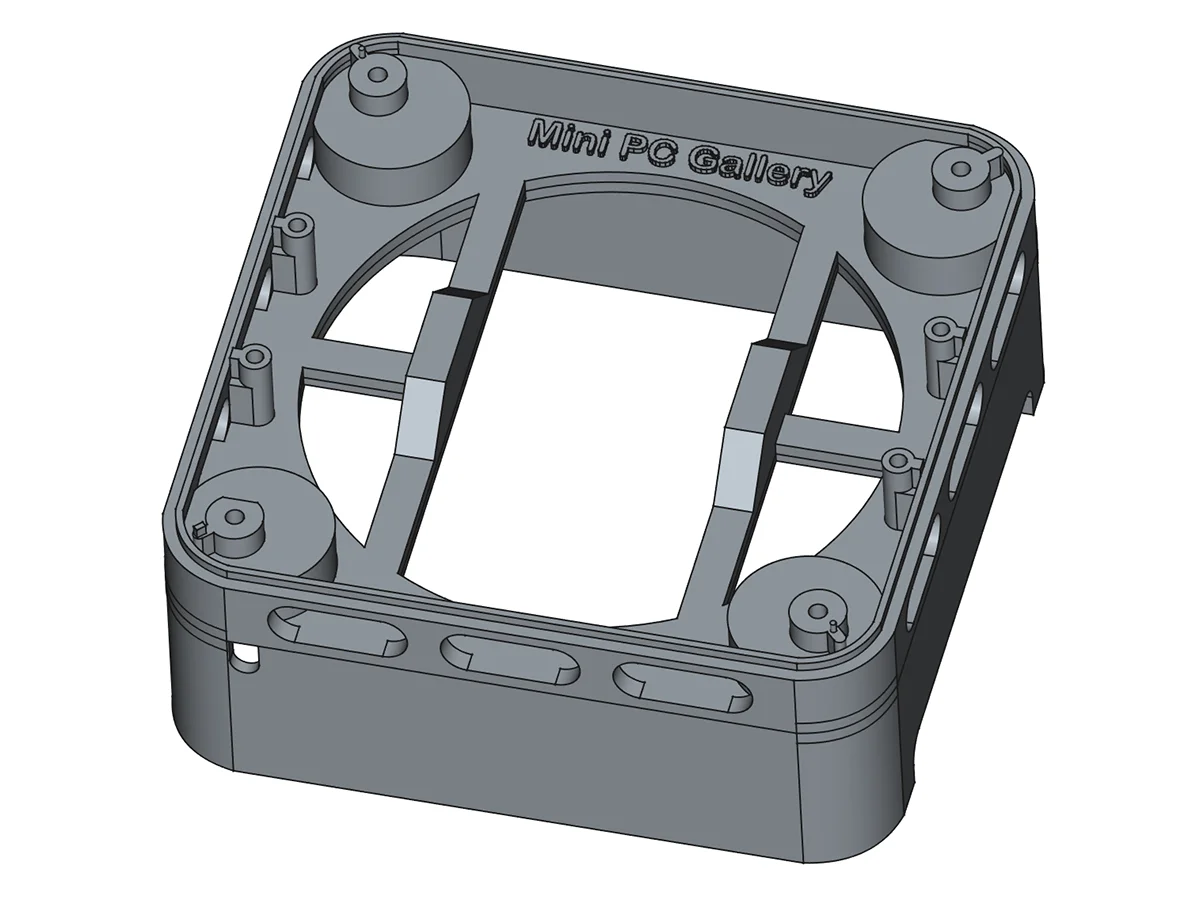
This Modkit is divided into two parts
0. Remove the Lower part of the stock case and the Motherboard
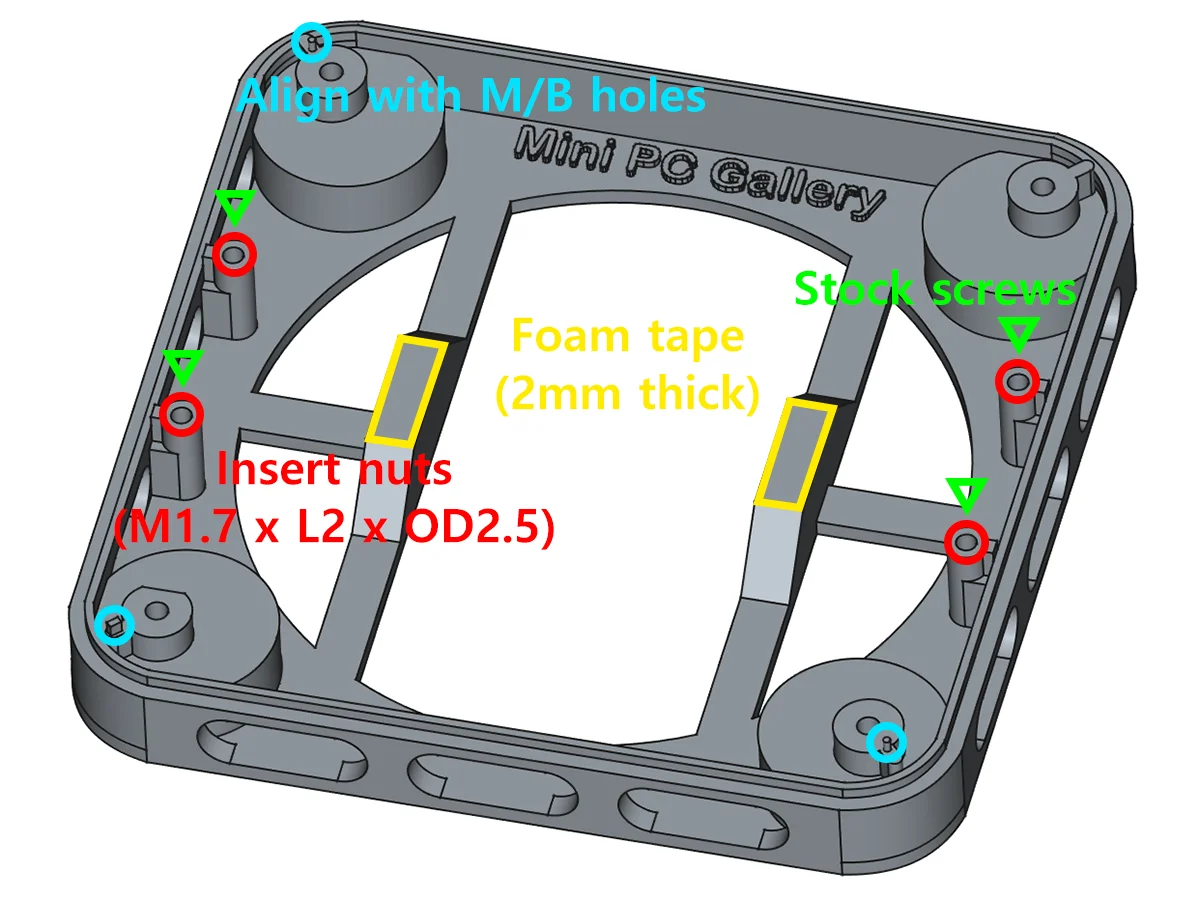
1. Mount and Support the motherboard using the Upper part of Modkit
2. Attach the Upper part of stock case to the Upper part of Modkit
3. Prepare for attaching the Lower part of Modkit
4. Install Fan into the Lower part of Modkit
5. Attach the Lower part to the Upper part of Modkit
6. Turn on the Fan and control the speed
Bylarp3dLikes0Downloads1.4K

 ByJaronLikes310Downloads1K

 Byw3rN42Likes127Downloads942

 ByTomDDLikes89Downloads584

 ByJwidessLikes34Downloads382

 ByckthLikes148Downloads2.4K

 Bynexgen-3d-printingLikes0Downloads399

 ByVikingptty_1943738Likes50Downloads237

 By3dwakeLikes0Downloads373

 ByBrokentooth_designsLikes30Downloads231

 Byslava-kuzminLikes0Downloads292

 ByJKMCZLikes11Downloads185