


Bộ sưu tập 11 nhân vật mô hình Mecca Chameleon in 3D vui nhộn
 ByZED4EverLikes313Downloads5.2K
Build another version of this model.
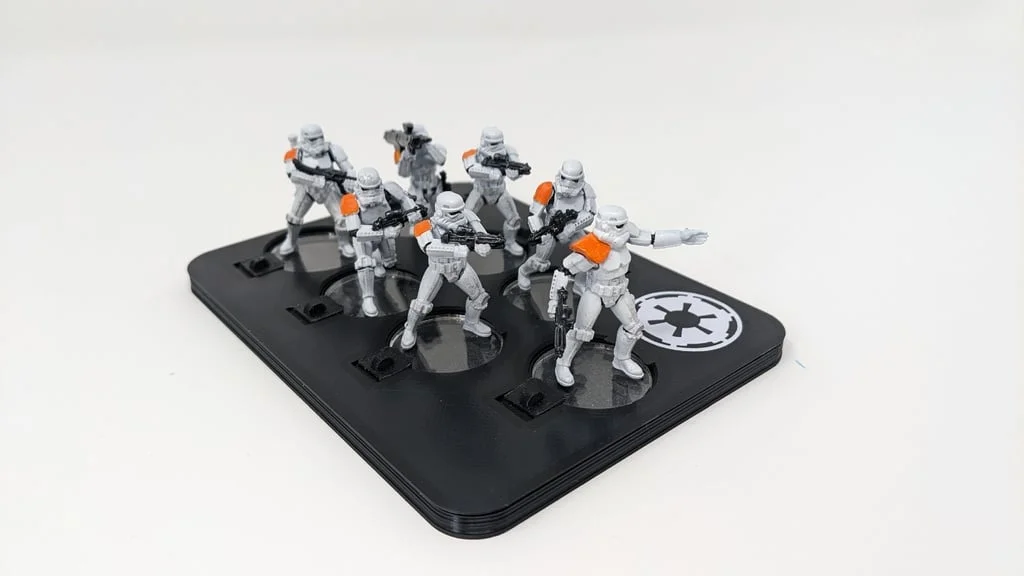
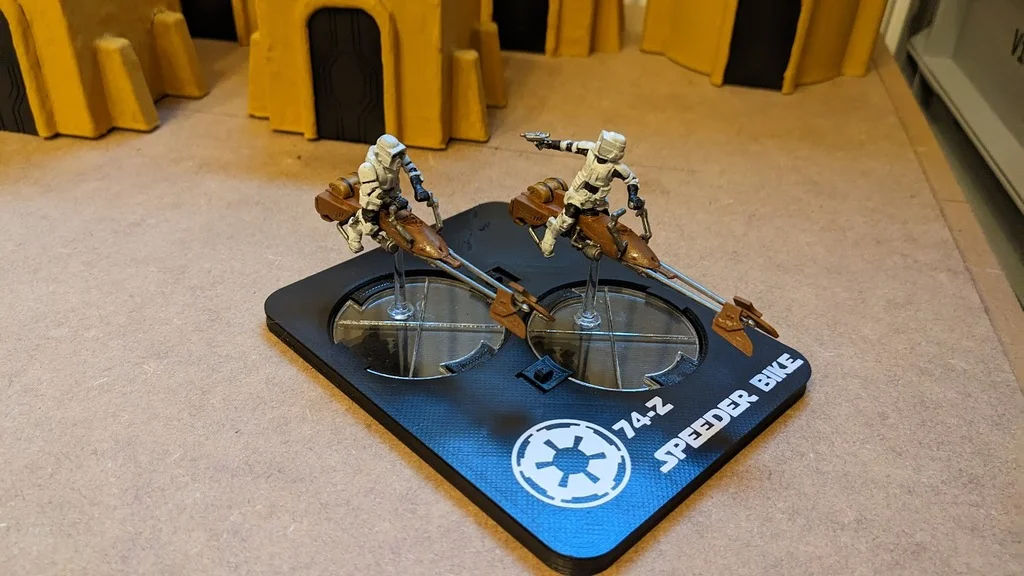
As I equipped my minatures with acrylic bases and did not want to incorporate magnets for some storage, I was looking for another method of keeping them in place during transport.
This is what I came up with.
-= UPDATE 27.02.2023 =-
There was an issue on the top part where the slot for the slider wasn't long enough for them to open properly (on the left side).
Sorry 'bout that!
If you already built it with the old top part (like me), you might need to sand down the sliders with a dremel or similar
-= UPDATE 28.02.2023 =-
Squad_7_top_v2 includes the fix for the lacking space for the slider but also reduces the height of the alignment pins by 0,5mm.
-= UPDATE 30.04.2023 =-
Adding holders for bigger bases: 50mm x2 [top|bottom]: Holds 2 5mm bases (like the 74-z Landspeeders) 70mm [top|bottom]: holder for a 70mm base 100mm 2hole [top|bottom]: holder for one 100mm base and 2 equipment upgrades with 2mm pins 100mm 4hole [top|bottom]: holder for one 100mm base and 2 equipment upgrades with 4mm pins 100mm [top|bottom] AT-ST: Same as 100mm_4hole but bigger to cover the entire footprint of an AT-ST
Printer Brand:
Creality
Printer:
Ender 3
Rafts:
No
Supports:
Yes
Resolution:
0.15
Infill:
30%
Filament: Janbex PLA Black
Notes:
Supports needed for the sliders only.
Obviously, you will need 7 of them...
Put the sliders in place and glue the top part onto the bottom...
Holes and pins will help align them properly
ByZED4EverLikes313Downloads5.2K

 ByleonicLikes0Downloads1.4K

 ByfifindrLikes500Downloads4K

 BymoonyxLikes0Downloads701

 ByVC_DesignLikes679Downloads3.6K

 ByDan Schwartz SchwartzLikes744Downloads3.4K

 Byvc-designLikes0Downloads3.2K

 Bythorin-oakenshieldLikes0Downloads536

 Bytorii-creative-studioLikes0Downloads453

 ByUpcrid3D_1585693Likes808Downloads2.1K

 ByshoheiyLikes0Downloads437

 ByJordanK_858807Likes42Downloads438