

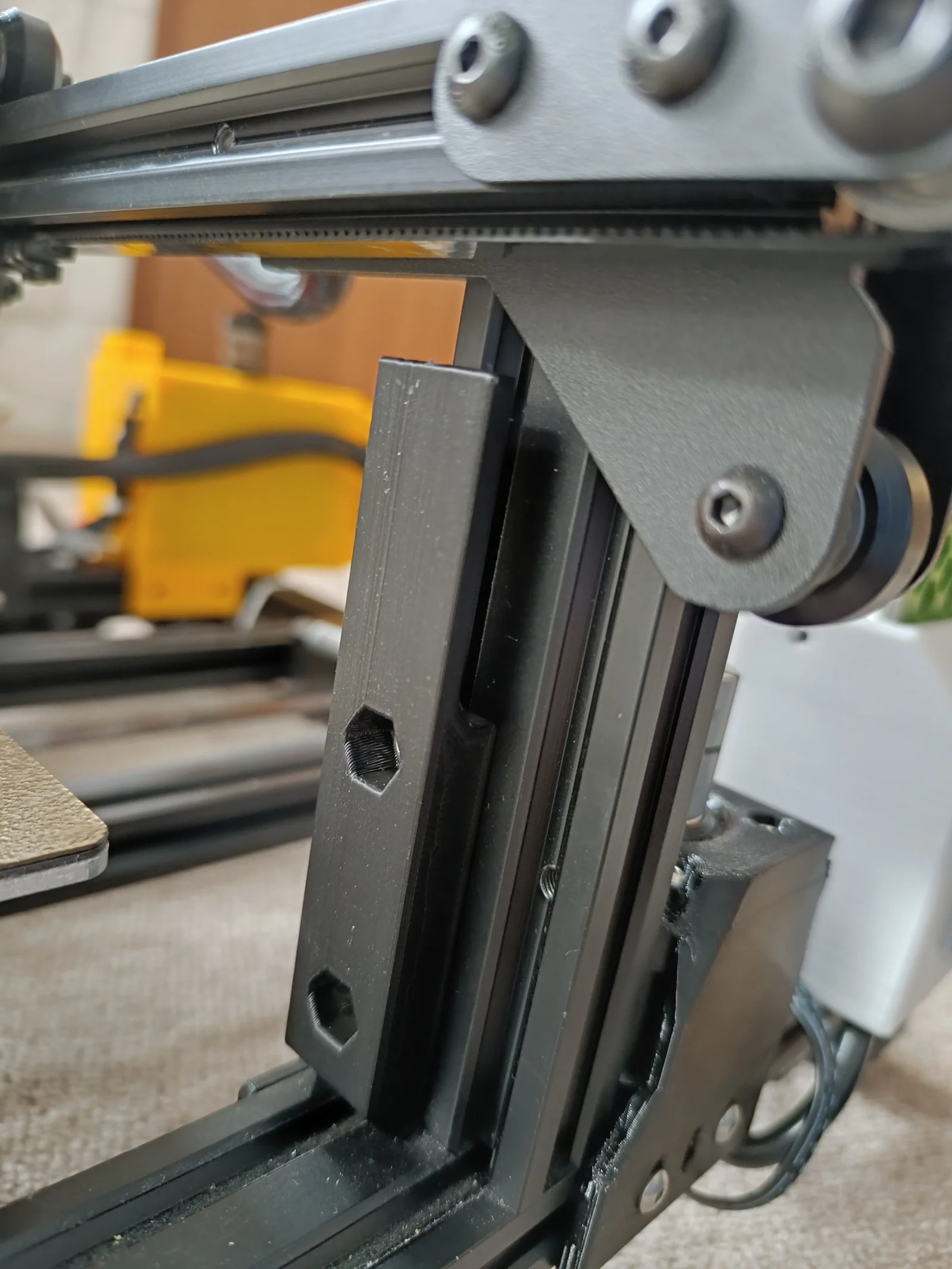


Kẹp giữ sợi Filament
 Bytinx_1344834Likes1.2KDownloads6K
Build another version of this model.
Many cheap 3d printers, even nowadays, have not totally leveled x axis, which causes so much issues and weird problems.
To ensure a leveled out x-axis, there are several nice maintenance videos available. I still recommend the X Gantry Rework Videos from Edge of Tech at:
To make things easier, I created a distance holder, which can be screwed on the Y-Axis on both sides. Then just loosen up everything on the x-gantry and do the rework as explained.
This method is also used by CHEP in his Ender 3 build guide at:
Check out Optional Tip #2 and Optional Tip #3 in that video. My Alignment helper makes it much easier and safe when boring the “alignment hole”.
This works on Ender 3, CR10, also Sunlu S8 / S9 and many other printers with standard 2020/2040 Y-Axis.
Printing Tip: When you print these alignment-helpers, print just one at a time and then print the same STL file a second time. Even if your printer is slightly off-centered, both parts will be the same.
Additional Parts:
4x M4 t-nuts
4x M4x10 screws
Bytinx_1344834Likes1.2KDownloads6K

 BydalleLikes0Downloads160

 ByBrokentooth_designsLikes17Downloads161

 BynasikLikes0Downloads131

 ByGeek5DLikes147Downloads493

 Byprusa-researchLikes0Downloads2.7K

 ByRyanLikes0Downloads232

 Bybloblis67Likes0Downloads323

 Bycrawler-4460618Likes0Downloads172

 Byemmanuel-garciaLikes0Downloads169

 Bydet-manLikes0Downloads184

 Bygummiegecko8477Likes0Downloads178