



Mẫu gảy đàn Guitar (Guitar Pick) in 3D tùy chỉnh độ dày
 ByWolf_115355Likes513Downloads8.4K
Remix of Giá Đỡ Đa Năng Cho Focusrite Scarlett Solo (Gen 3) By jangrewe
Build another version of this model.
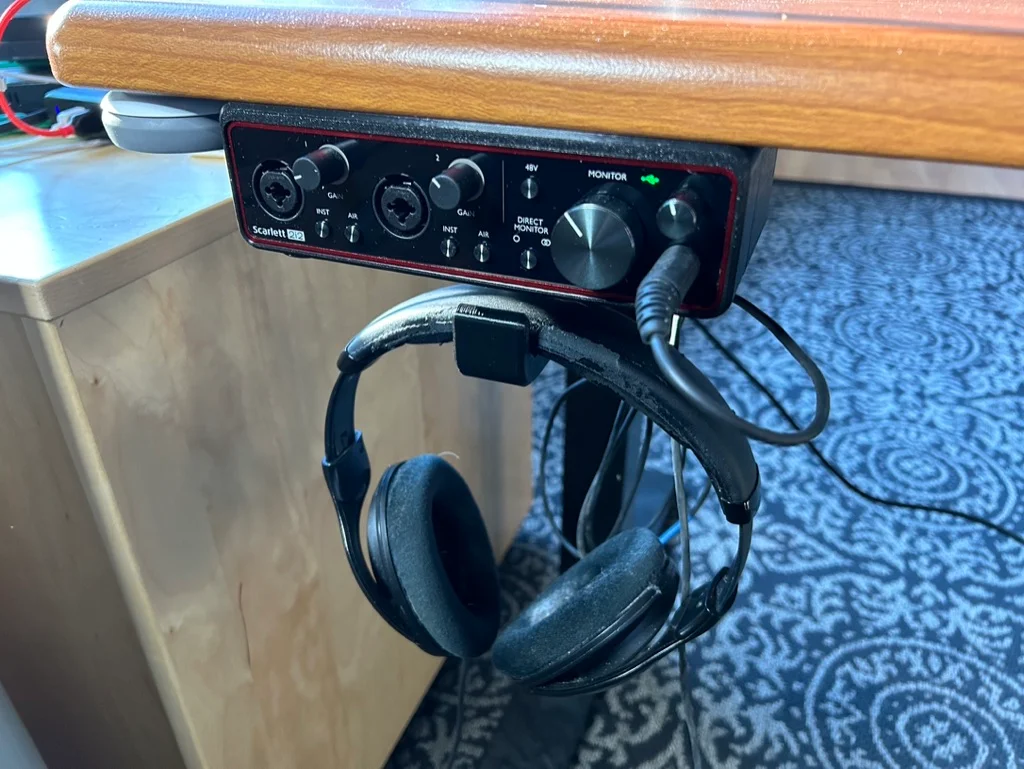
This mounts a Focus Scarlett 2i2 audio interface (3rd generation) under a desk or table. It includes a large hook for headphones below. There is a smaller hook in back for extra loops of headphone cable.
I modeled this in Fusion360. Along with the .STL files, I've included .STEP files and .f3d files so you can modify the model in Fusion 360 or another CAD program.
Print with default settings. PLA or PETG is fine. Any layer height is fine. Print the bracket face down, and print the headphone hook with the right side down. I chose to use a textured build plate to give the front surface a pebbly look.
Have fun.
ByWolf_115355Likes513Downloads8.4K

 ByfifindrLikes709Downloads1.7K

 ByZED4EverLikes313Downloads5.2K

 ByMatthew_GhostLikes350Downloads933

 ByVC_DesignLikes679Downloads3.6K

 ByDan Schwartz SchwartzLikes744Downloads3.4K

 ByMaxTheSpyLikes57Downloads528

 ByUpcrid3D_1585693Likes808Downloads2.1K

 ByWilko_SLOLikes935Downloads2K

 Bychubbs8697_2027893Likes585Downloads1.7K

 Byquibeck_3353173Likes965Downloads1.9K

 BySeppoTakaloLikes960Downloads1.9K