



Lỗ Golf Trong Nhà (Indoor Golf Hole)
 ByMauroVanDerG_4110408Likes378Downloads2.7K
Build another version of this model.
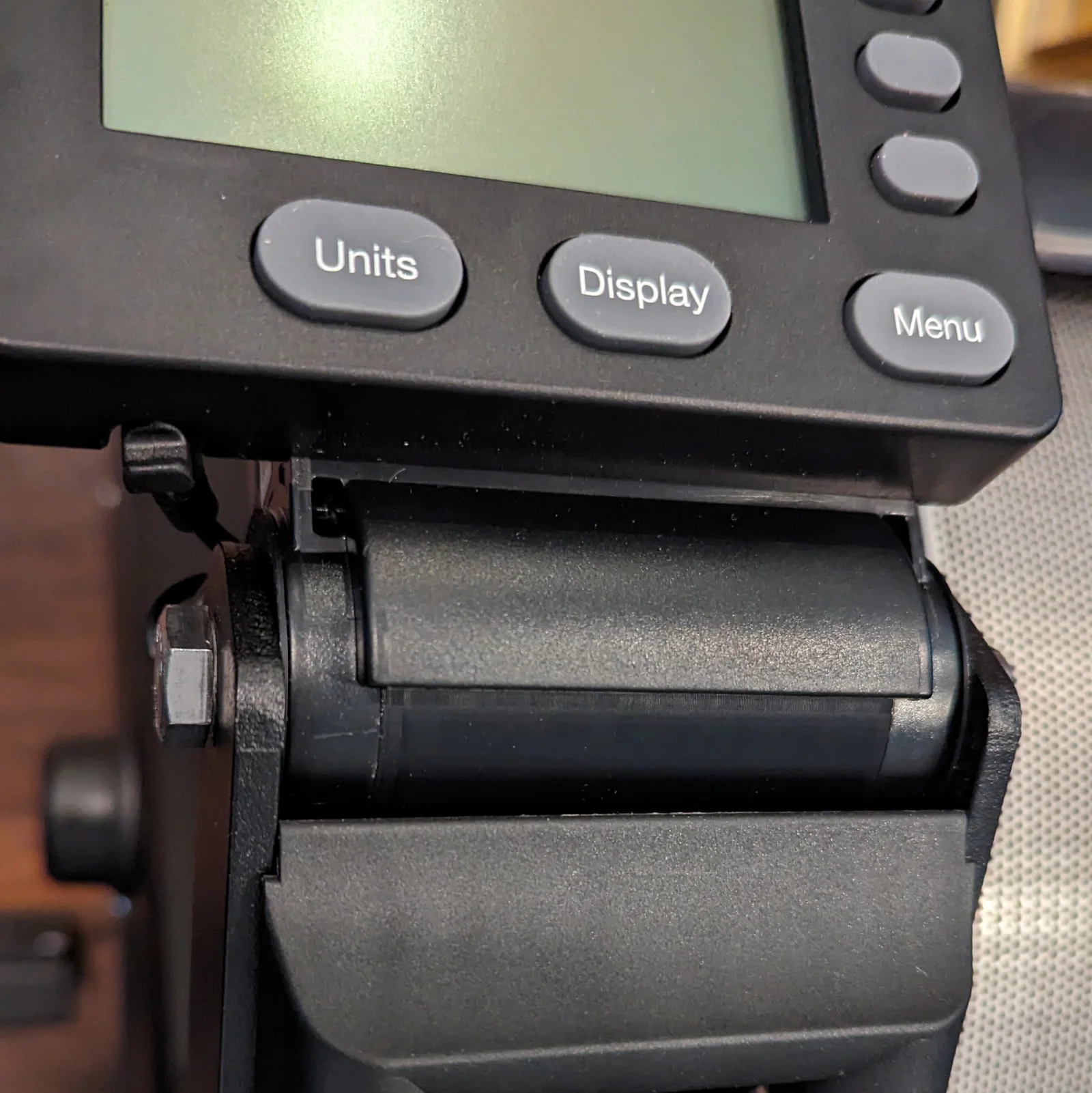
I have a large monitor above my rower so the monitor arm holding the PM5 just got on the way.
Print one center spacer and two end caps.
To install:
Tools: #2 Philips screwdriver and 2 x 9/16 wrenches (can be adjustable open end)
1. Unplug PM5 power cable from the back of the PM5
2. Remove the 9/16 head nut and bolt from the top of the monitor arm, and lift off the PM5 away.
3. Remove the 9/16 head nut and bolt from the bottom of the arm. Be careful, the power wire is captured inside of it
4. Remove the screw from the Philips center of the monitor arm and separate the haves of the monitor arm to remove the wire
5. Place the center spacer inside the gap left by the monitor arm in the PM5 mount and the end caps on ether side, smooth side facing out.
6. Reassemble using the nut and bolt you removed in Step 2, don't over tighten, you want it to be just snug enough that you can adjust the screen angle.
7. Use a zip or bread tie to bundle up the excess cable.
ByMauroVanDerG_4110408Likes378Downloads2.7K

 ByMFTuningLikes153Downloads1.8K

 ByJanTomasek_896550Likes7Downloads222

 ByxmastreeLikes0Downloads201

 ByMaverick0197Likes161Downloads1.3K

 ByCubaLibreee_2869176Likes125Downloads1K

 ByXDr4g0nXLikes198Downloads827

 ByGerhard_48223Likes240Downloads470

 ByBillRichardsLikes32Downloads385

 ByKorriLikes60Downloads614

 ByTarzLikes28Downloads579

 Byhs-sonicytLikes0Downloads127