

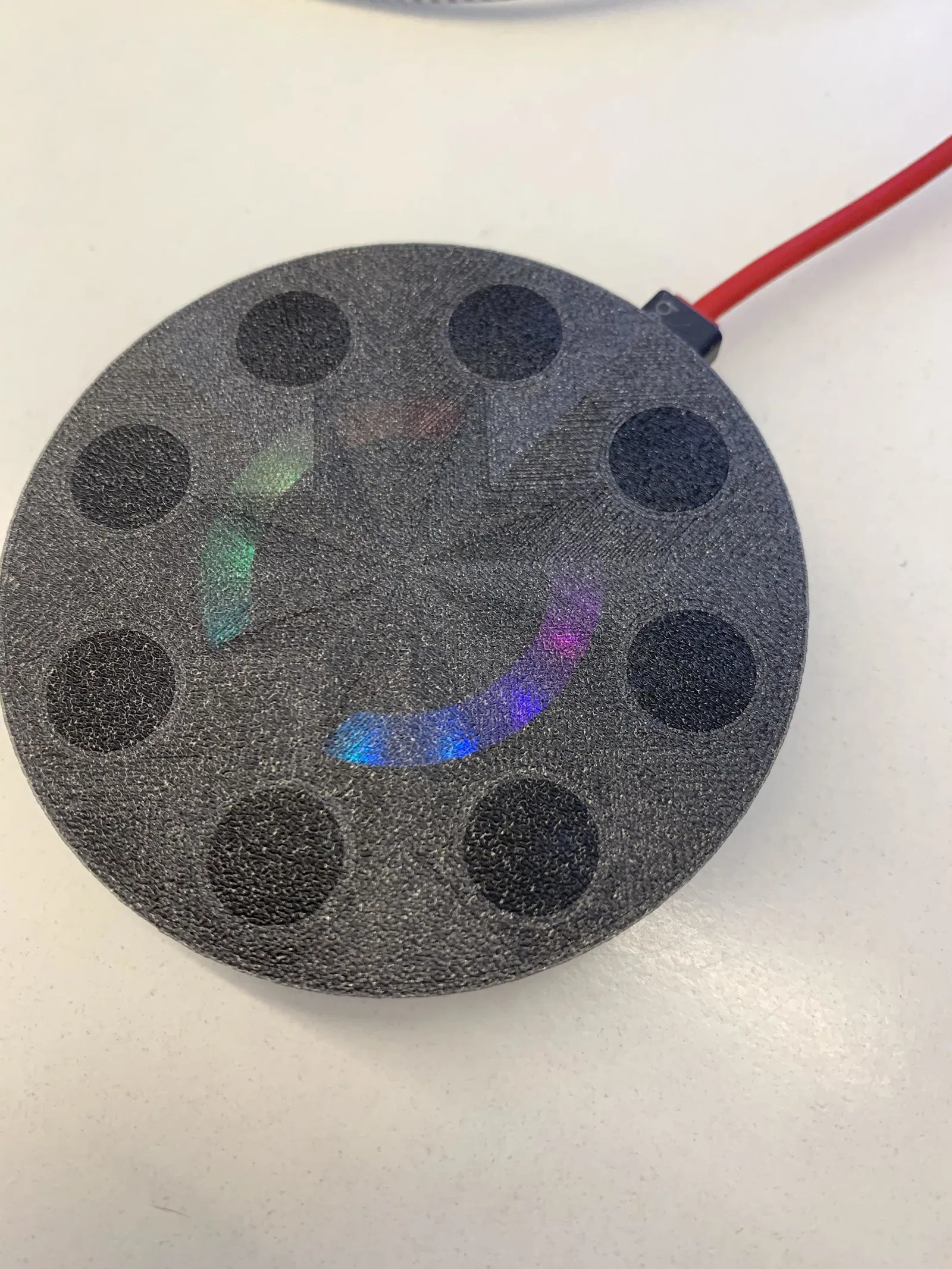
Bàn phím Macro Chạm Điện dung

Đây là bàn phím Macro Chạm điện dung, một bản in đa vật liệu độc đáo sử dụng cả sợi dẫn điện và sợi cách điện. Sản phẩm này yêu cầu Adafruit Circuit Playground và 8 con ốc, kèm theo mã nguồn để bạn dễ dàng bắt đầu. Nó cho phép bạn gửi các lệnh bàn phím và chuột thông qua các bảng cảm ứng.
Mô tả
Đây là một bản in đa vật liệu sử dụng sợi dẫn điện và sợi cách điện. Bạn chỉ cần một Adafruit Circuit Playground và 8 con ốc. Tôi cũng đã bao gồm một số mã cơ bản để giúp bạn bắt đầu (chỉnh sửa từ mã của Carter Nelson, liên kết bên dưới). https://www.arduino.cc/en/Reference/MouseKeyboard
Nó không cho phép tôi tải lên tệp .ino nên đây là bản sao mã của tôi:
//////////////////////////////////////////////////////////////////////////// // Circuit Playground Capacitive Touch Tones // // Gửi các sự kiện bàn phím và chuột cho mỗi bảng cảm ứng. // https://www.arduino.cc/en/Reference/MouseKeyboard // // Tác giả: Carter Nelson // Giấy phép MIT (https://opensource.org/licenses/MIT)
include <Adafruit_CircuitPlayground.h>
include <Keyboard.h>
define CAP_THRESHOLD 100
define DEBOUNCE 250
uint8_t pads[] = {3, 2, 0, 1, 12, 6, 9, 10}; uint8_t numberOfPads = sizeof(pads)/sizeof(uint8_t);
boolean emulatorActive = false;
uint32_t colors[] = { 0xFF0000, 0xff9900, 0xccff00, 0x33ff00, 0x00ff66, 0x00ffff, 0x0066ff, 0x3300ff, 0xff0099, 0x000000 };
int colorIndex; int startIndex;
void action1(){ ctrlalt('q'); } void action2(){ ctrlalt('w'); } void action3(){ ctrlalt('e'); } void action4(){ ctrlalt('r'); } void action5(){ ctrlalt('t'); } void action6(){ ctrlalt('y'); } void action7(){ ctrlalt('u'); } void action8(){ ctrlalt(8); }
void ctrlalt(int x){ Keyboard.press(KEY_LEFT_CTRL); Keyboard.press(KEY_LEFT_ALT); Keyboard.press(char(x)); delay(100); Keyboard.releaseAll(); }
//////////////////////////////////////////////////////////////////////////// void takeAction(uint8_t pad) { Serial.print("PAD "); Serial.println(pad); switch (pad) { case 3: action1(); break; case 2: action2(); break; case 0: action3(); break; case 1: action4(); break; case 12: action5(); break; case 6: action6(); break; case 9: action7(); break; case 10: action8(); break; default: Serial.println("Error"); } }
//////////////////////////////////////////////////////////////////////////// boolean capButton(uint8_t pad) { // Check if capacitive touch exceeds threshold. if (CircuitPlayground.readCap(pad) > CAP_THRESHOLD) { return true; } else { return false; } }
//////////////////////////////////////////////////////////////////////////// void sendKey(char key) { Keyboard.press(key); Keyboard.releaseAll(); }
//////////////////////////////////////////////////////////////////////////// void setup() { CircuitPlayground.begin();
// Make it bright! CircuitPlayground.setBrightness(255);
// Start at the beginning startIndex = 0;
// Initialize serial. Serial.begin(9600);
// Initialize Circuit Playground library. CircuitPlayground.begin(); }
//////////////////////////////////////////////////////////////////////////// void loop() { // Indicate emulator status on red LED. CircuitPlayground.redLED(emulatorActive); CircuitPlayground.clearPixels();
// Loop through each pixel, setting their colors colorIndex = startIndex; for (int pixel=0; pixel<10; pixel++) { CircuitPlayground.setPixelColor(pixel, colors[colorIndex]); colorIndex++; if (colorIndex > 9) colorIndex = 0; }
// Increment start index into color array startIndex++;
// Check value and reset if necessary if (startIndex > 9) startIndex = 0;
//Checks the pads 20x for every Neopixel update int tickRate = 20; for (int i = 0; i < tickRate; i++){ // Check slide switch. if (!CircuitPlayground.slideSwitch()) {
  //-----------| EMULATOR OFF |-------------
  if (emulatorActive) {
    Keyboard.end();
    emulatorActive = false;
  }

} else {

  //-----------| EMULATOR ON |-------------
  if (!emulatorActive) {
    Keyboard.begin();
    emulatorActive = true;
  }

  // Loop over every pad.
  for (int i=0; i<numberOfPads; i++) {

  // Check if pad is touched.
  if (capButton(pads[i])) {

    // Do something.
    takeAction(pads[i]);

    // But not too often.
    delay(DEBOUNCE);
  }
}
}
} }
Giấy phép

File mô hình
Chưa có bản in nào được khoe. Hãy là người đầu tiên!


Chưa có bình luận nào. Hãy là người đầu tiên!