

Filament Box Markers

Hỗ trợ hàng tồn kho dây cho những người cần giữ mức chứng khoán của một loạt các sợi trong các màu sắc và loại khác nhau.
Mô tả
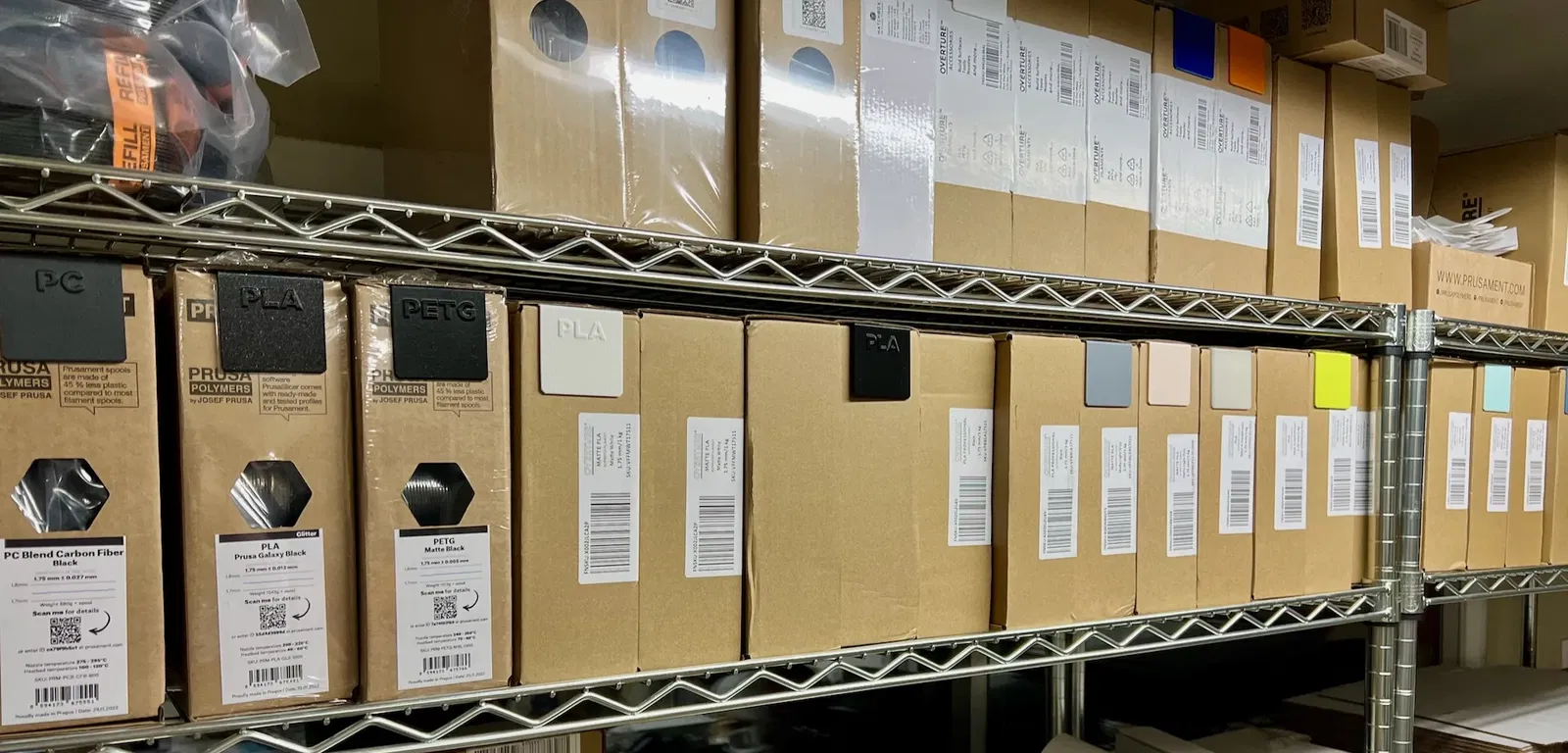
I operate a small print farm and, like any business, it is important to maintain stock levels of raw materials. In my case, this is FDM filaments. I keep them all on shelving and I like to be able to see from across the room how many of each I have. So, I've devised a small swatch that is inserted into the flap of the filament boxes. They act as:
- A divider separating one group of boxes of a single type/color of filament from the previous group;
- A color swatch so that I can easily see precisely the color of the group of boxes; and
- The polymer type of the group of boxes.
I initially made a set without lettering that just were printed in the color of the material, but many good filament manufacturers offer the same color in different polymers. An excellent example is Prusament offer their beautiful Galaxy Black in PLA, PETG and ASA. So, it became important to see not only which colors need ordering, but also which polymer types. (you can see I've begun the transition in the attached photo.)
I'm supplying here the STLs so you can tweak your print settings to your filament's specific needs, but I'm also supplying ready-made versions using the default Prusament setting for the corresponding material in eSlicer. The exception is FLEX and TPU are both sliced with my Sainsmart TPU profile.
I am not sharing the Fusion 360 source due to the fact that it is uses a copyrighted typeface (Gotham Black) for the lettering which I am sure I don't have permission to share from the type foundary. However, if your favorite polymer is not here, let me know and I'll try to make one to add here. The source model is really simple and could easily be made in any CAD software as a beginner's model anyway.
Here now there are: ABS, ASA, FLEX, PA, PC, PETG, PLA and TPU.
Giấy phép

File mô hình


Chưa có bản in nào được khoe. Hãy là người đầu tiên!


Chưa có bình luận nào. Hãy là người đầu tiên!