

MacroPad CAD/SketchUp

Mô hình này được phát triển cho SketchUp, nhưng chắc chắn nó cũng có thể được tùy chỉnh. Hướng dẫn chi tiết cách triển khai hoặc tùy chỉnh dự án Novaspirit PiPicoMacroKeys, bao gồm các bộ phận cần thiết như RaspberryPi Pico, công tắc bàn phím, cáp và ốc vít M3.
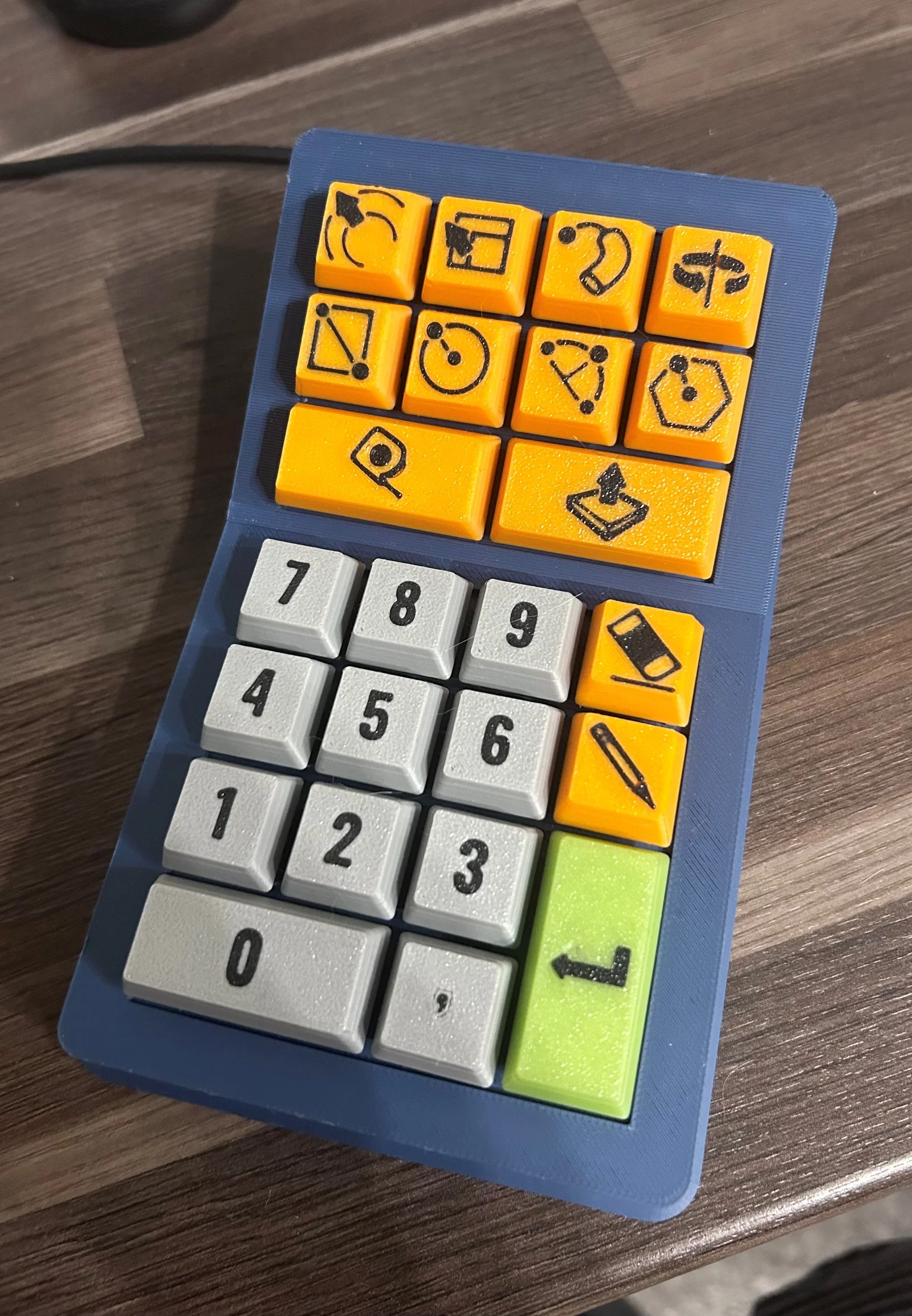
Mô tả
MacroPad nutz ich das “Novaspirit PiPicoMacroKeys” Projekt von github.
https://github.com/novaspirit/PiPicoMacroKeys
Wie ihr das Projekt umsetzt bzw. anpasst erfahrt ihr super im folgend verlinktem Video:
Ich denke mit diesem Video muss ich nicht mehr erklären, den Alexander Metzger geht hier auf alles ein.
Ihr benötigt neben den gedruckten Teilen noch folgendes:
- RaspberryPi Pico → https://www.amazon.de/dp/B09KVB8LVR?psc=1&ref=ppx_yo2ov_dt_b_product_details
- Tastaturswitches (ohne Einfassung um dem Aufnahmekreuz) → https://www.amazon.de/dp/B0BHWNVY4W?ref=ppx_yo2ov_dt_b_product_details&th=1
- Kabel
- USB auf Micro-USB Kabel (je nach Anschluss des Pico auch USB-C möglich)
- Einpressmuttern M3 → https://www.amazon.de/dp/B0CDH36ZMX?psc=1&ref=ppx_yo2ov_dt_b_product_details
- Schrauben M3x10 Linsenkopf
Hinweis: Doppeltasten nutzen zwei Switches, aber nur einer ist angeschlossen. Die Anzahl der Pineingange ist so schon sehr gut ausgelastet.
Giấy phép
Tác phẩm này được cấp phép theo
Creative Commons — Attribution — Noncommercial — NoDerivativesCC-BY-NC-ND

File mô hình
Chưa có bản in nào được khoe. Hãy là người đầu tiên!


Chưa có bình luận nào. Hãy là người đầu tiên!