


Steam Machine Companion Cube / Vỏ đựng Weighted Storage Cube
 ByJaronLikes310Downloads1K
Remix of Key Caps Cho Bàn Phím Logitech MX Mechanical By nullpointer_296383
Build another version of this model.
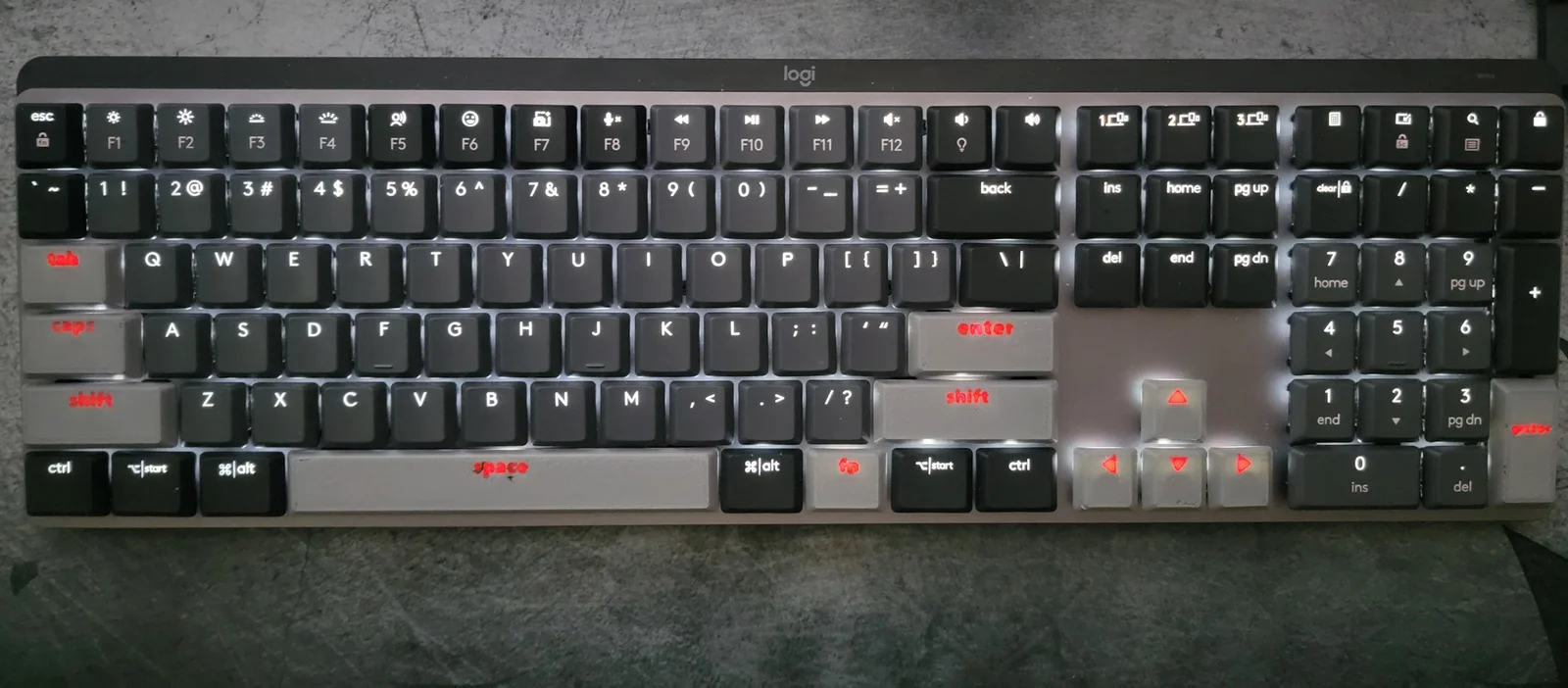
The original model was perfect for the 92 base size keys, but the other 18 keys all had additional sizes. Popped off measured and tested all of the other sizes and they all fit and work. Caps was the most tricky, but what Ive got here fits just fine.
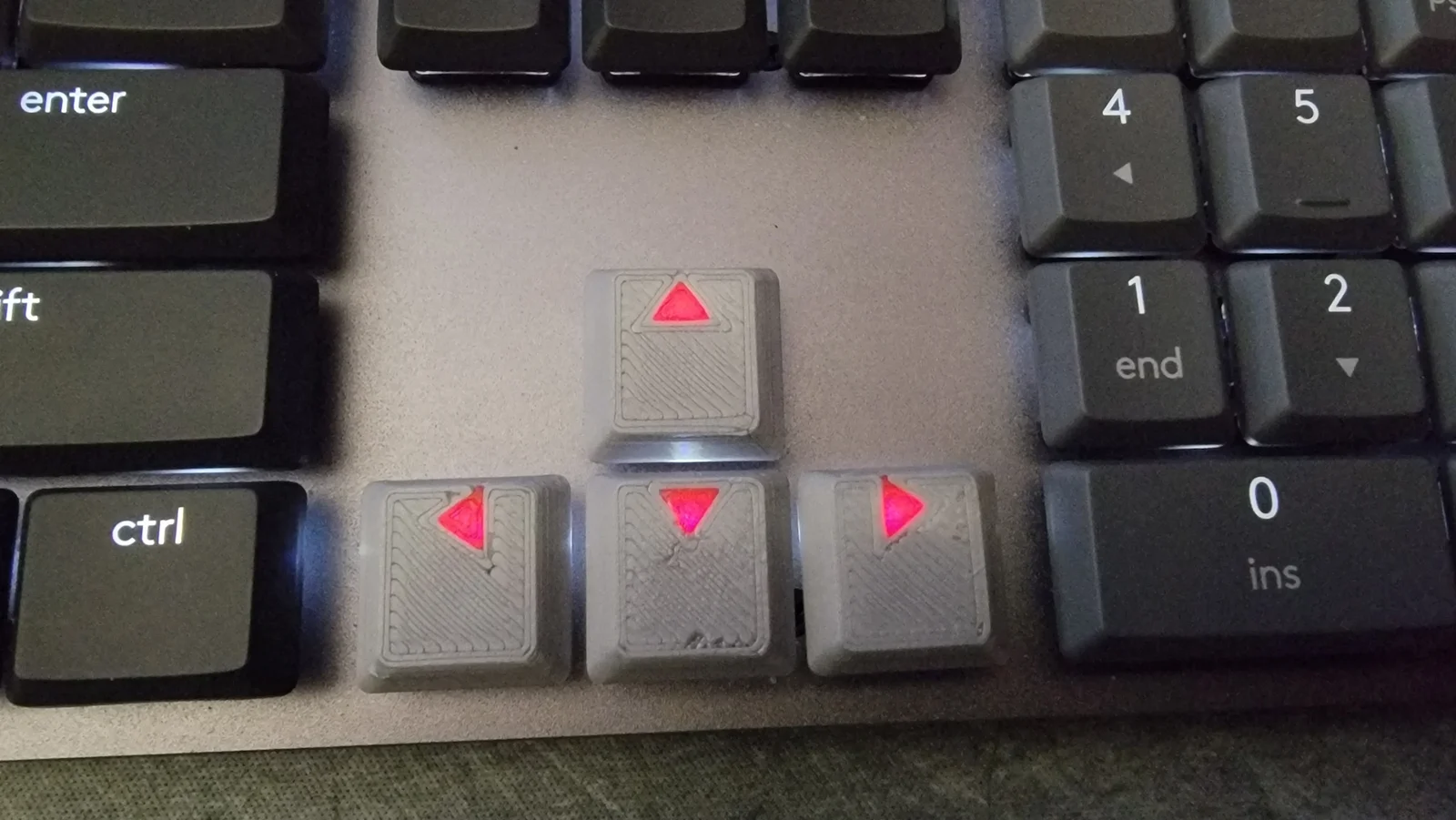
Unfortunately no good way to get that nice top curve from the original caps when using two colors so I didn't try modeling that in.
Print at 0.12 or less layer height for best results. 0.4 nozzle or less recommended. I let it print at normal speed and didn't have any issues but I think a little slower might be best for the dual color printing I show here.
Notes of which size is for what key:
Key count
Model
Keys
Keys
Keys
Keys
88
key_1
A-Z,0-9
F1-F14
Numpad #'s
etc…
7
key_1.25
L/R CTRL
L/R START
L/R ALT
FN
2
key_1.5
TAB
\ |
1
key_1.75
Caps
4
key_2
Back
Numpad 0
Numpad +
Numpad Enter
2
key_2.25
L Shift
Enter
1
key_2.75
R Shift
1
key_6.25
Spacebar
Though the names are in u sizes these are not mathematically the exact u sizes. All are in the Logitech measured sizes off the actual keycap measurements. See this chart for differences
Mathematical Sizes mm
Actual keycap Logitech Sizes mm
1u
18
18
1.25
22.5
22.75
1.5
27
27.5
1.75
31.5
32.35
2
36
37
2.25
40.5
42
2.75
49.5
51.4
6.25
112.5
118
If you need the mathematically sizes keycaps I can look into it.
My test were all done using 2 color printing on my Bambulab X1C. The lights are always above the center of the key so you need to position the color element where it will be lit for best results. I always cut out the letters, then put them back in and paint them in the slicer using the bucket tool on the top and bottom so the color goes all the way through. I thought I would need see-through PLA, but the solid red PLA I used lights up pretty good too.
I did not upload the keys with the words\letters in them. If that is really desired, I can look into it. I think I need to make some adjustments in font and sizes to fit best, thought I'm happy enough with most of these. (not sure what happened to space and Numpad enter could be cleaner)
ByJaronLikes310Downloads1K

 Byw3rN42Likes127Downloads934

 ByTomDDLikes89Downloads574

 ByJwidessLikes34Downloads375

 ByBroBuilds3D_4455044Likes32Downloads453

 ByckthLikes148Downloads2.4K

 Bynexgen-3d-printingLikes0Downloads392

 ByVikingptty_1943738Likes50Downloads233

 ByBrokentooth_designsLikes30Downloads225

 Byslava-kuzminLikes0Downloads282

 ByJKMCZLikes11Downloads176

 Byjodinskylab_3390035Likes144Downloads166