



Kẹp giữ sợi Filament
 Bytinx_1344834Likes1.2KDownloads6K
Build another version of this model.
 CR Touch Creality K1ByDirkSchopp_1635578 · 12/15/2025
 Giá Đỡ CR Touch Cho Máy Creality K1Byoneoneneon_1526012 · 12/14/2025
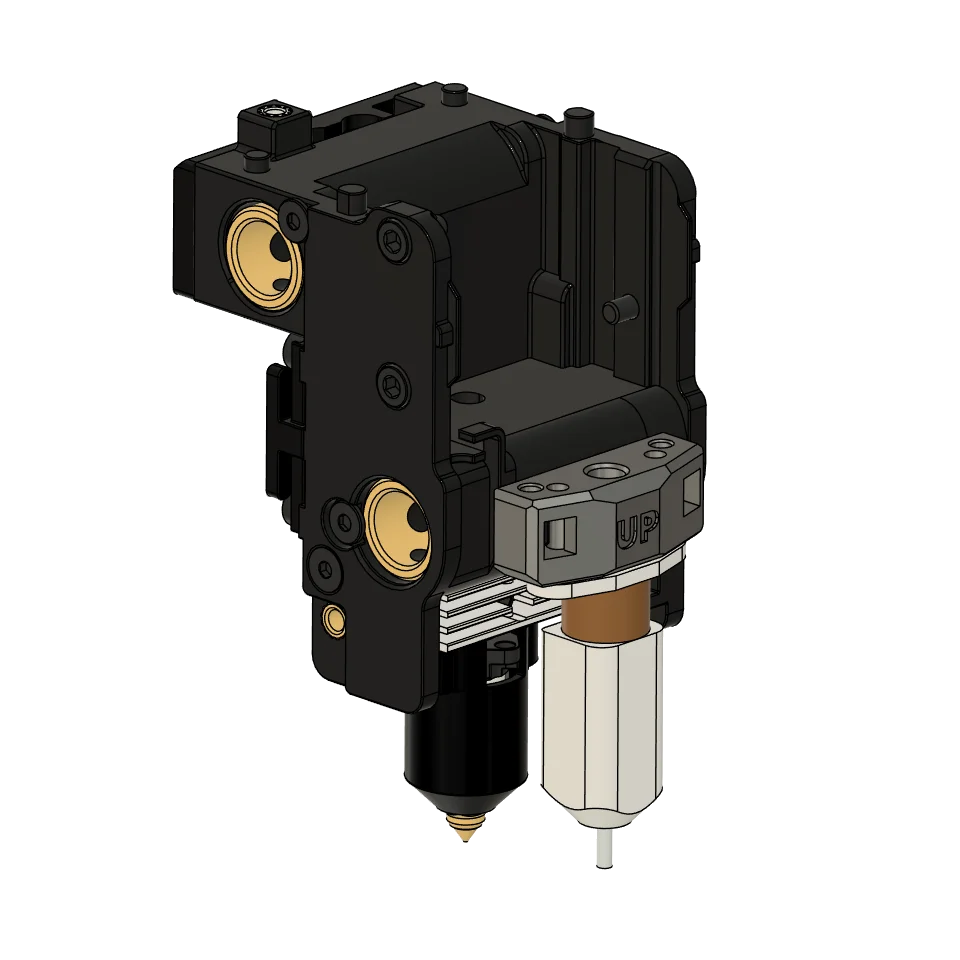
I had problems with the native load cells, so I decided to use the BLTouch. This adapter allows you to install your BLTouch into the CRTouch mounting position on the rear of the K1 and K1 max carriage.
Among other things, you will need 2 M3 screws 5-6 mm long and two AISI 304 self-tapping screws (2.2 x 9.5 mm).
Print with the letters "UP" facing up.)
You may need to remove the [prtouch_v2] and [prtouch_v2_fan] sections, otherwise you will get an error that the BLTouchWrapper does not contain the "set_fan_speed" attribute.
Below are the settings for Creality K1:
[bltouch]
sensor_pin: nozzle_mcu: PA9
control_pin: nozzle_mcu: PA8
pin_move_time: 0.680
x_offset: 0.0
y_offset: 25.25
z_offset: 1.925
speed: 5
samples: 3
lift_speed: 20
probe_with_touch_mode: false
samples_result: average
stow_on_each_sample: false
samples_tolerance: .1
samples_tolerance_retries: 4
[bed_mesh]
speed: 500
horizontal_move_z: 8
mesh_min: 5,30
mesh_max: 210,209
probe_count: 12,12
algorithm: bicubic
bicubic_tension: 0.1
Bytinx_1344834Likes1.2KDownloads6K

 ByreddLikes216Downloads2.2K

 ByJasonOlliff_519145Likes241Downloads2K

 Byarhi_585078Likes64Downloads537

 ByHanzo3dLikes155Downloads411

 ByGeek5DLikes147Downloads482

 ByBrokentooth_designsLikes23Downloads403

 By3DSourcererLikes48Downloads374

 ByWyomingWolf_261196Likes52Downloads424

 Bytopronix_2170418Likes41Downloads293

 ByBlackky98Likes25Downloads205

 ByAnthonyDouri_1604724Likes24Downloads213