



OpenGridMount Socket Adapters (Tương thích ToolGrid & Toolify3D)
 ByMaxTheSpyLikes57Downloads538
Build another version of this model.
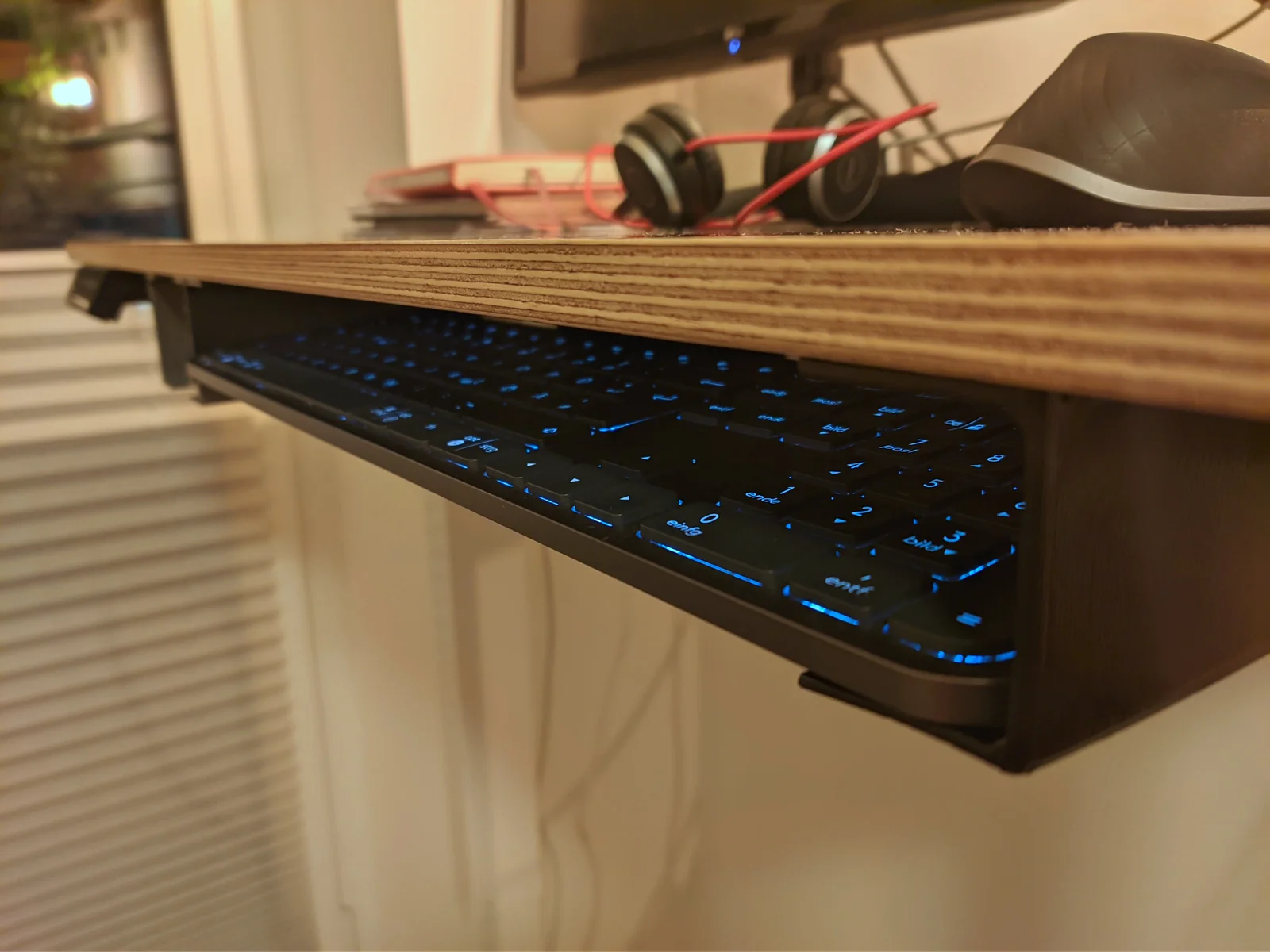
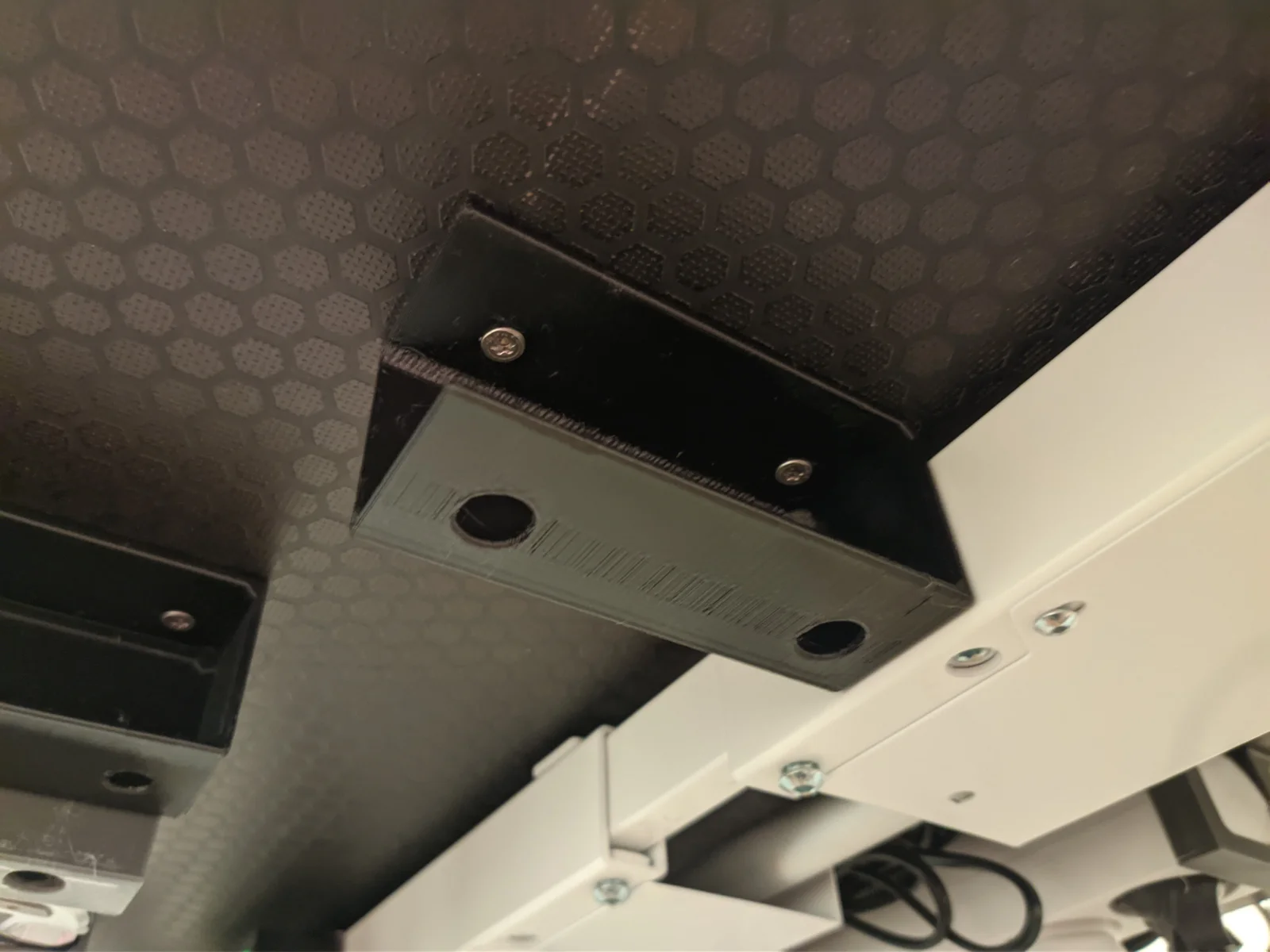
I designed this bracket to stow my keyboard below my desk when not using it. It simply slides into the brackets. Each bracket is fixed by two screws, while the hole at the bottom provides easy access to them. I'd recommend to make it big enough for the bit holder of your power drill.
The provided STLs are just examples, I'd suggest you measure whatever you want to slide into the bracket and adapt the dimensions. You can be easily adjust depth, height, width and various other parameters by editing the “Dimensions” sheet in in FreeCAD.
The 30x25x134 (width x height x depth) version should fit the MX Keys S Keyboard from the picture, but I printed a 40x40x135 version, as I have a second keyboard that I want to use the bracket with, too.
ByMaxTheSpyLikes57Downloads538

 ByRobertoGalloc_356815Likes549Downloads1.8K

 ByfifindrLikes709Downloads1.7K

 ByGi_TLikes801Downloads1.3K

 ByMatthew_GhostLikes350Downloads943

 BymoonyxLikes0Downloads699

 ByVC_DesignLikes721Downloads2.9K

 ByGray_m4Likes36Downloads138

 ByUpcrid3D_1585693Likes808Downloads2.1K

 ByshoheiyLikes0Downloads434

 ByWilko_SLOLikes935Downloads2K

 BymindthelightLikes251Downloads392