

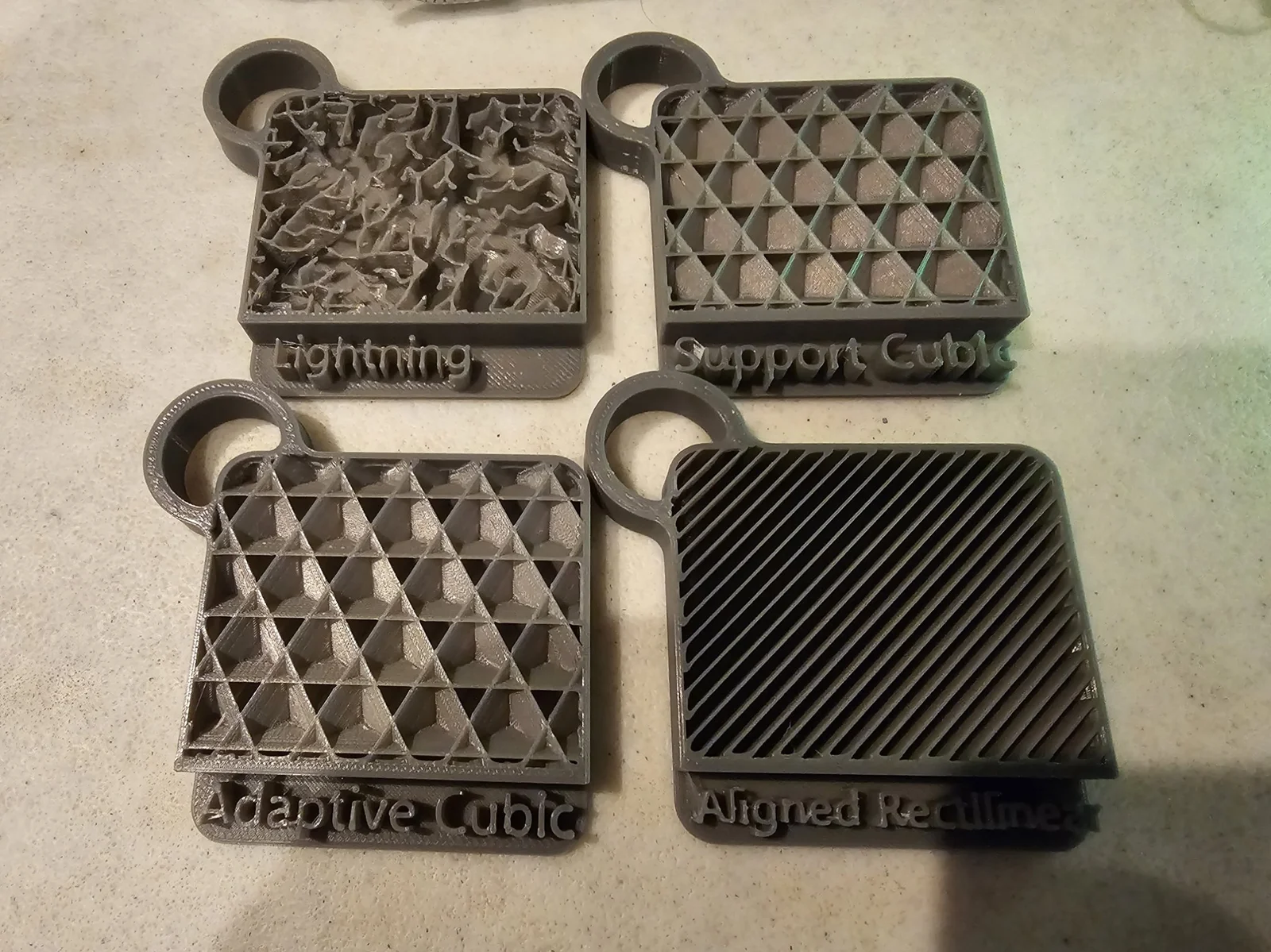


Creality K1 Max Ironing Calibration Test (10–30% Flow / 10–30 mm/s) – Smooth Top Layer
 Bymartin-dugdaleLikes0Downloads196
Build another version of this model.
Quality: 0.2
Material: PLA
Infill: 10% / 20% (set on each object)
Open the 3mf file in PrusaSlicer and move the swatches you want to print onto the print bed
Each swatch has its own modifier which removes the top layer of the swatch.
When dragging the swatch you want to slice onto the print bed, make sure its modifier goes along with it.
Bymartin-dugdaleLikes0Downloads196

 Byduo3dprintLikes0Downloads159

 BynasikLikes0Downloads131

 Bynadir-cn3dLikes0Downloads120

 ByBrokentooth_designsLikes23Downloads414

 Bytinx_1344834Likes1.2KDownloads6K

 ByteteomatLikes0Downloads143

 Bygafyx3dLikes0Downloads128

 BylaserbaconLikes0Downloads178

 Byg-roLikes0Downloads110

 BytimLikes0Downloads538

 ByKRYS_3DLikes8Downloads54