



Mô hình nhân vật Minifig kiểu Lego 3D độc đáo
 ByGuidoL_547152Likes227Downloads2.4K
Build another version of this model.
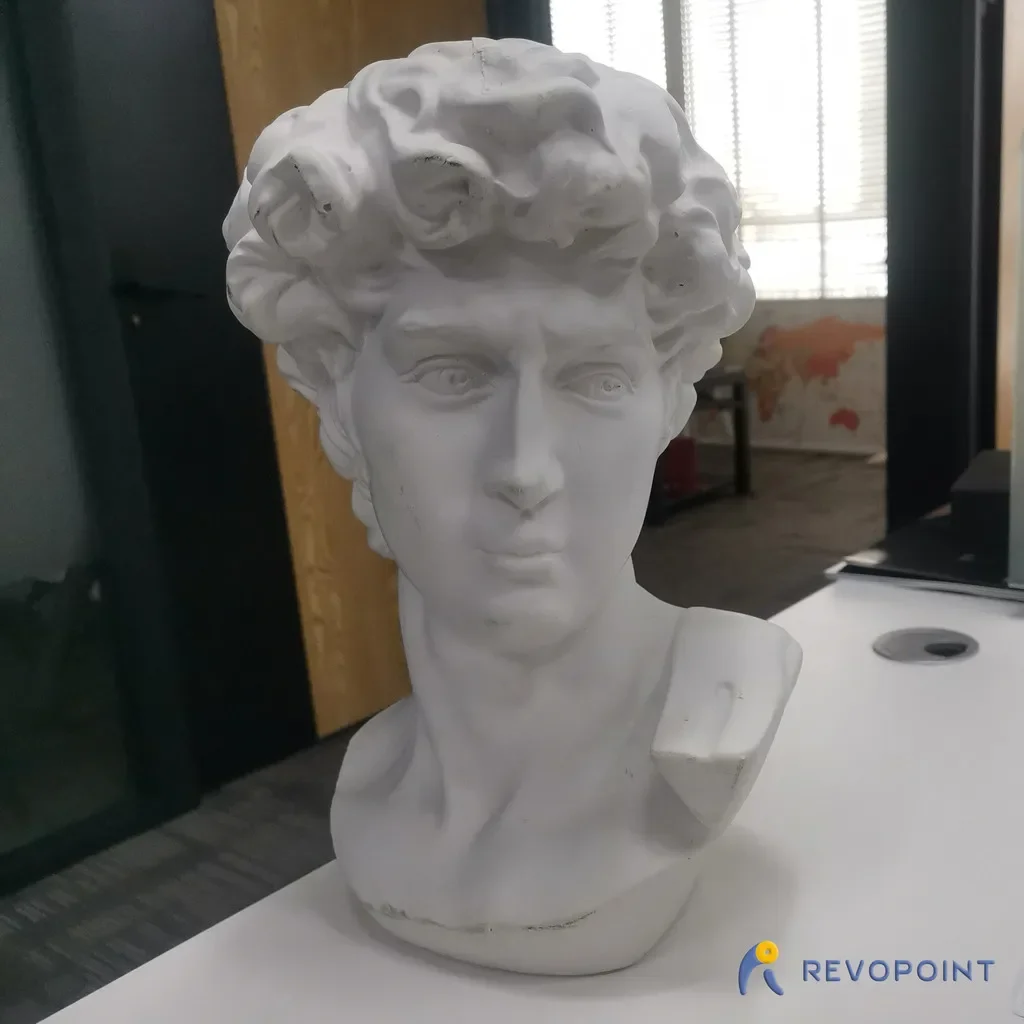
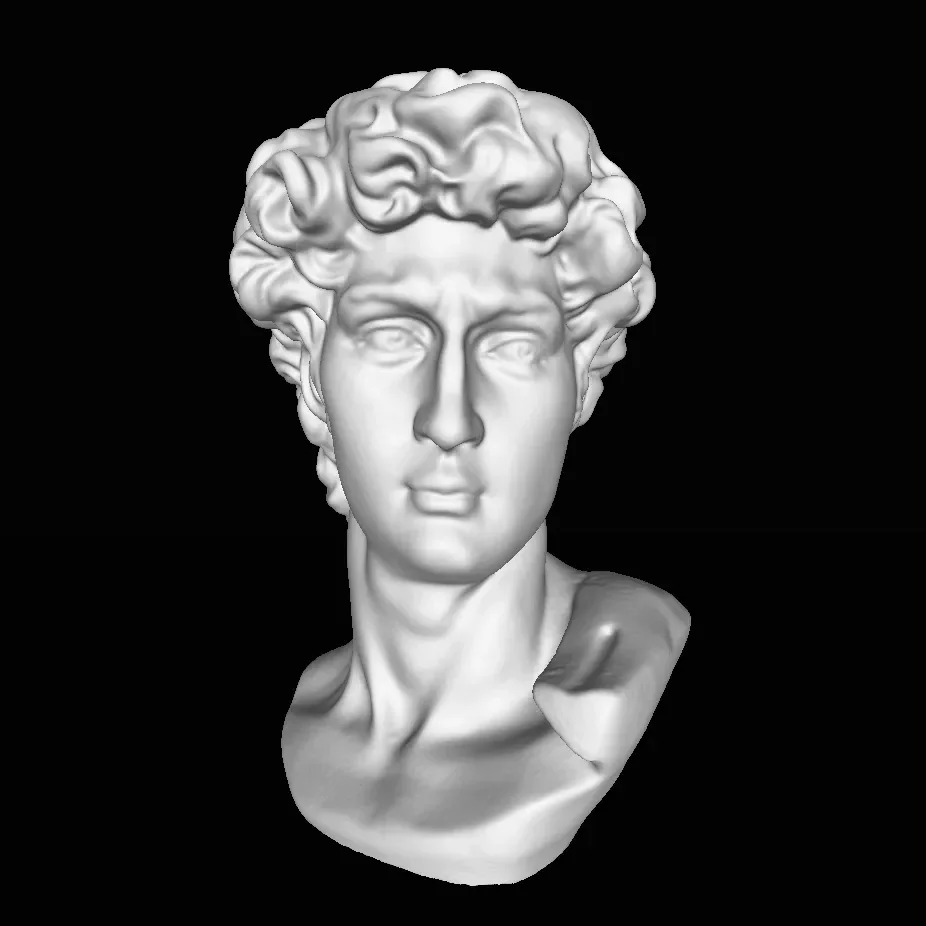
This David model was made by Revopoint POP. If you want to get more models like this, please try to use 3D scanner POP: https://bit.ly/3xb37c3
How to get a perfect STL like David? Don't need to learn 3d modeling, just need a 3D scanner less than 500 dollars.
The process of scanning: https://www.youtube.com/watch?v=vi7-aDlM\_eI&t=9s
Rafts:
No
Supports:
No
Resolution:
200
Infill:
20
Filament:
[
This David model was made by Revopoint POP.
It is easy to scann a subject like David plaster sculpture. The detailed steps are as follows:
1.Preparation
You need to prepare a POP and the other accessories that come with the revopoint box,
You need to download the Handy Scan installation package and install it on your computerr.
2.Scanning
First, put this plaster sculpture on an electric turntable vertical, turn on the turntable, and connect your POP to the computer.
Hold the POP to scan the statue at an excellent distance. Scann it several laps to collect enough cloud point information. (Please see Graph 1)
Then lay the model flat on the turntable, scan the bottom of this sculpture.(Please see Graph 2)
When all surfaces of this sculpture had been scanned, mesh the cloud point to a PLY file.(Please see Graph 3)
3.Post-processing
Import the PLY file just generated into Handy studio. Cut out irrelevant parts.(Please see Graph 4)
If there are holes on the model, you need to click the button “FillHole” to fill these holes.(Please see Graph 5)
In the end, export the model in STL format. We get a 3D model that can be printed now.
If you want to have your own models like this, please buy a POP from this address:shop.revopoint3d.com.
Graph 1
Graph 2
Graph 3
Graph 4
Graph 5
Category: Scans & Replicas
ByGuidoL_547152Likes227Downloads2.4K

 ByClayRadeLikes84Downloads424

 ByMitch_1027368Likes65Downloads285

 ByPeterG_3243357Likes419Downloads2.2K

 BySTLCreatorsLikes38Downloads160

 Byginkel3dLikes0Downloads276

 ByabbymathLikes214Downloads2.1K

 ByAdrianSkaba_564069Likes292Downloads993

 ByMichaelTaylo_2902200Likes28Downloads129

 ByRaisinCosplay_433034Likes260Downloads958

 Byreal-printsLikes0Downloads202

 ByhaggiwattLikes0Downloads170