



Steam Machine Companion Cube / Vỏ đựng Weighted Storage Cube
 ByJaronLikes310Downloads1K
Build another version of this model.
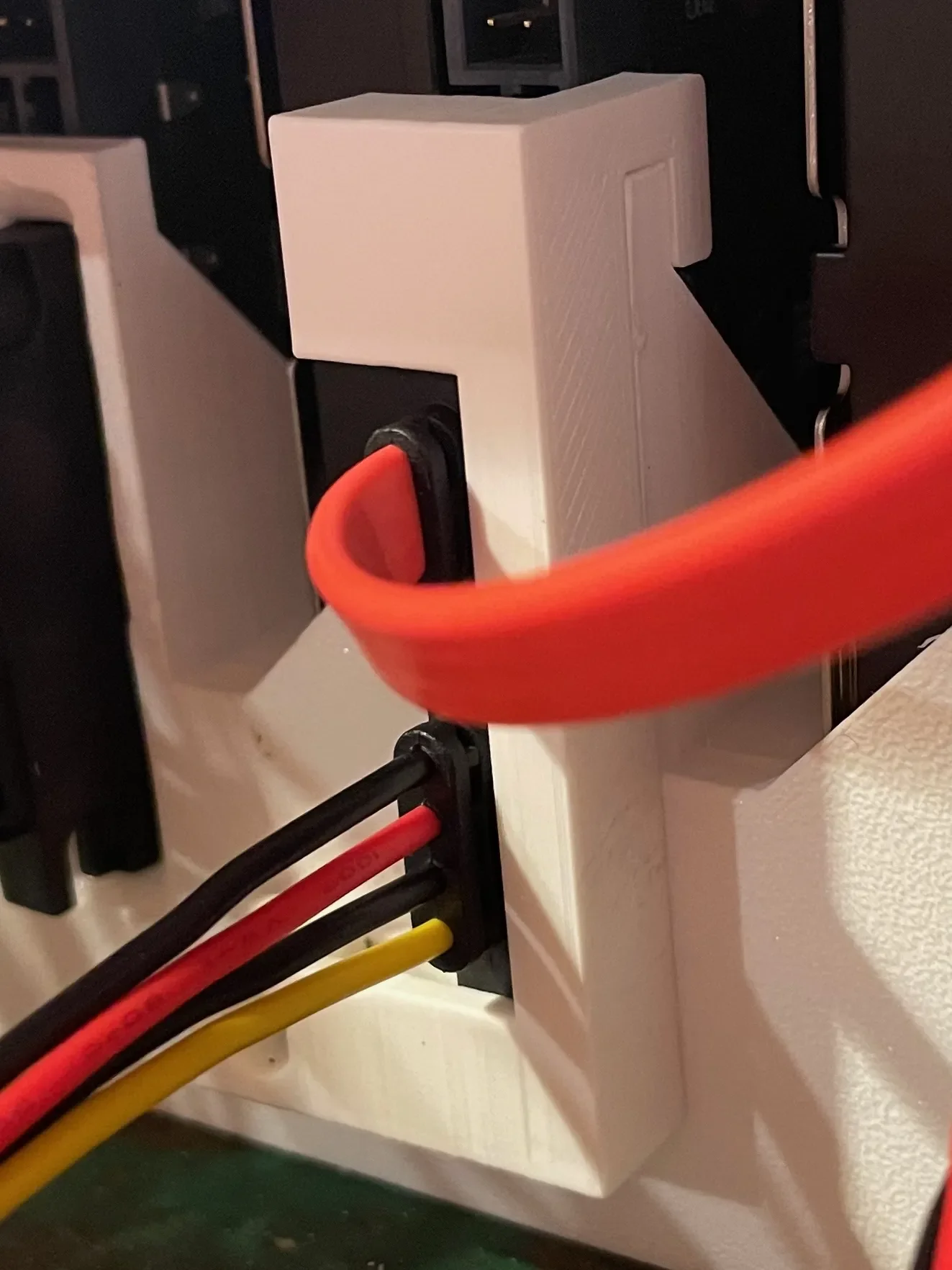
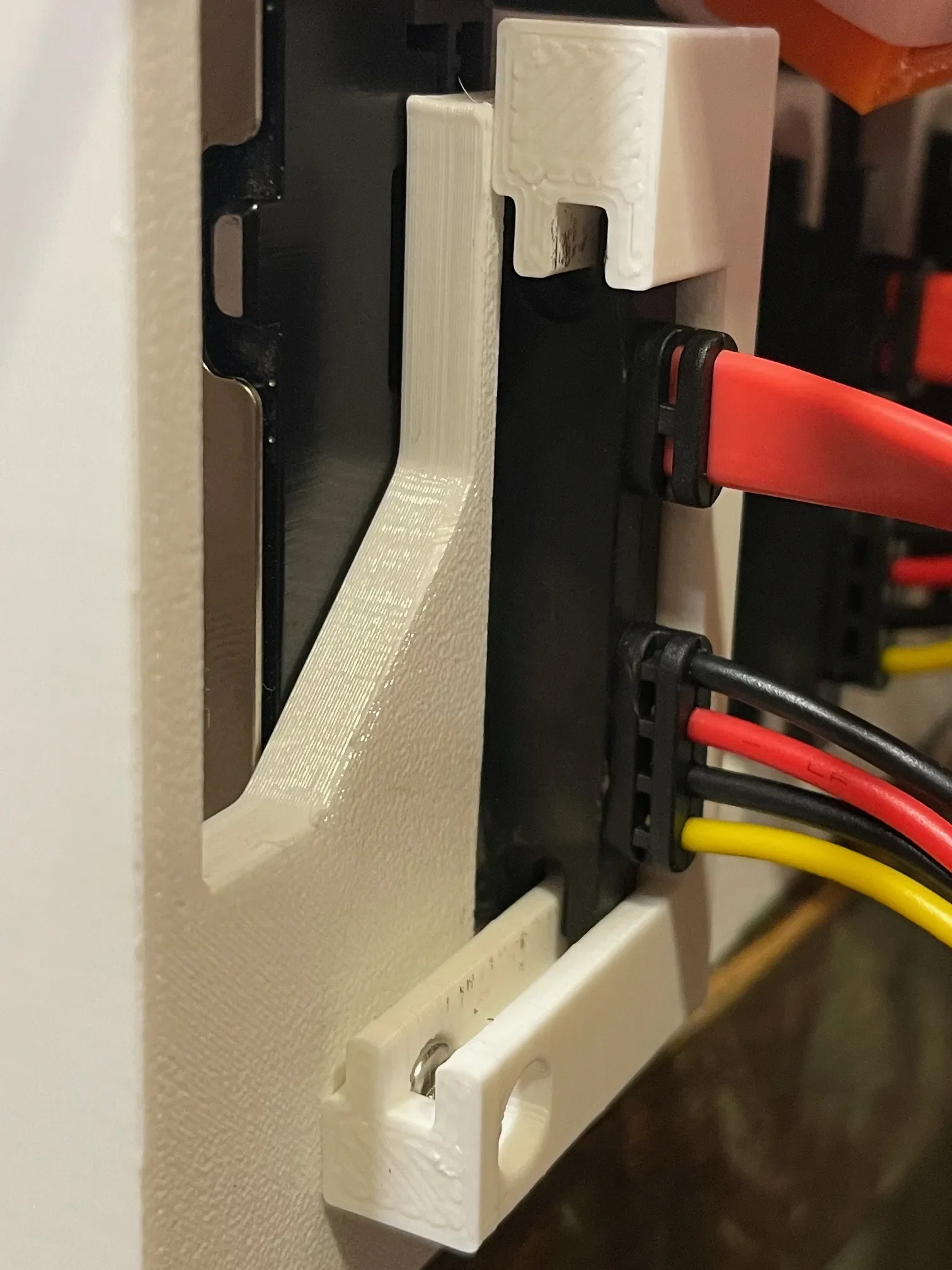
The “HDD Bracket” from the original model has a cutout that pressure fits a SATA combo connector (i.e. power + data). The author recommends gluing it in place. This is a clip you can use instead of glue.
This clip fits onto the existing bracket to hold the cable captive. This will allow you to replace drives with zero worry about whether the connector has come loose. You will need to drill a hole for another threaded insert.
Installation steps:
The cable I am using: https://www.amazon.com/gp/product/B0969D3SD5
ByJaronLikes310Downloads1K

 Byw3rN42Likes127Downloads935

 ByTomDDLikes89Downloads574

 ByJwidessLikes34Downloads375

 ByBroBuilds3D_4455044Likes32Downloads454

 ByckthLikes148Downloads2.4K

 Bynexgen-3d-printingLikes0Downloads394

 ByVikingptty_1943738Likes50Downloads234

 ByBrokentooth_designsLikes30Downloads226

 Byslava-kuzminLikes0Downloads284

 ByJKMCZLikes11Downloads178

 Byjodinskylab_3390035Likes144Downloads168