



Kẹp giữ sợi Filament
 Bytinx_1344834Likes1.2KDownloads6K
Build another version of this model.
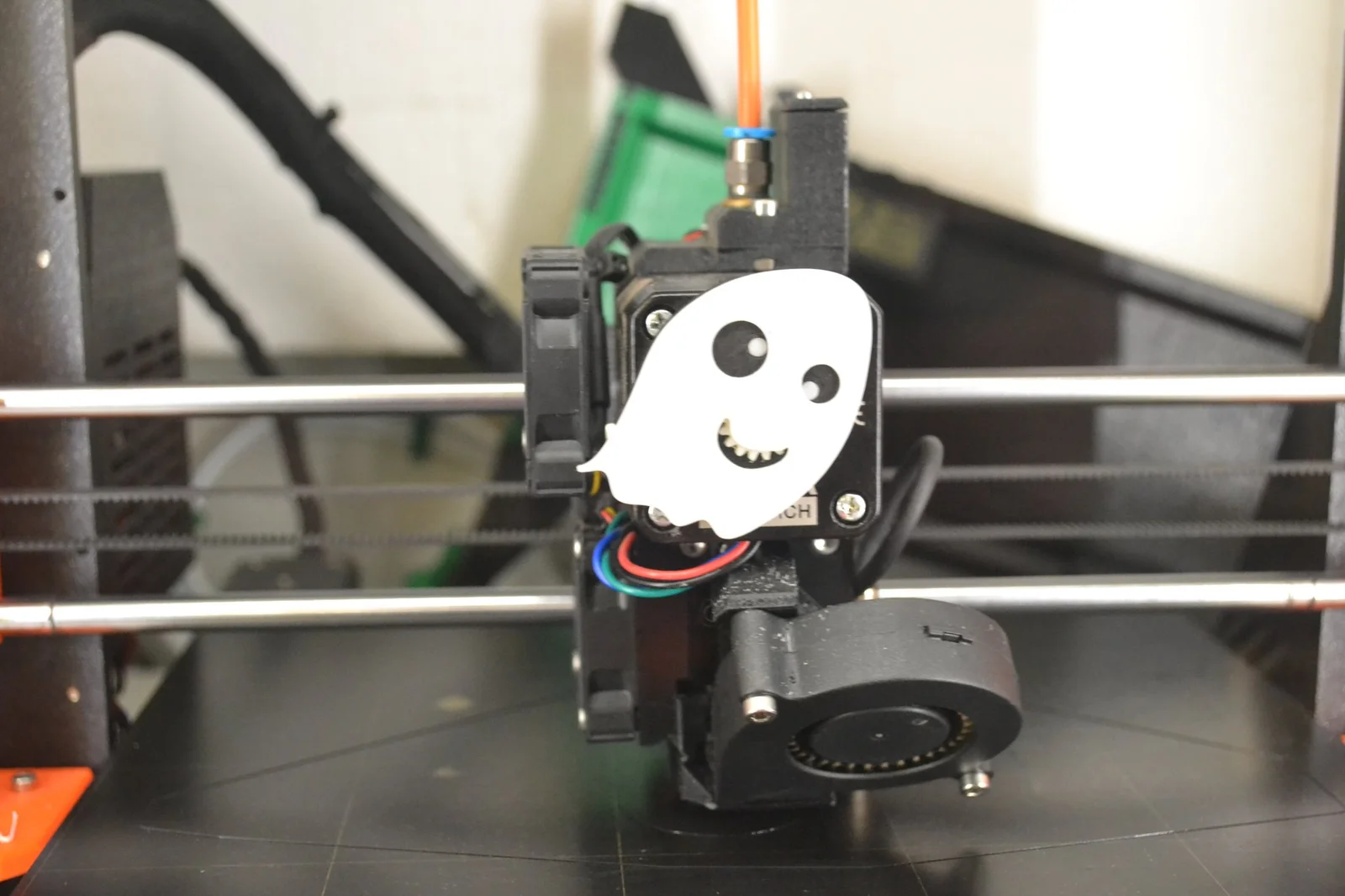
This is Rolli the Hausgeist or enclosure ghost actually.
Rolli the ghost rolling its eyes over extruder loading actions:
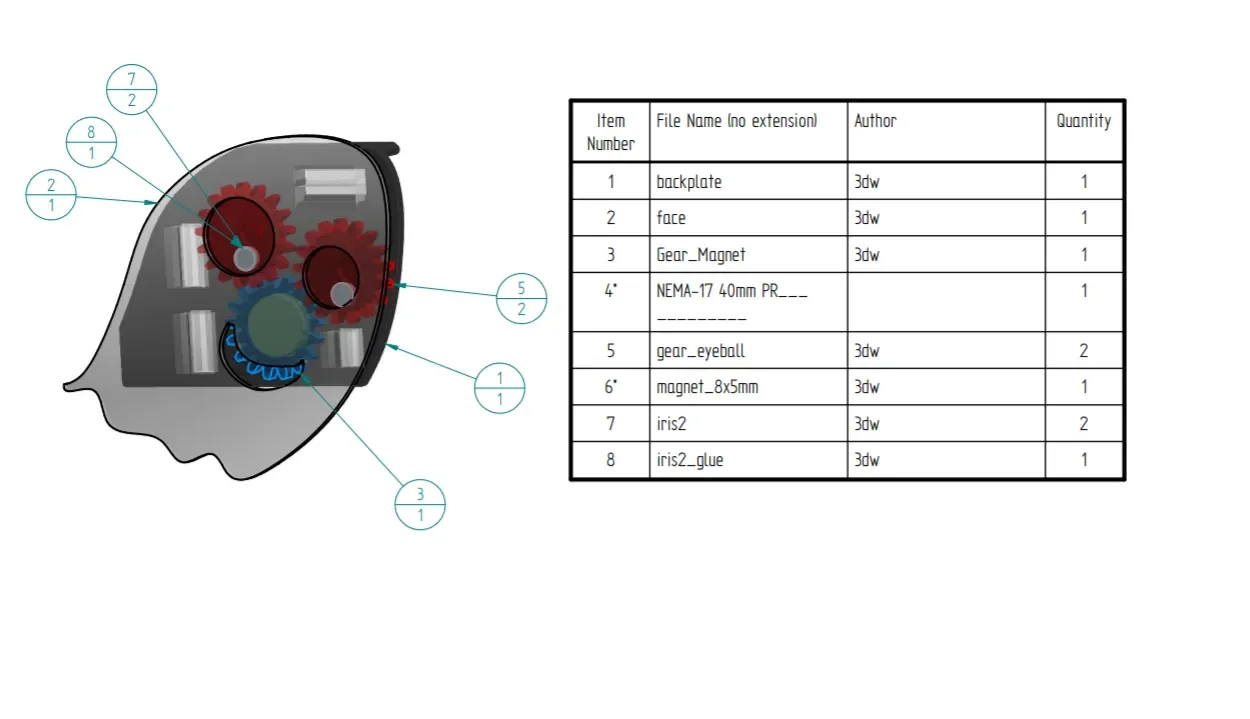
There are two files:
One for the white parts including the face, teeth and irises for Rolli.
One for the black parts including the back cover and the eye balls.
You need an 8x5mm magnet to connect Rolli to your extruder Motors rotator.
I hope you enjoy it :)
Bytinx_1344834Likes1.2KDownloads6K

 Bygummiegecko8477Likes0Downloads174

 Bychukwufumnanya-arinzechukwuLikes0Downloads155

 BydalleLikes0Downloads155

 ByRyanLikes0Downloads123

 BynasikLikes0Downloads125

 Byarhi_585078Likes64Downloads547

 ByHanzo3dLikes155Downloads417

 ByGeek5DLikes147Downloads492

 ByBrokentooth_designsLikes23Downloads412

 Bycrawler-3903250Likes0Downloads911

 By3DSourcererLikes48Downloads383