




Còi Tàu Hơi Nước Mini
 ByfifindrLikes500Downloads4K
Build another version of this model.
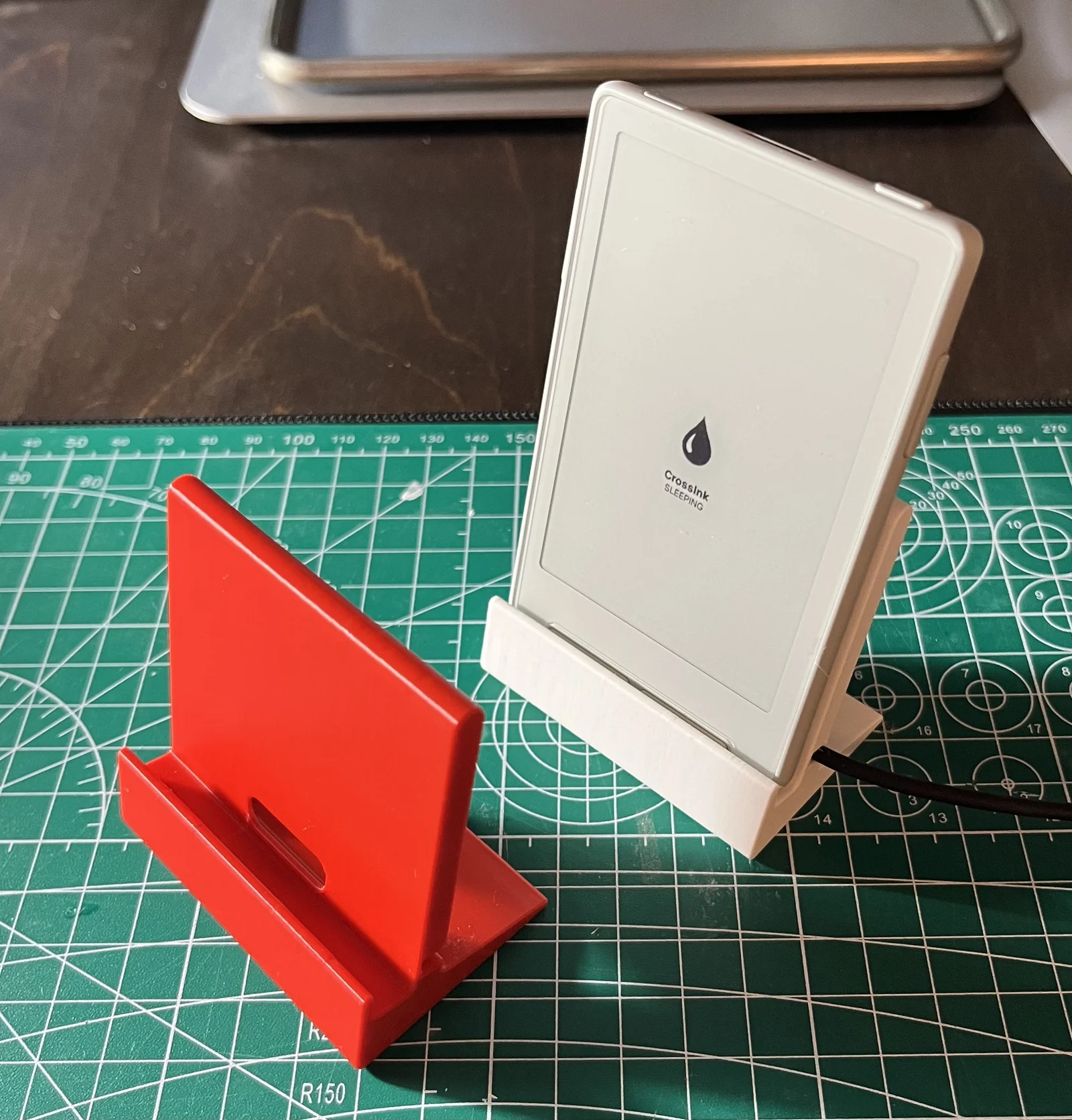
I took the recent arrival of my X3 e-ink reader as a reason to learn some 3D modeling. Inspired by this model from Buckie92 I built a magnetic charging dock for the XTEINK X3.
My (completely from the ground rebuilt) version features a shorter back piece and is more rounded for a “friendlier” look and feel.
Simply push in the charging cable that came with your X3 reader in the slot on the back. Then place the pogo pin-connector in the cutout.
It sits a little loose, but as soon as the reader comes close, the magnets find each other and secure a connection. If you want it to sit flush, you could put a piece of tape over the back of the connector.
Other upgrades would be to put some non-slip feet on the bottom. Or even tape the bottom to something, to stop the dock from lifting up when you remove the X3 from the magnets.
Easily reversible if you want to take your cable out.
The included pogo pin cable is the only one that was tested!
If there's interest from more experienced modelers who want to improve on this idea, I could also publish my (very messy!) Fusion 360 file. Let me know.
Prints in the photos were printed in eSun PLA Matte (white) and eSun PLA Lite (red) on a 0.4mm nozzle at 0.2mm layer height with 3 walls. I also added higher infill modifiers on the bottom for a bit of extra weight and stability. But it should come out fine with any nozzle or settings. Simple geometry, very easy to print.
NO SUPPORTS NEEDED! (file should already be properly positioned to print on its side. If not, your slicer's auto orient feature will most likely sort it out.)
ByfifindrLikes500Downloads4K

 ByWolf_115355Likes513Downloads8.4K

 ByZED4EverLikes313Downloads5.2K

 ByVC_DesignLikes271Downloads751

 Bymrfixit_324954Likes65Downloads473

 ByDan Schwartz SchwartzLikes744Downloads3.4K

 ByBrokentooth_designsLikes83Downloads448

 Byvc-designLikes0Downloads3.2K

 ByUpcrid3D_1585693Likes808Downloads2.1K

 ByAdam Záhořák ZáhořákLikes39Downloads252

 ByWilko_SLOLikes935Downloads2K

 Bychubbs8697_2027893Likes585Downloads1.7K