

New
Custom Road-Legal Electric Car (3D Printed PETG + Carbon Fiber Body)
 Bykevin-kuehnLikes0Downloads295
Build another version of this model.
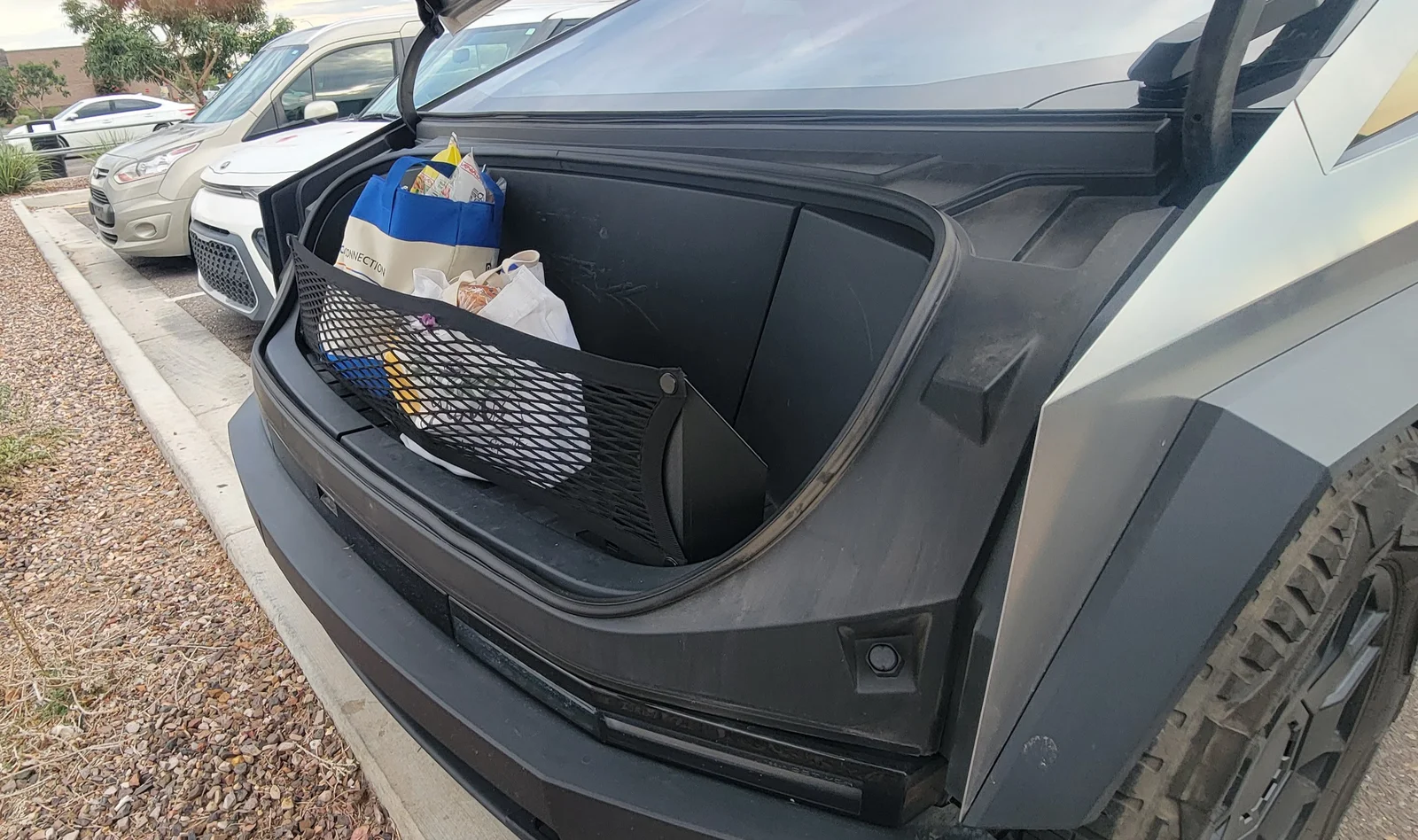
This model modifies the OEM frunk cargo net and L-track system (https://shop.tesla.com/product/cybertruck-front-trunk-l-track-_-cargo-net) to hold the net vertically. This makes it much easier to contain grocery bags and other soft, shifty objects.
Instructions:
Using PCTG or similar high-temp filament, print four bolts and one each of the left and right guides. PETG will warp in summer heat. PCTG is working quite well for me in Arizona summer heat (often over 45C) with no signs of distortion despite the tension from the net.
Remove the four L-track studs from the mesh. Set two aside (you only need two).
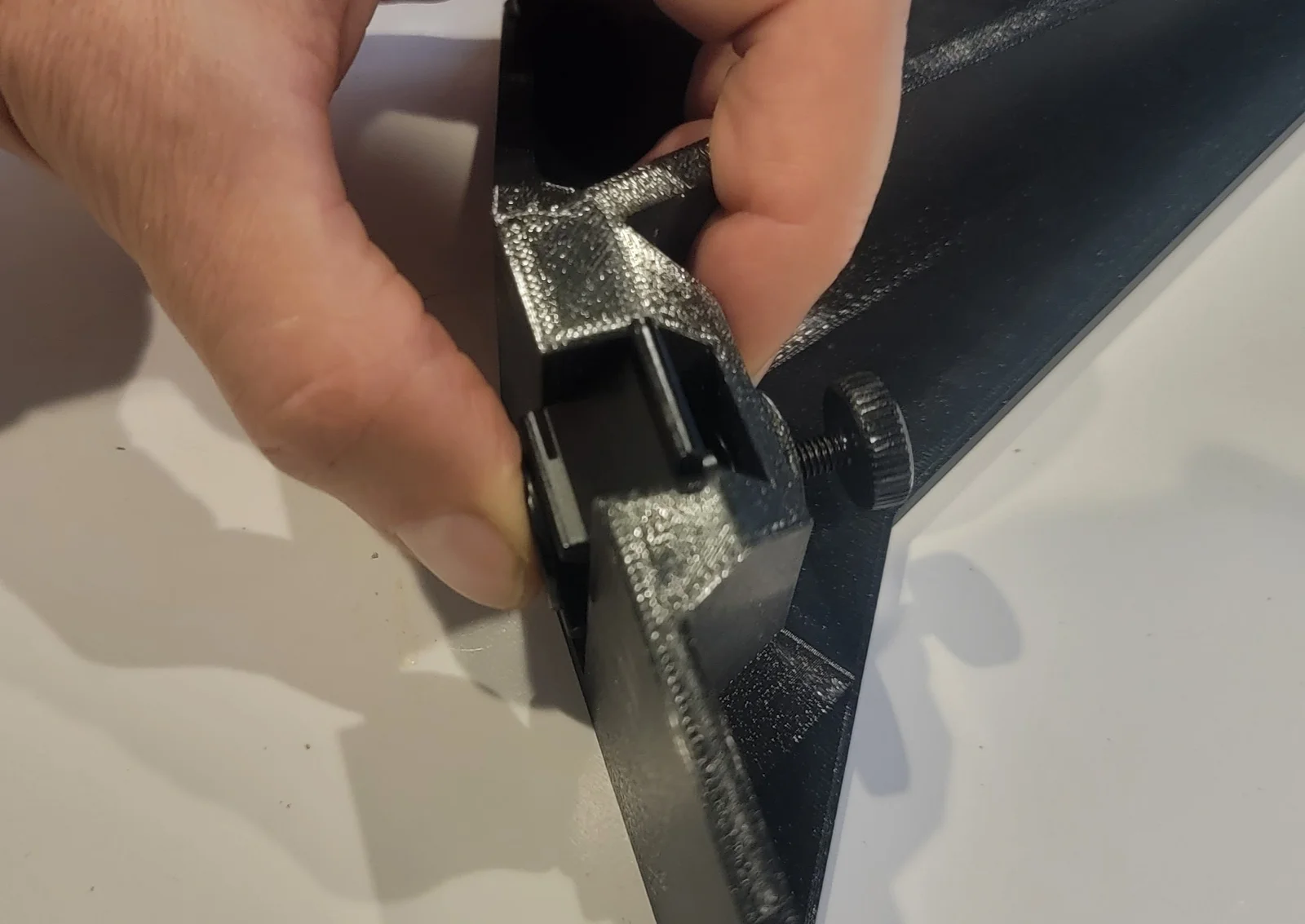
Attach the L-track studs to the left and right guides as shown in the photo. Leave the top thumb screw loose for now (only insert 3-4 turns).
Attach the mesh to the front of each guide post using the printed bolts. Should be able to hand-tighten but a 4mm hex socked has been provided if needed to pull the bolts through.
Slide the guide posts into the L-track by holding the stud lockers up. If it won't move into position, you may need to loosen the thumb screw a bit.
Once the lockers are in place, tighten the thumb screw to hold it firmly in place.
Note: This version requires a large print bed like the Prusa XL.
Bykevin-kuehnLikes0Downloads295

 ByleonicLikes0Downloads1.4K

 ByZED4EverLikes313Downloads5.2K

 ByfifindrLikes500Downloads4K

 ByVC_DesignLikes679Downloads3.6K

 BymoonyxLikes0Downloads698

 ByDan Schwartz SchwartzLikes744Downloads3.4K

 ByJordanK_858807Likes42Downloads438

 ByMAFIXMAFIX_337316Likes130Downloads384

 Byvc-designLikes0Downloads3.2K

 Bythorin-oakenshieldLikes0Downloads532