



Kẹp giữ sợi Filament
 Bytinx_1344834Likes1.2KDownloads6K
Build another version of this model.
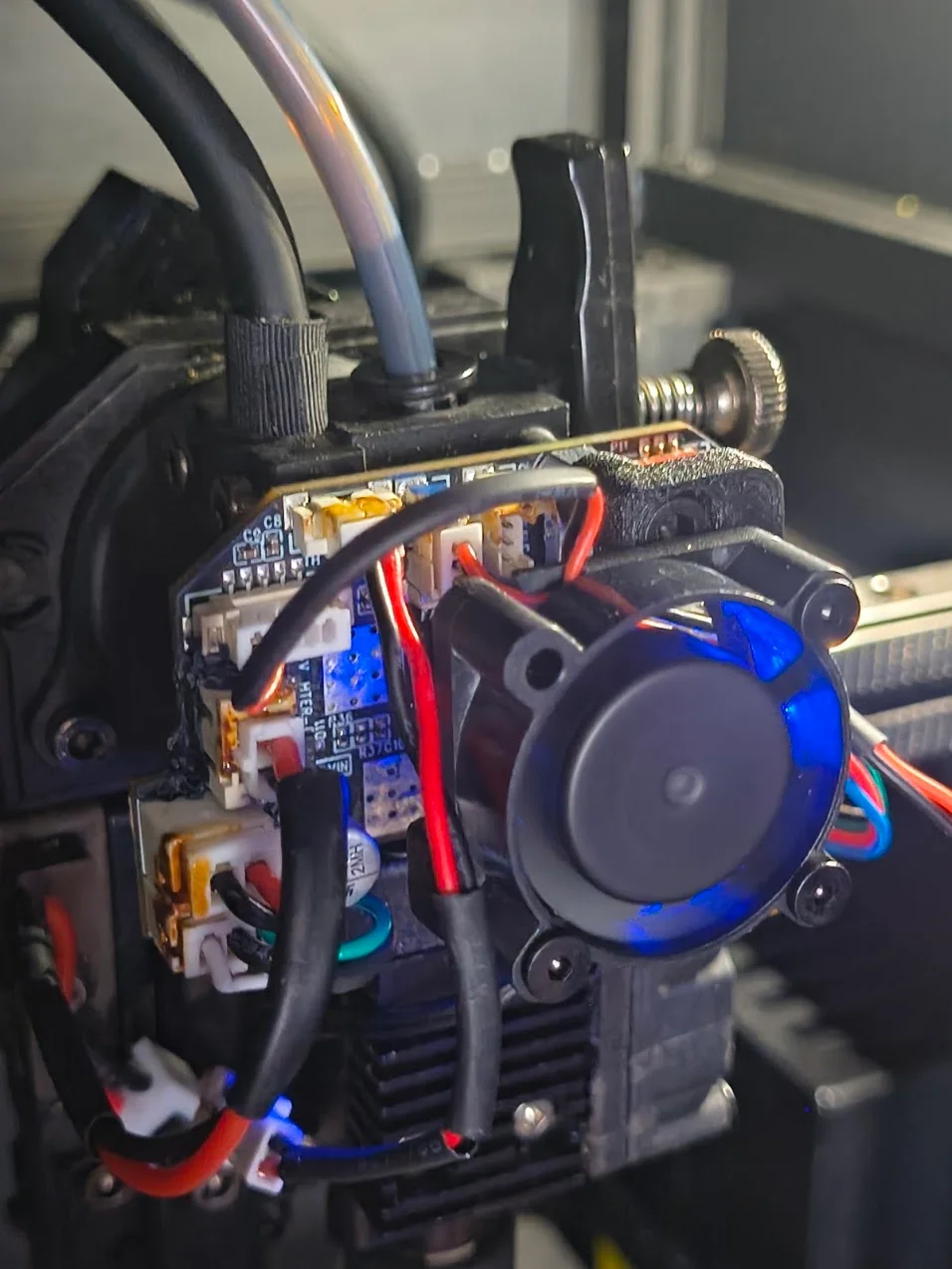
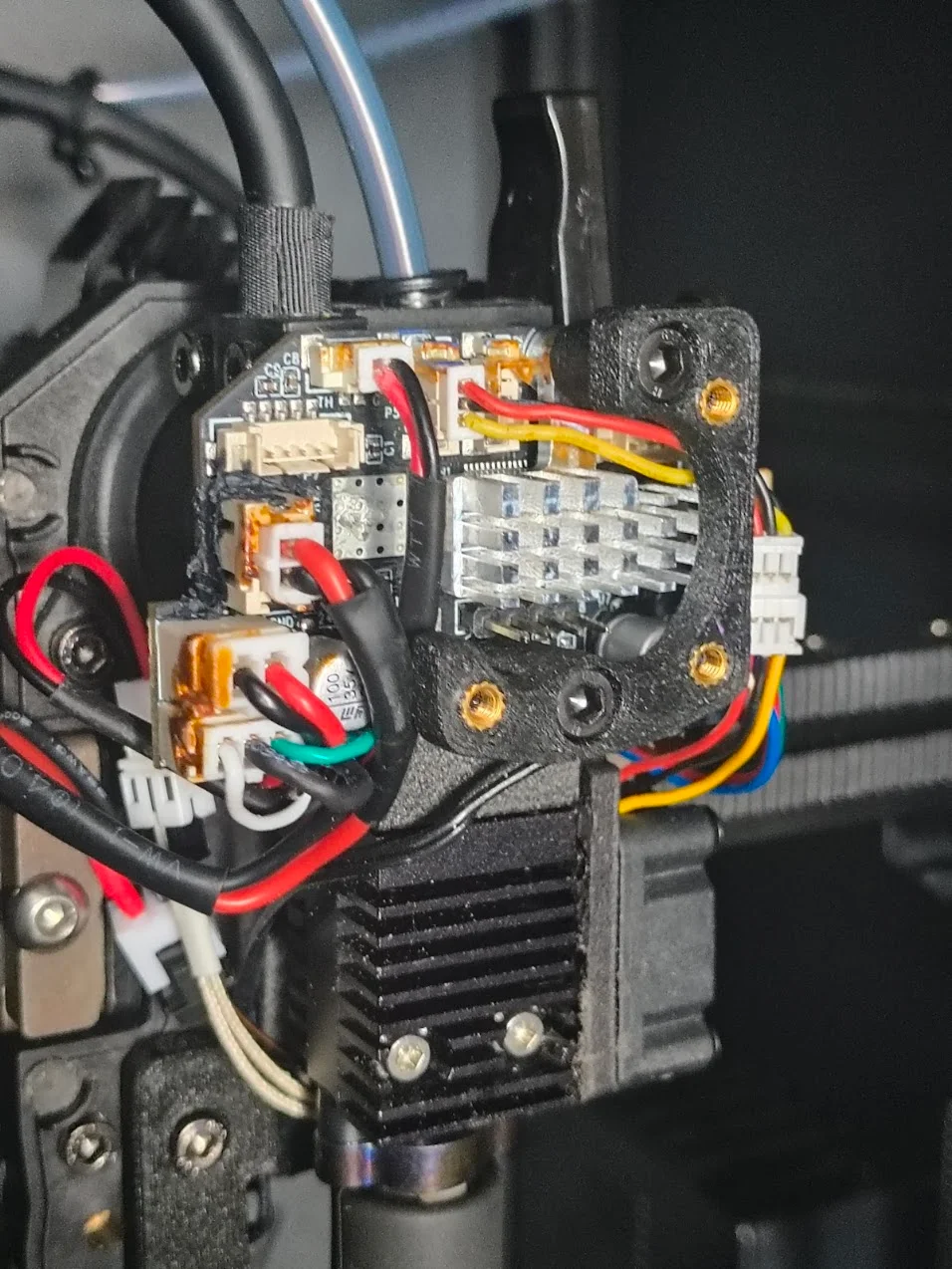
This is a simple fan mount for a 24v 2510 fan. This allows you to cool down your toolhead MCU when running a minimalistic toolhead cover.
BOM
1x 24v 2510 fan. 2-pin or 3-pin, depending on where you want to plug it in.
3x M2.5x16mm Screws
2x M3x16mm Screws.
First, insert your heat-set inserts into the fan mount.
Then you'll want to remove the two M3 screws that hold the MCU to the toolhead. Insert your M3x16mm screws into the top of the fan mount, and thread them into the MCU, affixing both the fan mount and MCU together to the toolhead. The shorter leg of the fan mount goes on the top.
Plugging in your fan to the MCU now, or even before attaching the mount, will make assembly a little easier.
Attach your fan to the mount with the three M2.5x16mm screws, making note of which direction the fan blows.
G-code for controlling your fan will depend on where you want to plug it. You can check out some examples here:
Or if you don't care about controlling it and just want it on all the time, you can wire it it to the BL-Touch port here:
Use a 5-pin picoblade connector. You only need the two left pins.
Print with all walls to make it as stiff as possible in order to keep vibrations to a minimum.
Bytinx_1344834Likes1.2KDownloads6K

 Byprusa-researchLikes0Downloads2.7K

 BydalleLikes0Downloads147

 Byarhi_585078Likes64Downloads543

 ByHanzo3dLikes155Downloads415

 BydarienLikes0Downloads1K

 ByGeek5DLikes147Downloads488

 ByNadirLikes25Downloads115

 ByBrokentooth_designsLikes23Downloads410

 Byla-cave-au-chatLikes0Downloads967

 Bycrawler-3903250Likes0Downloads907

 ByvertigomakesLikes0Downloads563