


Thùng rác in Vase Mode
 BybobmakesLikes2.5KDownloads17.5K
Build another version of this model.
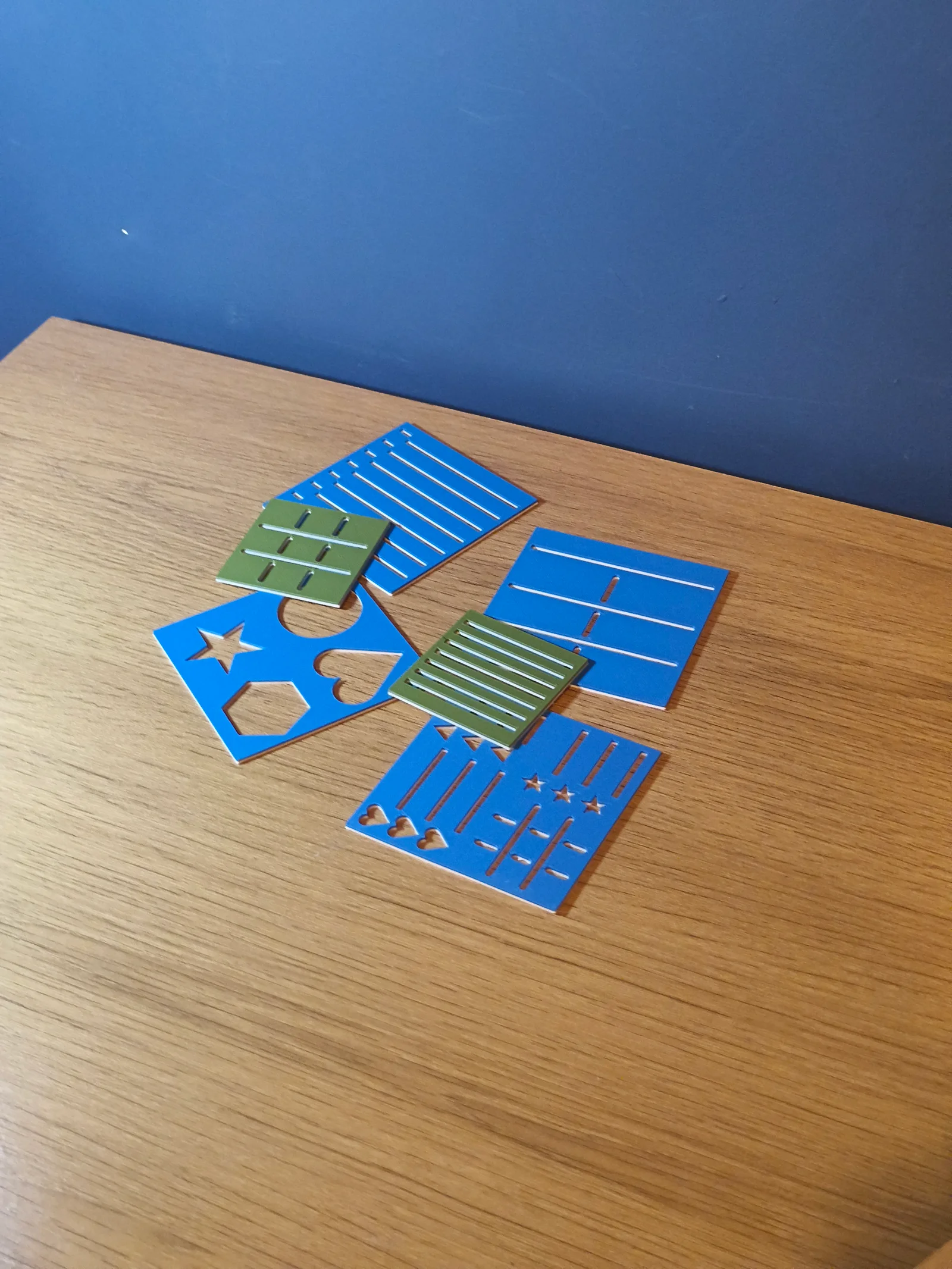
You are able to customise several things, including:
Main dimensions
How many sections (each section with a different type of cutout) are on the stencil
The dimensions of the sections
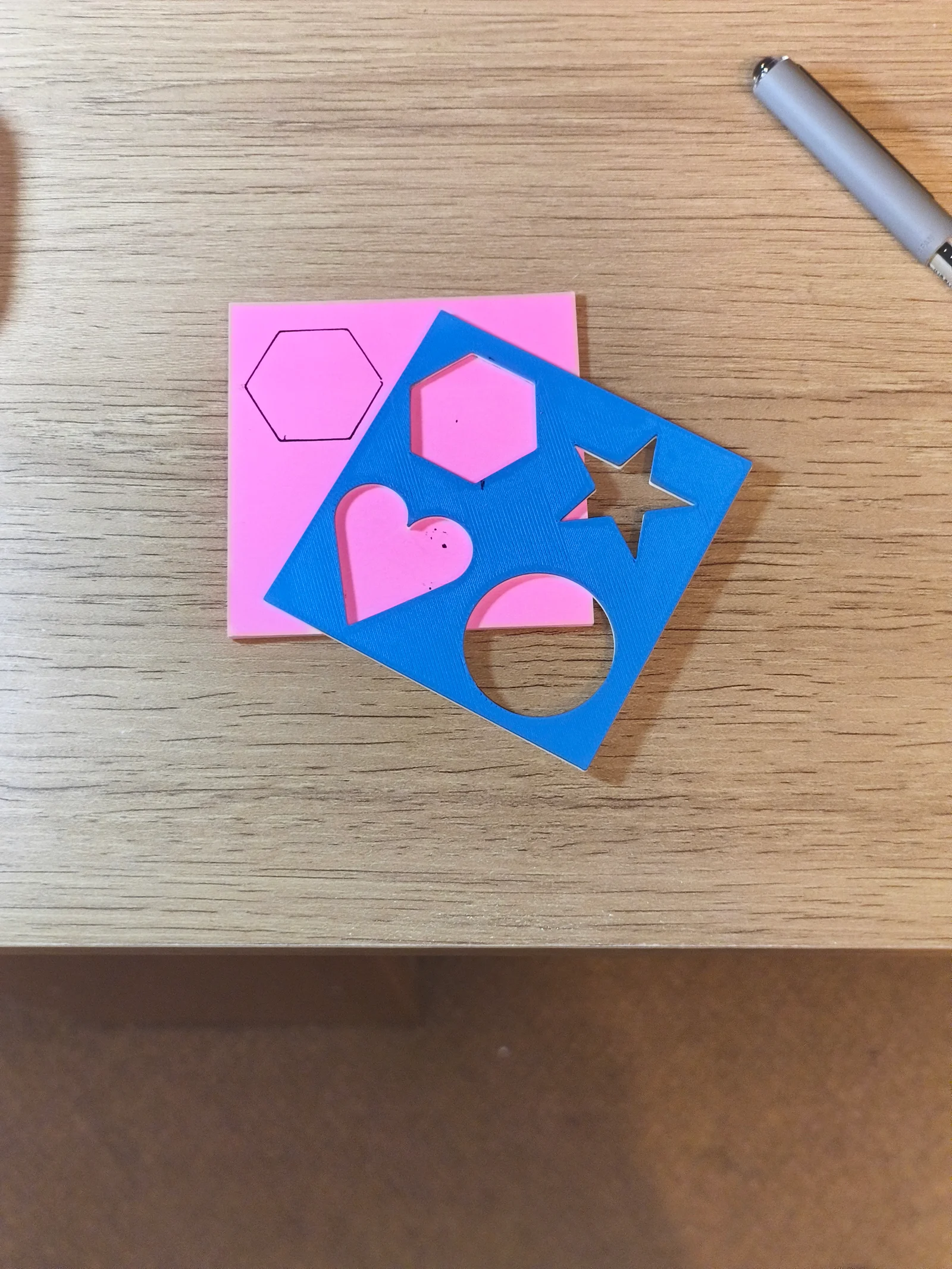
Which types of cutouts are put on the stencil
How the cutouts are positioned and sized (e.g. you can change bullet point diameter, line spacing, and more)
There are 7 different options for the cutouts on each section:
Round bullet points and lines
Lines all the way across
Dash bullet points and lines
Polygon bullet points and lines (you choose how many sides the polygons have)
Star bullet points and lines
Heart bullet points and lines
A table where you can change the number of rows and columns
The numbers listed above correspond to those you should enter into the customiser for ‘S1Type’, ‘S2Type’, ‘S3Type’ and ‘S4Type’ variables. The S stands for section, so if you only want 1 section and put 1 into the section number variable then only altering ‘S1Type’ would do anything, because its Section 1.
You can get creative with some variables to produce more unique designs. For example, by increasing the line spacing and increasing the bullet point diameter, you can get a big cutout of that bullet point shape. This is what I did with 4 sections for the blue stencil in the third (I think) image.
Feel free to comment if you're unsure about any of the variables, and I'd appreciate any feedback as well!
BybobmakesLikes2.5KDownloads17.5K

 Byquibeck_3353173Likes1.5KDownloads11.5K

 ByVinors3DLabLikes393Downloads997

 ByHydratedMini_1690513Likes173Downloads719

 ByDeeJay_NLLikes3Downloads30

 ByTommy3DLab_2023125Likes636Downloads2.5K

 Bymoleculecrtr_1215658Likes544Downloads2K

 ByTheMerchant_560996Likes104Downloads271

 Byextrablind_178817Likes40Downloads225

 Bygleb_sexy_1069616Likes42Downloads234

 By178222178222_2484344Likes449Downloads1.7K

 ByEldordLikes499Downloads1.4K