

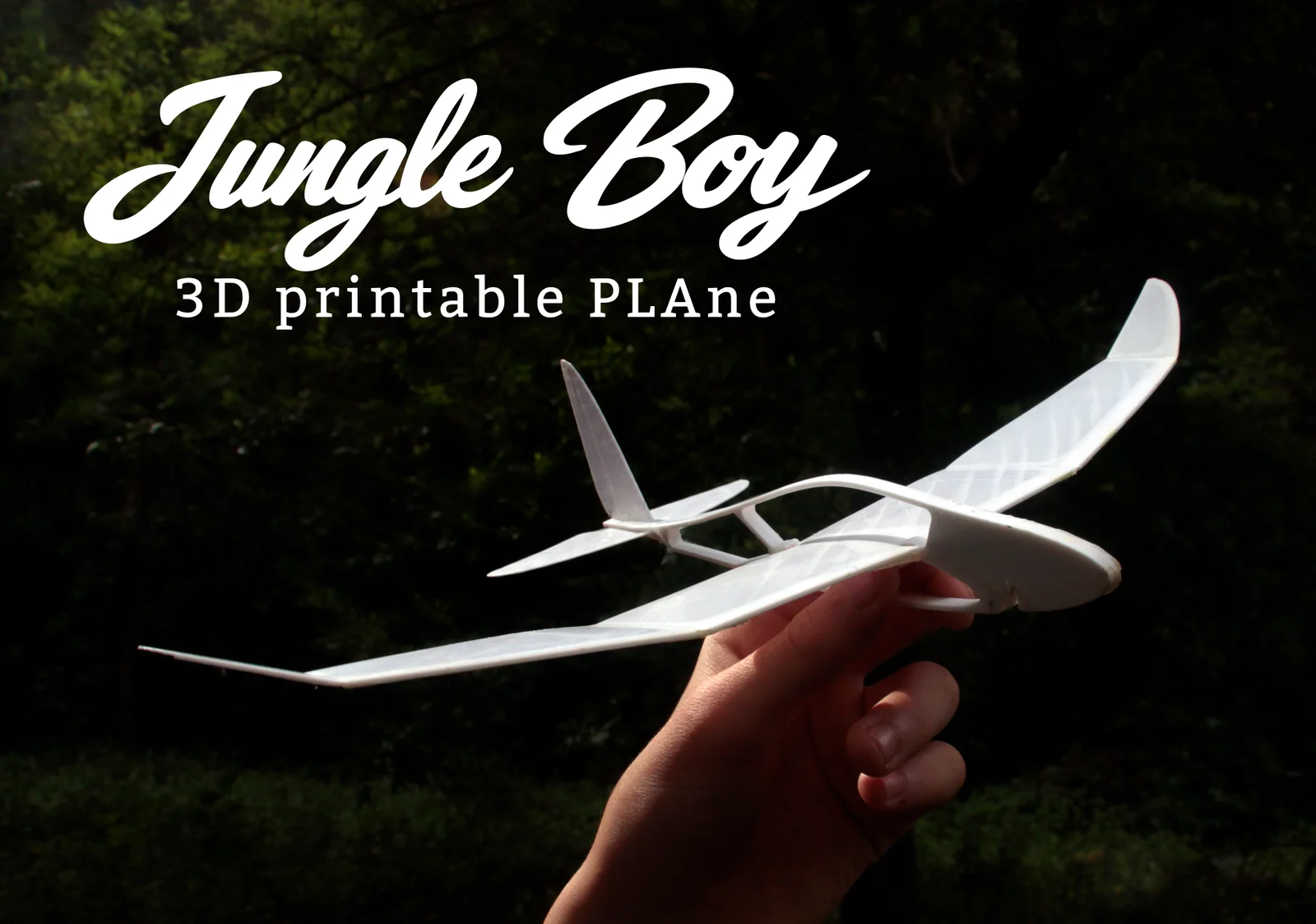


Glider - Máy bay đồ chơi phù hợp cho Prusa Mini
 ByMonomoLikes357Downloads3.7K
Build another version of this model.
We present Jungle Boy, a three-piece printable airplane with no screws, glue, or complicated assembly—and it flies! It’s designed to be launched by hand or with a rubber band and will provide hours of great fun for both kids and adults.
This version is sized for a 30 × 30 cm printer, but a smaller version suitable for any machine will be available soon.
Assembly is extremely simple—just follow the instructions shown in the images (with the smooth side of the wing and tail facing up). Once assembled and after folding the wing along the marked lines, experiment with the folds and make small adjustments to the rudder or tail to achieve the best flight, while exploring basic aerodynamic principles.
We recommend following the printing guidelines described below. If you have a multicolor printer or use the “pause at height” feature, we encourage you to try it—the result looks amazing!
You can see it flying here: https://www.youtube.com/watch?v=2sUefDlVPN4
BASIC PRINTING TIPS
Fuselage
• Layer height: 0.2 mm
• 8 walls and 90% infill
Wing
• Layer height: 0.2 mm
• Do not use part cooling fan
• First layer slightly squished against the bed to improve line adhesion
• First layer in the longitudinal direction (see Cura image), then alternate each layer by 90°
• Let the bed cool completely before removing to avoid breaking it; remove it without pulling from one end, preferably using a scraper
Tail
• Layer height: 0.2 mm
• Do not use part cooling fan
• First layer slightly squished against the bed to improve line adhesion
• First layer in the vertical direction (see Cura image), then alternate each layer by 90°
• Let the bed cool completely before removing to avoid breaking it; remove it without pulling from one end, preferably using a scraper
ByMonomoLikes357Downloads3.7K

 ByMartinLikes2.4KDownloads8.8K

 BySoarpixLikes739Downloads2.9K

 ByUtkarshSingh_3354419Likes34Downloads153

 Byancilod142_2166504Likes320Downloads1.6K

 Byszymon-adamczykLikes0Downloads135

 ByAriel_1401171Likes11Downloads59

 ByWanderingJui_3925173Likes39Downloads1K

 ByJerryieLikes0Downloads134

 Byplasmarob_300405Likes252Downloads2.1K

 ByG33kt3chstudioLikes114Downloads393

 ByPariDot_92080Likes71Downloads1.1K