



New
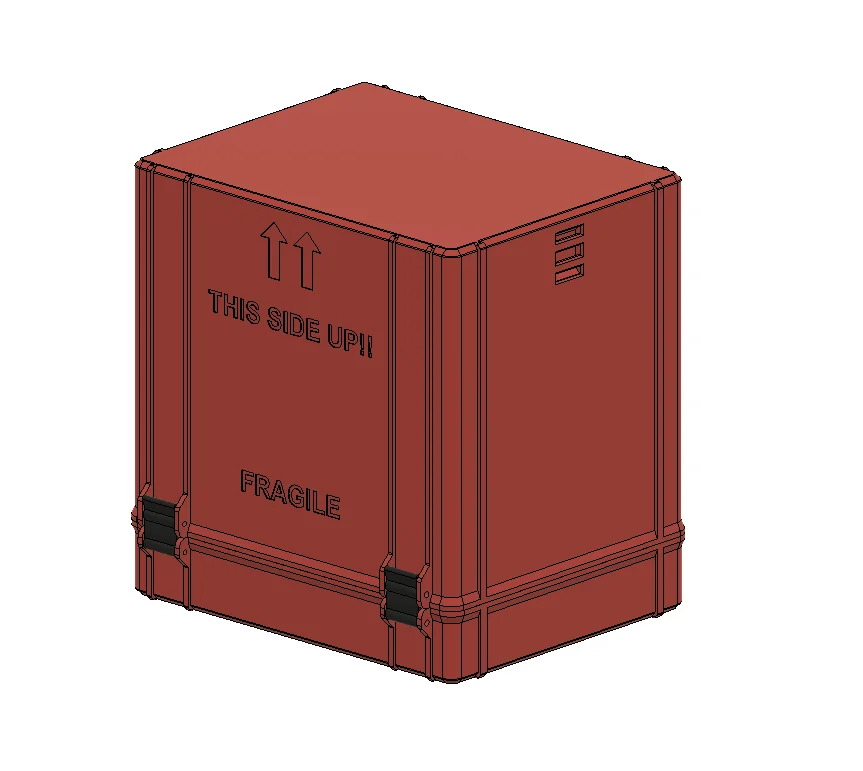
SolderMate - Fully 3D Printed Desk Soldering Companion
 ByleonicLikes0Downloads1.4K
Remix of Hộp Công Cụ Miễn Phí Dành Cho Người Dùng Việt Nam By Whity
Build another version of this model.
This box is not suitable for transport. More protection and padding are needed for transport.
Material: PETG (seal TPU)
3D Printer: Any FDM 3D printer with the minimal build area size 250x210x220mm
Slicer settings: 3 perimeters to increase strength, no support needed
Post processing instructions: Clean the parts from stringing if needed, check if the parts slides into each other as per assembly instructions.
Use 4pcs M3x30 bolts to attach the clips to the bottom part.
Insert 4pcs M3x30 bolts in the top cover
Insert the microscope insert in the bottom part.
Use double sided tape to attach soft padding in the microscope insert.
Attach the top part and close the clips.
Optionally insert the textile band to hold the lid.
Visual inspection:
Ensure that the surface is smooth.
Sometimes the corners detach during the printing – check if the bottom and top surface is flat.
Tolerance inspection:
When assembling parts should slide into each other easily
When closed the parts should hold together firmly.
ByleonicLikes0Downloads1.4K

 ByRungeKuttaLikes229Downloads1.2K

 ByfifindrLikes500Downloads4K

 ByVC_DesignLikes679Downloads3.6K

 ByDan Schwartz SchwartzLikes744Downloads3.4K

 Bychubbs8697_2027893Likes585Downloads1.7K

 Byquibeck_3353173Likes965Downloads1.9K

 ByUpcrid3D_1585693Likes808Downloads2.1K

 ByWilko_SLOLikes935Downloads2K

 ByRobertoGalloc_356815Likes549Downloads1.8K

 ByTater_364200Likes486Downloads1.6K

 ByJeremyVillalo_760366Likes68Downloads767