




Mẫu tranh treo tường nghệ thuật phong cảnh thiên nhiên Nature Decor
 ByCodyMeyer_2545340Likes163Downloads724
Build another version of this model.
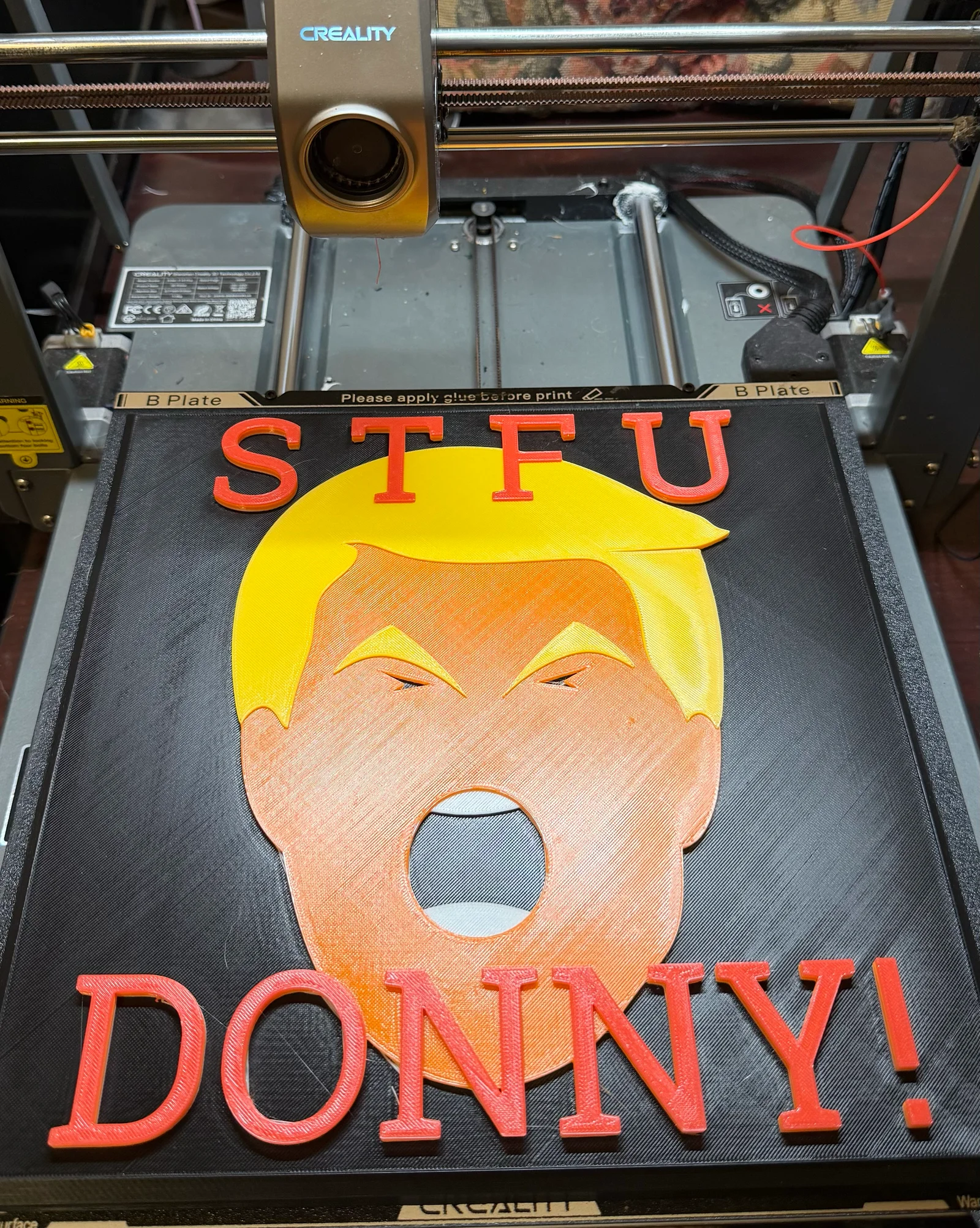
Sign of frustration or humor plus a tool to help locate mounting holes in wall.
To change colors, insert a pause in the .gcode file so you can change color from the background to the colors for the text and image, at Z positions:
12.8 (change from background color to white)
14 (change from white to orange)
15.2 (change from orange to yellow)
16.2 (change from yellow to red)
See "How to change colors.pdf" for how to do this on the Creality slicer. When your printer pauses, retract old filament and extrude new filament, as you usually do. After that, go back to main printer display and select the play icon and "Resume" button to continue.
To install, screw screws into chamfered side of installation tool until about 1/8" extends out back of tool. After removing supports in the mounting slots of the sign (I used slim tree supports for easy removal), hold sign up to installation tool and insert the screw heads into the slots on the back of this sign. Hold the assembly up to the wall in desired location/orientation and gently press against the wall. The screws will leave indentations in the sheetrock. Remove tool from sign. Remove screws from tool and screw them into the wall at the indented locations. Stop driving the screws just before the counter sunk head starts to touch the wall. This leaves them exposed enough to insert the screw heads into the holes in the back of the sign and slide the heads into the slots.
ByCodyMeyer_2545340Likes163Downloads724

 ByDrewmundLikes833Downloads4.6K

 ByFastRaccoon_718321Likes461Downloads1.5K

 Bykallekubinsk_3569049Likes37Downloads186

 ByMrCoolGaming_2947996Likes47Downloads175

 Byr_squared_1123188Likes89Downloads197

 Bybychr1s_568275Likes243Downloads186

 ByCederbLikes32Downloads185

 ByTomYumLikes33Downloads158

 ByvexanixLikes168Downloads1.3K

 ByIvoLikes196Downloads1.1K

 ByAllenM_581301Likes40Downloads139