



Kẹp giữ sợi Filament
 Bytinx_1344834Likes1.2KDownloads6K
Build another version of this model.
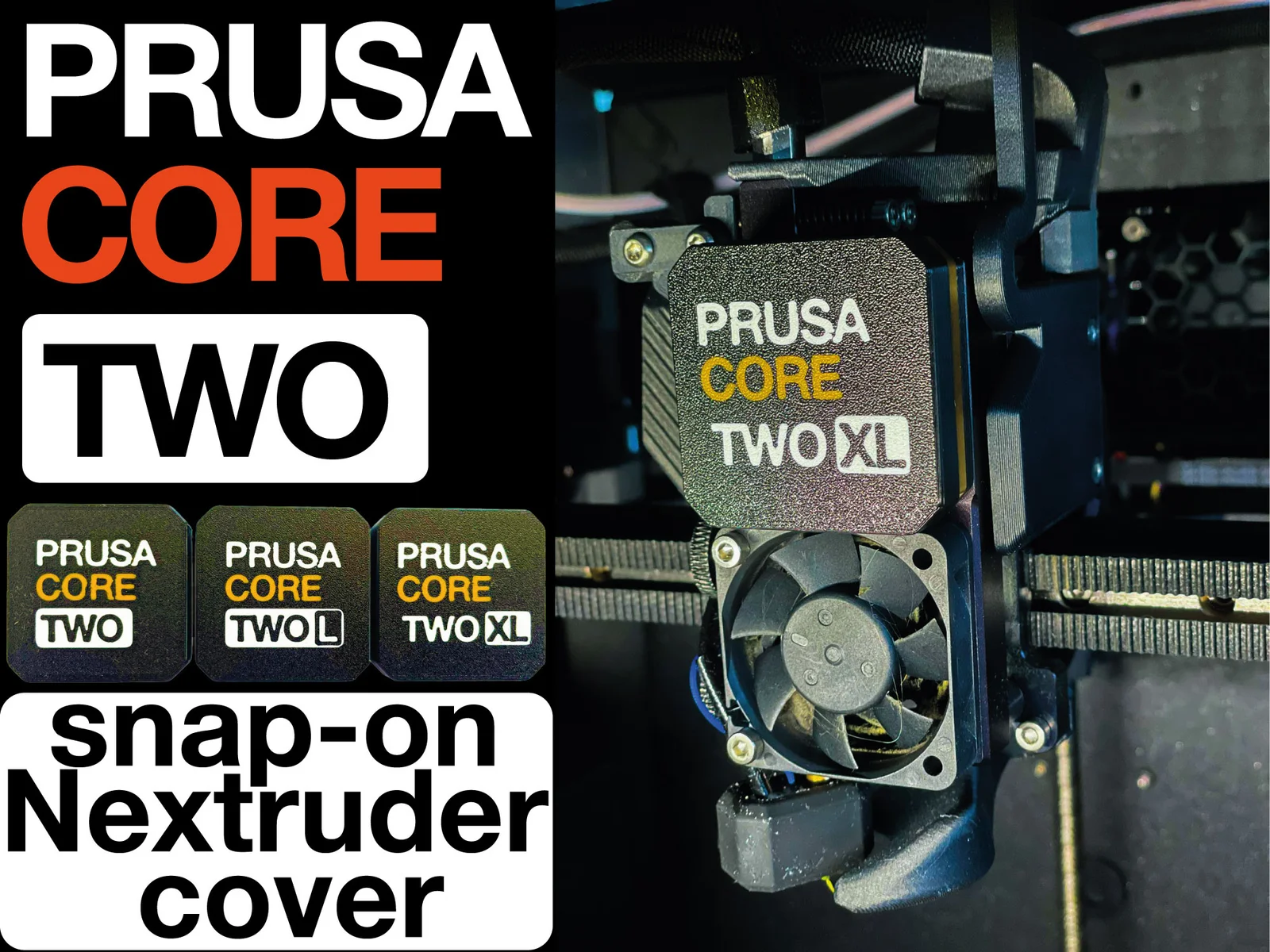
This started as a side quest while designing my LEGO-compatible Nextruder cover for the Core One / Core One L Building Block skin.
I did not really like the idea of replacing the original injection-molded Nextruder cover with a 3D-printed one, especially when the original part already works perfectly fine. So instead, I made a very simple snap-on faceplate that clips onto the existing cover.
No disassembly, no fiddling with critical printer parts, no commitment. It just snaps on and off, and it does not interfere with printer movement.
This CORE TWO /L /XL version is mostly a stupid joke, but the underlying snap-on design turned out to be useful. I also included the CAD files, both Fusion and STEP, under CC-BY, so you can make your own custom Nextruder faceplates without having to redesign the whole cover.
Absolute no-brainer upgrade. Actual performance gains may vary.
You can even print this without a MMU and manual filament swaps instead. I followed this tutorial:
https://forum.prusa3d.com/forum/english-forum-original-prusa-i3-mk4s-how-do-i-print-this/how-to-print-multi-material-models-without-an-mmu-tutorial/
Bytinx_1344834Likes1.2KDownloads6K

 Byprusa-researchLikes0Downloads2.7K

 ByBretDorssers_4183352Likes19Downloads55

 ByJACK98Likes0Downloads262

 Bydet-manLikes0Downloads176

 Bygummiegecko8477Likes0Downloads168

 Bychukwufumnanya-arinzechukwuLikes0Downloads153

 BydalleLikes0Downloads150

 ByBrokentooth_designsLikes17Downloads159

 BythomersLikes0Downloads115

 BynasikLikes0Downloads122

 Byarhi_585078Likes64Downloads547