

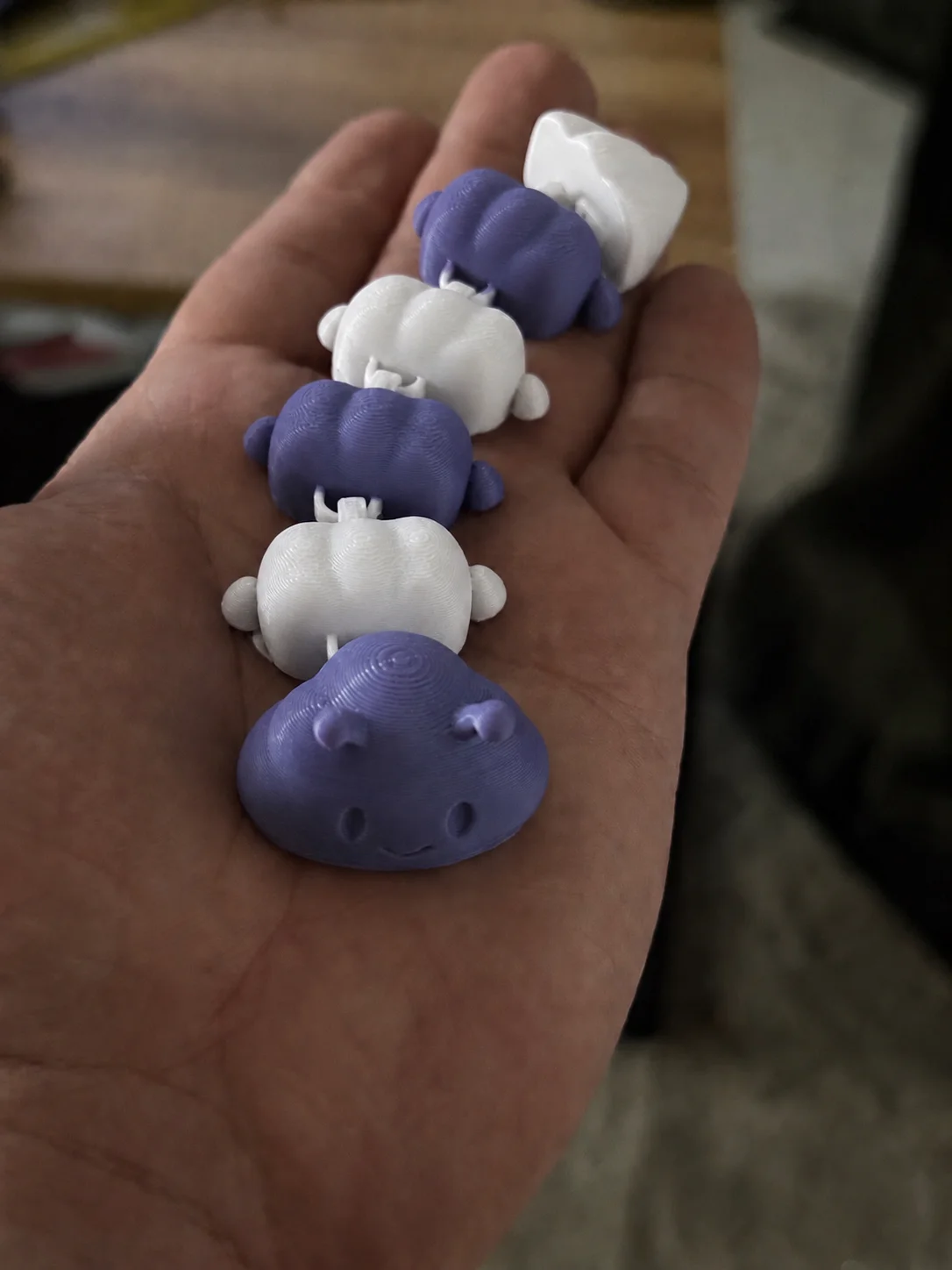


Thằn lằn cử động linh hoạt - In tại chỗ (Không cần support)
 Bycream110_291842Likes924Downloads7.7K
Build another version of this model.
Cloudy Caterpillar is a cute modular 3D printed toy with a soft, rounded, cloud-like look. Its segmented body gives it a playful articulated style, making it great as a desk toy, small collectible, fidget-style object, or decorative gift.
The project includes:
STL file
The STL contains the complete model geometry and can be used as a standard model file for slicing and printing.
3MF file – single-color setup
One 3MF file is prepared for a simple single-color print. This version is the easiest and fastest option if you want to print the whole caterpillar in one filament color.
3MF file – multi-color modular setup
The second 3MF file is prepared so the individual modules can be assigned different colors. By default, it is set up for a two-color version, like the pastel pink and light green example shown in the photos, but you can freely change the colors and create your own combinations.
You can print it in one color, two colors, or even make every module a different color. Soft pastel shades, rainbow colors, or contrasting filament combinations all work well with this design.
The model can also be scaled up or down depending on your preferences. Print it as a tiny cute creature, or scale it up to make a larger decorative toy. You can experiment with different colors, layer heights, and surface settings to give your caterpillar its own personality.
Recommended print settings:
Material: PLA / PLA+ recommended
Layer height: 0.16–0.20 mm
Infill: 10–20%
Walls/perimeters: 2–3
Supports: Required
Build plate adhesion: Brim recommended, especially for smaller scales or separate module setups
Print orientation: Use the prepared orientation from the 3MF files, or adjust if needed for your printer
Scaling: The model can be freely scaled up or down
Color setup:
Use the single-color 3MF for a fast, simple print
Use the multi-color 3MF to assign colors to individual modules
The default multi-color setup uses two colors, but custom combinations are encouraged
For best results, remove supports carefully around the small connecting areas and test the articulation gently after printing.
Bycream110_291842Likes924Downloads7.7K

 ByOnemoredaveLikes861Downloads6.9K

 ByHacker Man ManLikes248Downloads1.5K

 Byfluffytails37Likes184Downloads765

 ByTheMakerStuffLikes315Downloads1.9K

 ByHkillebrewLikes65Downloads157

 ByAristotelisNellasLikes18Downloads701

 ByDFW777Likes64Downloads361

 ByMikWantecLikes264Downloads1.5K

 BySzvmkn_3779340Likes231Downloads1.3K

 BySaturn_3029991Likes2Downloads8

 ByNoNameIdea_4437934Likes124Downloads690