



Kẹp giữ sợi Filament
 Bytinx_1344834Likes1.2KDownloads6K
Build another version of this model.
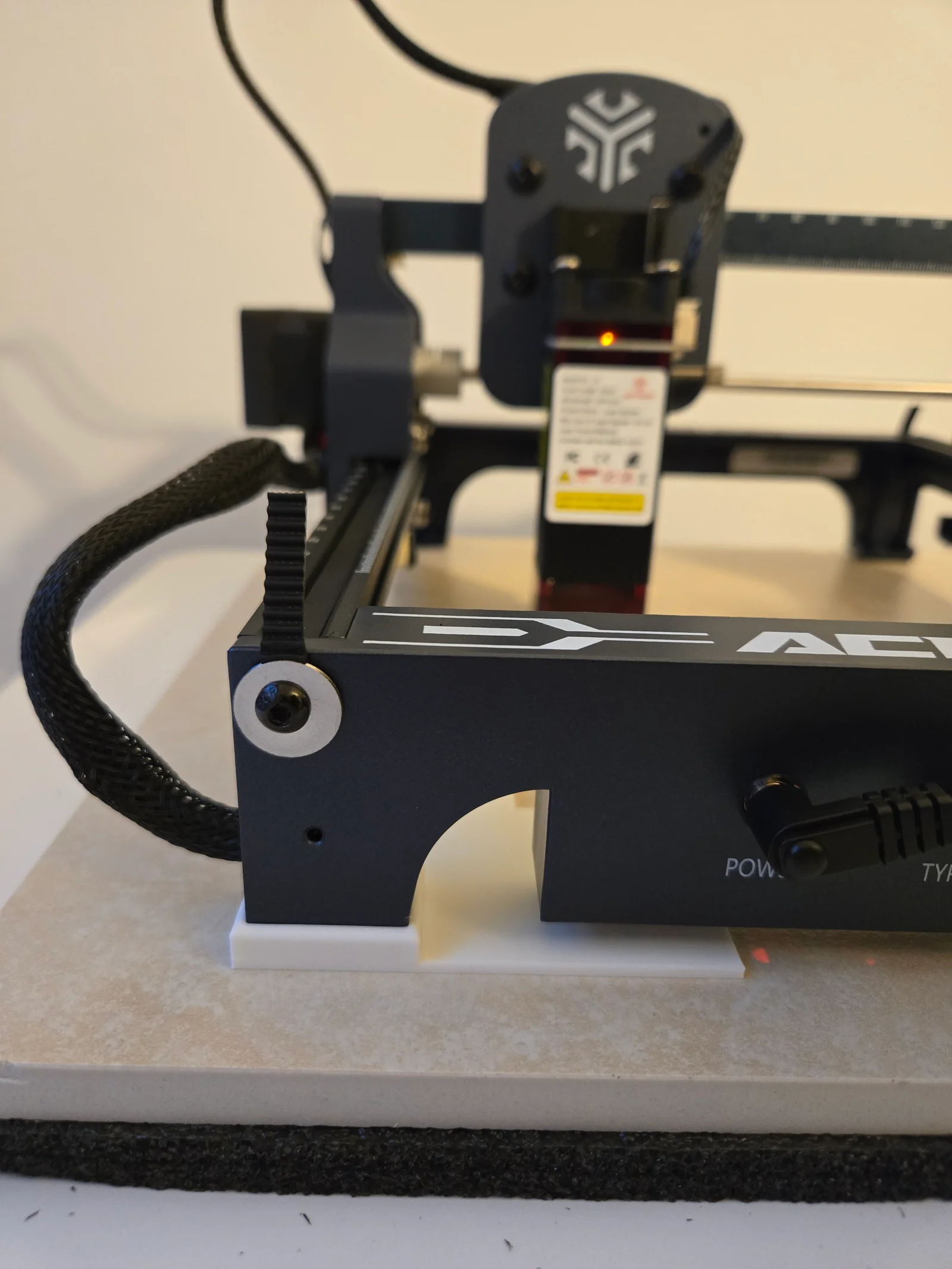
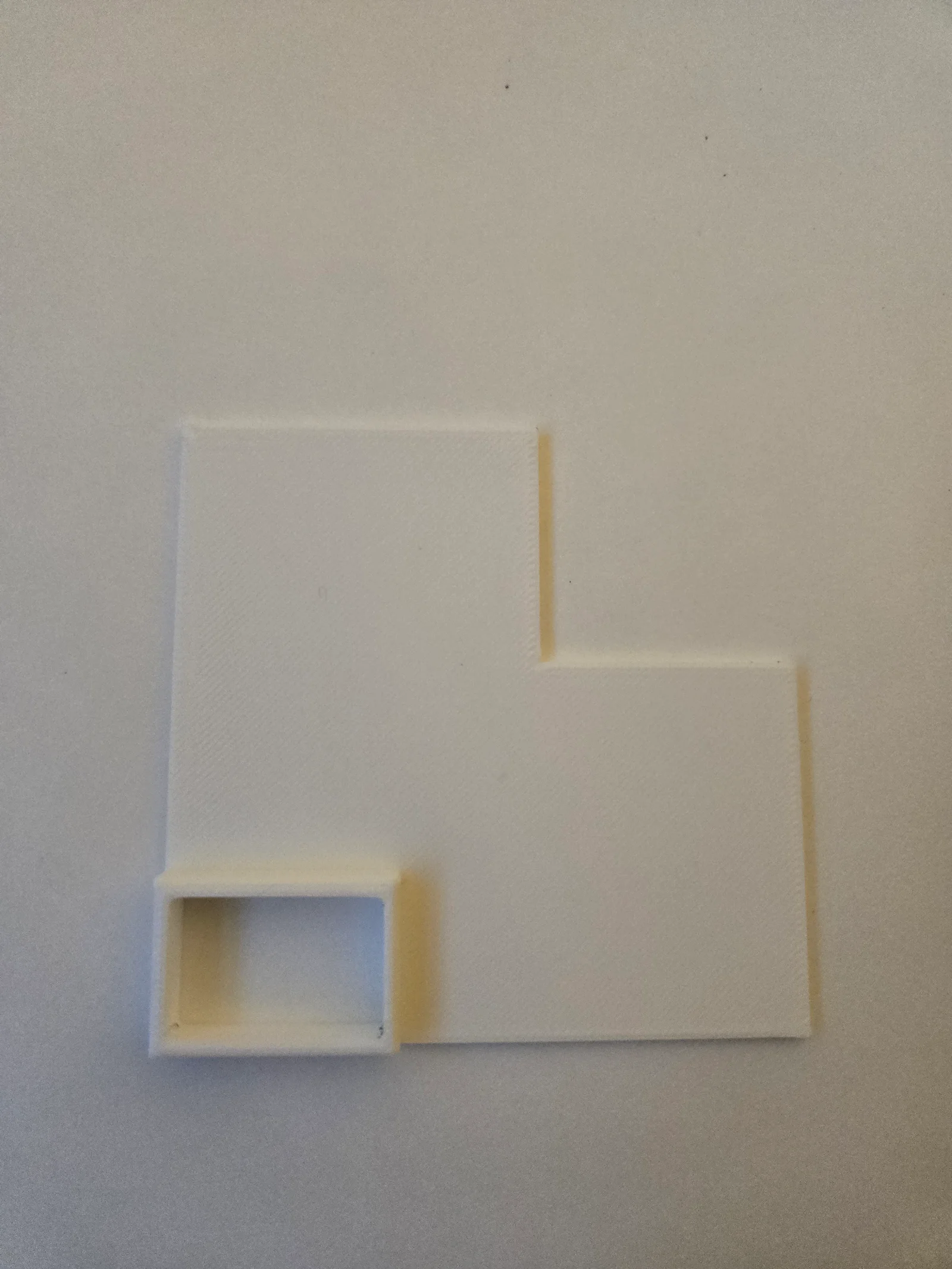
This is a compact alignment guide designed for the ACMER S1.
To use it, simply place the left leg of the ACMER S1 into the hole. The guide helps position the machine quickly and consistently without needing a large frame or bulky setup.
I designed this to be much smaller than many of the other solutions currently available on Printables, making it easier to store, faster to print, and more convenient for everyday use.
I recommend printing it in matte white PLA, as the lighter matte surface makes it much harder for the laser to burn or mark the guide during use.
Features
Compact design
Easy to print
Quick setup
Helps with repeatable positioning
Much smaller than full-size guide/frame solutions
Designed specifically for the ACMER S1
How to use
Place the guide on your work surface and insert the left leg of the ACMER S1 into the hole. Once seated, the machine should be aligned according to the guide’s position.
Notes
This is an original model I created for my own setup. If you run into any issues, need a different version, or want something changed or adjusted, please let me know. I’m happy to consider edits or improvements based on feedback.
Bytinx_1344834Likes1.2KDownloads6K

 ByBrokentooth_designsLikes23Downloads414

 ByRyanLikes0Downloads236

 Bychukwufumnanya-arinzechukwuLikes0Downloads190

 Bycrawler-4460618Likes0Downloads174

 Byemmanuel-garciaLikes0Downloads171

 Bygummiegecko8477Likes0Downloads178

 BydalleLikes0Downloads163

 Byantek-debowskiLikes0Downloads122

 BynasikLikes0Downloads131

 Byarhi_585078Likes64Downloads548

 ByHanzo3dLikes155Downloads419