



Ốp lưng cho Samsung S22 Ultra
 ByckthLikes148Downloads2.4K
Build another version of this model.
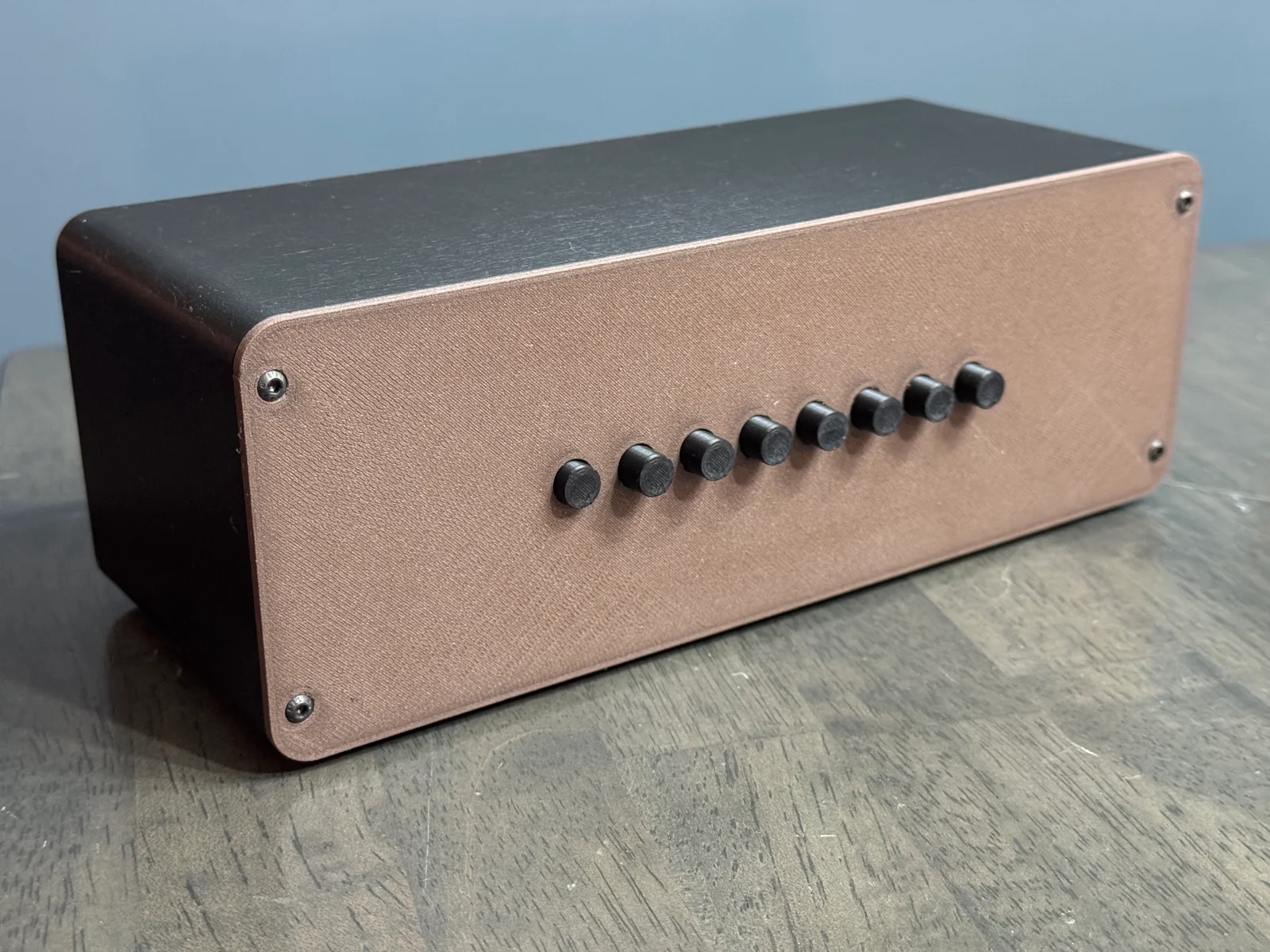
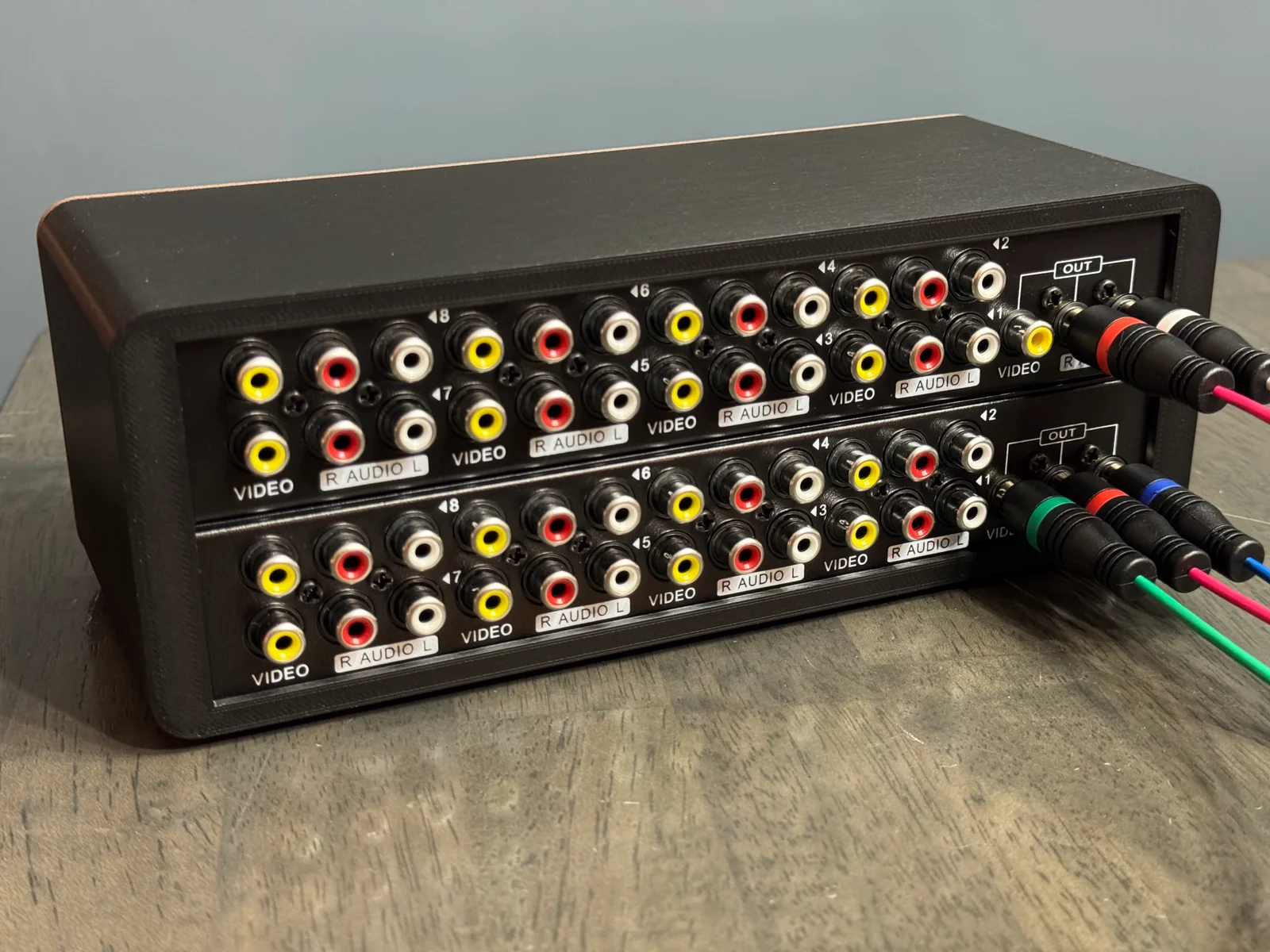
Component switchers are harder to come by, especially if you need more than 4 inputs. This takes advantage of the highly-available Panlong 8-Way AV Switch RCA Switcher, and the common RCA jack, to make your own component switch box.
This is a non-destructive mod and requires no soldering. You can use this as a component switch box (as shown in photo) but you can also continue to use the top box for composite inputs and attach an additional output video cable to the bottom.
Directions:
Disassemble each box and gently remove the blue buttons by hooking behind them and pulling outward. These can be saved for if/when you want to go back to two single switch boxes.
Print each component, making sure to print (8) buttons.
Use 4mm M3 threaded inserts in the case.
Slide each Panlong switch box into the case and connect each of the 8 buttons.
Attach lid using M3 button head screws.
ByckthLikes148Downloads2.4K

 ByJac2307_889487Likes36Downloads254

 ByvladtheinhalerLikes64Downloads250

 ByUpcrid3D_1585693Likes48Downloads204

 ByJaronLikes310Downloads1K

 Byw3rN42Likes127Downloads931

 ByTomDDLikes89Downloads573

 Byvitals78_1747561Likes43Downloads66

 BykukulinLikes77Downloads513

 ByJwidessLikes34Downloads373

 ByAustin Wolt WoltLikes162Downloads377

 ByLecso_113752Likes76Downloads330