



Bộ chuyển đổi từ khe Keyhole sang thanh ray DIN!
 ByBrokentooth_designsLikes83Downloads446
Build another version of this model.
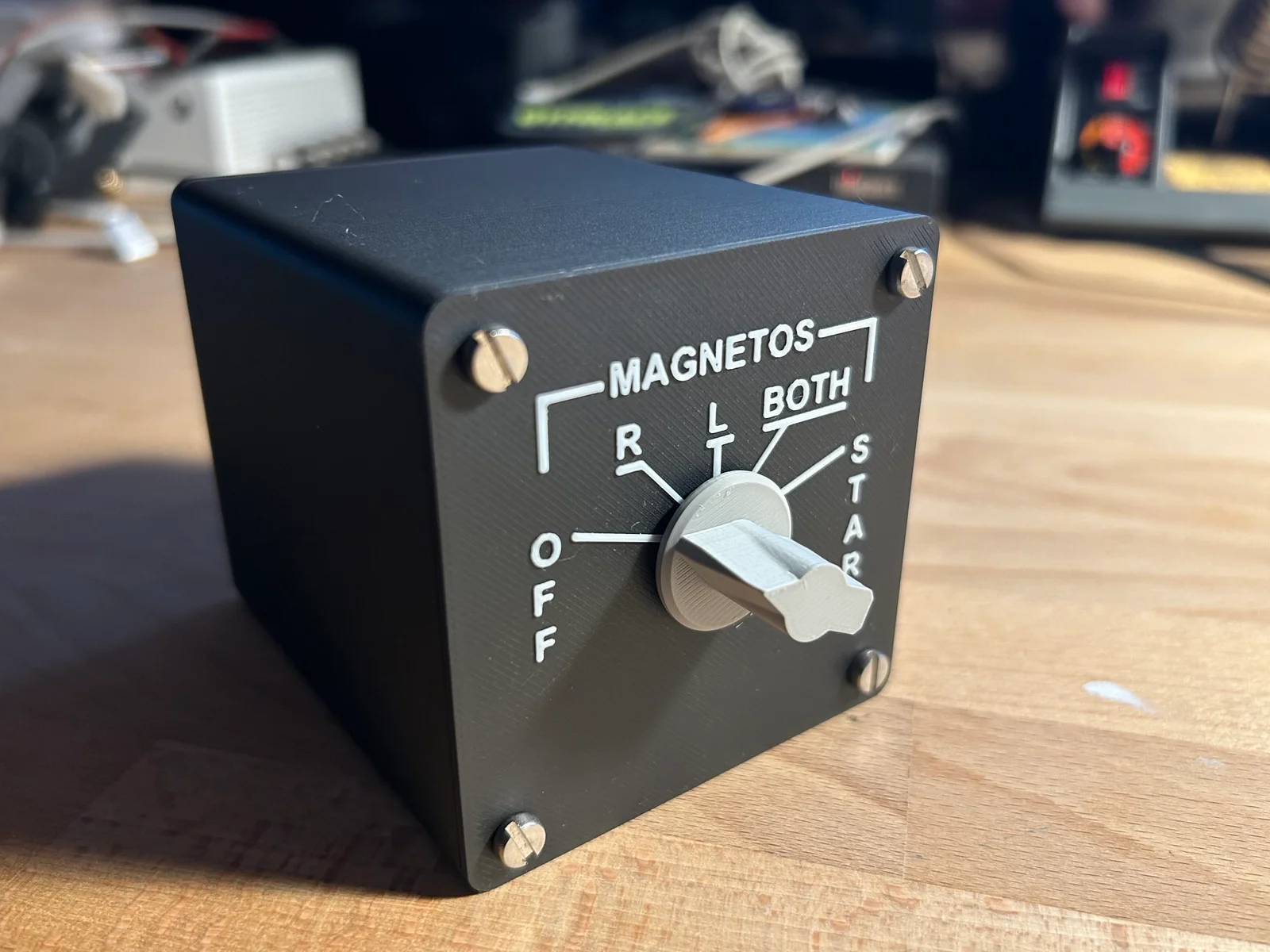
Take your cockpit immersion to the next level with a fully functional, 3D-printed magneto switch panel for Microsoft Flight Simulator 2024. Flip through OFF, Right, Left, Both, and Start just like the real thing — no PC required, works natively on Xbox Series S/X.
This is a standalone physical magneto/starter switch module for Microsoft Flight Simulator. It uses a real 12-position rotary switch mounted in a 3D-printed enclosure, controlled by a Raspberry Pi Pico that acts as a USB HID keyboard. Plug it in and MSFS sees it as a keyboard — no drivers, no software, no configuration tools needed.
Turn the knob and your in-game engine responds. It's that satisfying.
Works on Xbox Series S/X and PC — plug and play via USB hub
5 active positions: OFF, R (right magneto), L (left magneto), BOTH, START
Authentic Cessna 172 panel layout with engraved labelling
Compact enclosure with rear-panel USB port for a clean installation
Open source firmware — easy to customise key bindings
Can be used standalone or alongside the matching main switch panel
Part
Notes
Raspberry Pi Pico
Standard Pico, not Pico W
12-position rotary switch
Common GND type, one pin per position
Micro USB 2.0 Male to Female extension cable
For the rear panel USB port
M3 screws
For closing the enclosure
The Raspberry Pi Pico is programmed as a USB HID keyboard using the Arduino IDE with the Earle Philhower RP2040 board package. When you turn the rotary switch, the Pico detects the active position and sends the corresponding key combination to MSFS — no intermediate software required.
Default key bindings (configurable in MSFS):
Position
Function
Key combo
0
Magnetos OFF
SHIFT + ALT + Q
1
Right magneto
SHIFT + ALT + D
2
Left magneto
SHIFT + ALT + S
3
Both magnetos
SHIFT + ALT + F
4
START
SHIFT + ALT + G
The rotary switch uses one GPIO pin per position with the common wired to GND. The Pico's internal pull-up resistors do the rest — no external components needed.
GPIO
Rotary position
Function
GP2
Position 0
OFF
GP3
Position 1
R
GP4
Position 2
L
GP5
Position 3
BOTH
GP6
Position 4
START
GND
Common
—
Positions 5–11 on the rotary switch are left unconnected.
Firmware is written in C++ for Arduino IDE. Flash it to the Pico using the Earle Philhower RP2040 board package (Raspberry Pi Pico board, Adafruit TinyUSB USB stack). Full source code is included in the files.
This module is designed to work alongside the Cessna 172 Main Switch Panel (soon on MakerWorld), which covers avionics, lighting, and other cockpit switches. Both panels connect to your Xbox or PC via a USB hub and operate completely independently.
Happy flying!
ByBrokentooth_designsLikes83Downloads446

 ByWolf_115355Likes513Downloads8.4K

 BySimplyMaker_879791Likes266Downloads168

 ByZED4EverLikes313Downloads5.2K

 ByVC_DesignLikes271Downloads748

 ByfifindrLikes500Downloads4K

 Bymrfixit_324954Likes65Downloads471

 ByDan Schwartz SchwartzLikes744Downloads3.4K

 ByUpcrid3D_1585693Likes808Downloads2.1K

 ByAdam Záhořák ZáhořákLikes39Downloads250

 ByWilko_SLOLikes935Downloads2K

 Bychubbs8697_2027893Likes585Downloads1.7K