

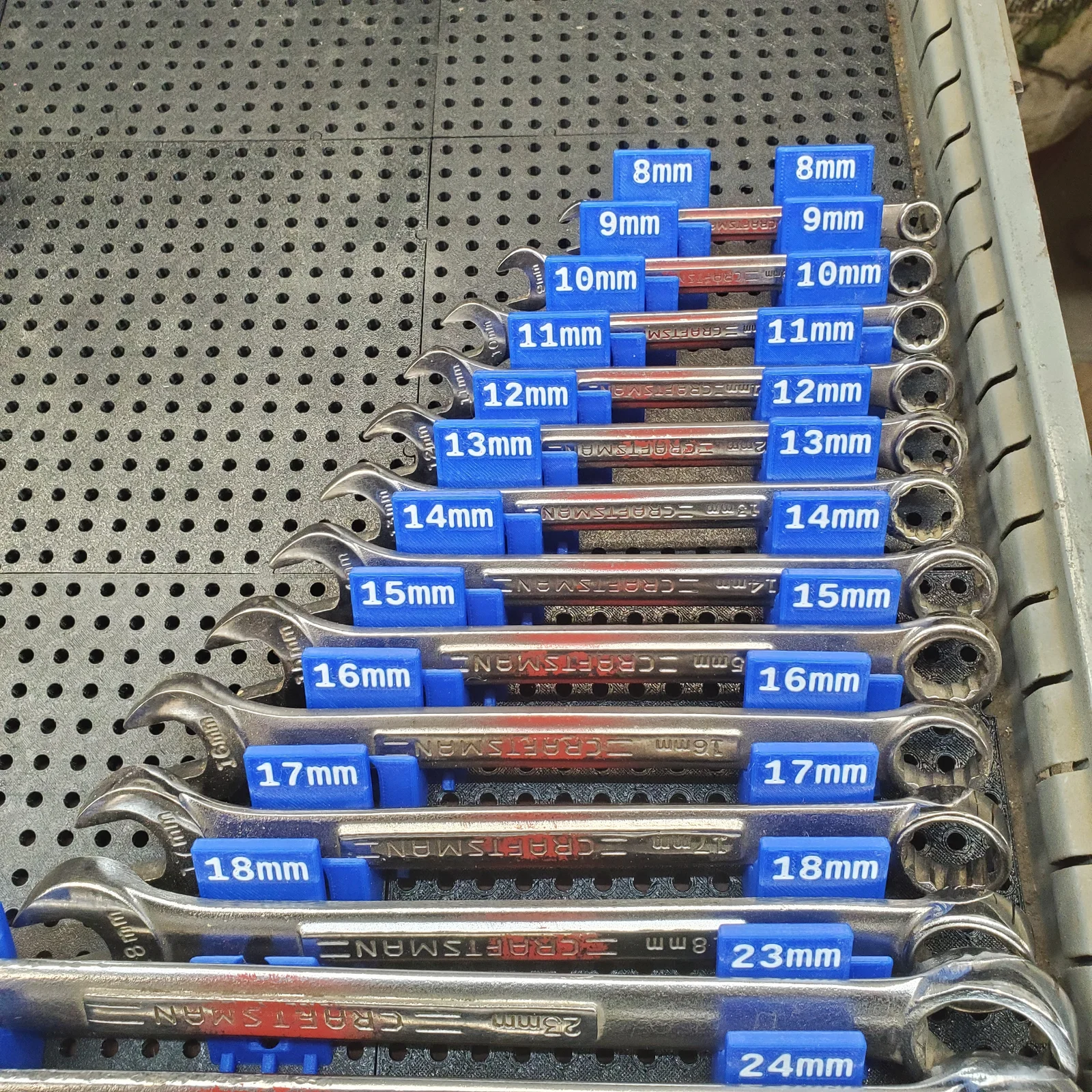
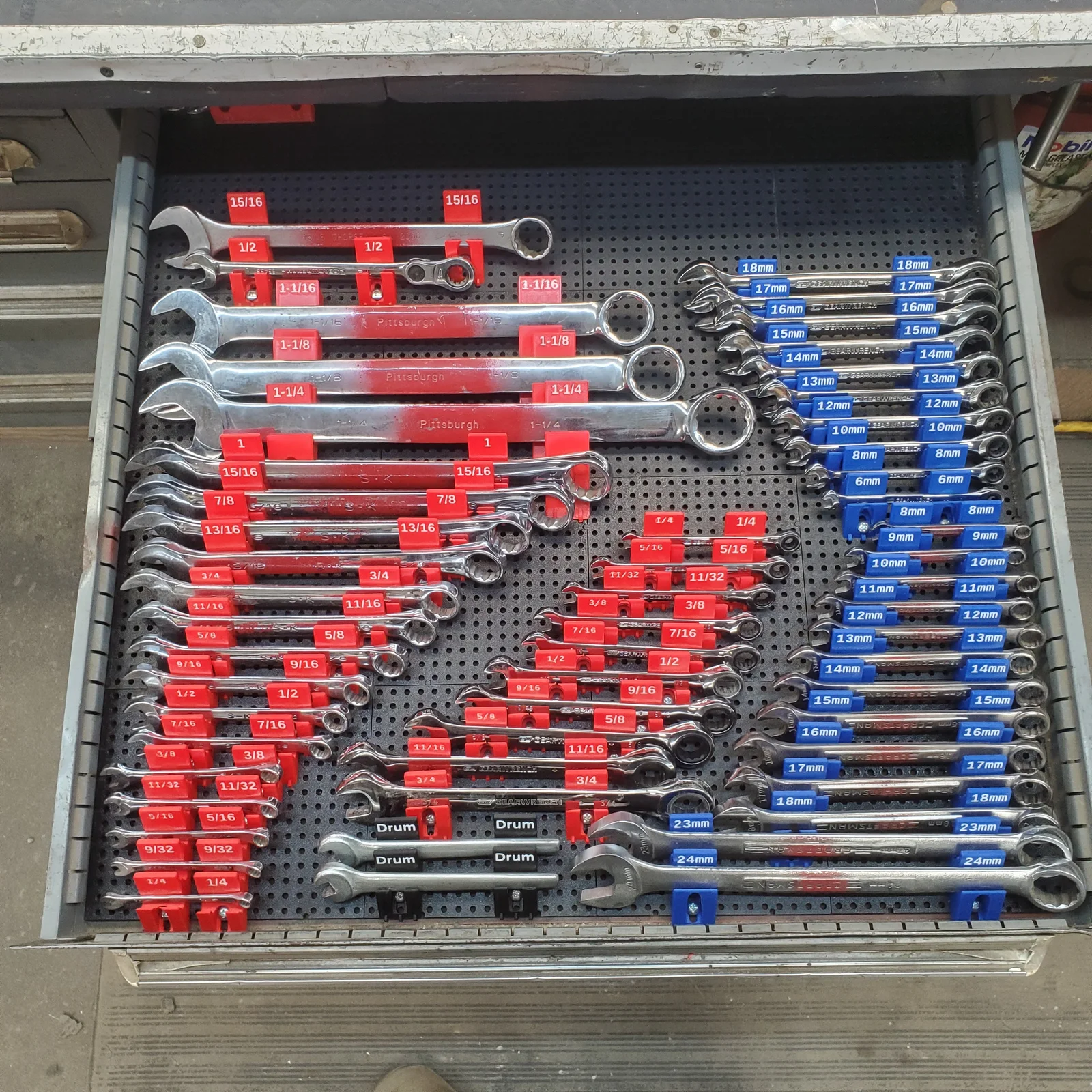


Clean Storage Boxes | 16 Sizes
 BymoonyxLikes0Downloads704
Build another version of this model.
These print flat for minimal color changes - the colored label is done in only 2 layers.
An embedded magnet can be installed in the back side after printing.
No supports required.
Open in OpenSCAD
Enter a comma separated list of labels
Set your magnet diameter
For wrenches over 3/4" (19mm), increase the base height, back height and wrench width as required
Render (F6)
Export to 3mf
Open in your slicer and set colors
Parts and labels are created sequentially; odd numbered objects are the wrench holders, even numbered objects are the labels.
In order for the labels to be output as a separate part for multi-color printing, you need to enable Lazy Unions.
In OpenSCAD, go to Edit > Preferences, and on the Features tab select the checkbox next to lazy-union.
Note - this feature is not available in older versions. If you do not have this setting, download the latest developer snapshot of OpenSCAD.
Additionally, make sure you export the model as a 3mf. If you export a STL file, the components will all be merged together.
In the labels section of the customizer, you can create a list of labels. One part will be generated for each label.
By default the delimiter is a comma. If you want to use a comma in your label, you can change the delimiter to something else. The delimiter must be a single character to work correctly.
The text size may need to be adjusted for longer labels to fit. The text is less clear below 6mm; consider making the wrench holder wider instead.
Depending on your operating system, you may need to change the font. I find that bold fonts print better.
In the profile section, there are several settings available.
Width is self explanatory - use this to set the width of the wrench holder.
Base height is a bit more complicated. This is the vertical height to where the wrench sets. You will notice it appears to change depending on if the wrench notch is rounded. This is due to where it is measured; it will always be measured at the lowest point of the wrench notch. This will need to be adjusted if you change the angle or for large wrenches.
The wrench width is the width of the wrench notch, measured at the root. If the notch is rounded, this is the diameter of the rounded root. Make sure this is greater than the thickness of your wrench handle.
Back height is a linear dimension - changing the angle of the wrench holder will not affect how long the back is. The simple way to set this is to measure your wrench handle height, add the font size, then add another 3mm or so for clearance.
You can set the magnet diameter and offset from center. The magnet will always be .2mm from the face; this puts a single layer over the magnet. The magnet gets installed from the back side after printing.
You shouldn't need to set any screw dimensions, but they are provided just in case.
The settings in this section can break things - make sure everything looks correct before printing!
I have had to increase the angle for large wrenches in a shallow drawer. You will want to adjust the base height as well.
If the angle is greater than 30 degrees, a back block can be generated to support the first one.
The Grid setting is for alignment tab spacing - when this matches the toolgrid spacing, you can easily offset the wrench holders by one or more holes and still use the alignment tabs.
Remixes are encouraged. If you remix this model, please make sure to include what magnet sizes you used.
BymoonyxLikes0Downloads704

 ByVC_DesignLikes721Downloads2.9K

 ByMaxTheSpyLikes57Downloads538

 ByUpcrid3D_1585693Likes808Downloads2.1K

 ByshoheiyLikes0Downloads438

 ByWilko_SLOLikes935Downloads2K

 ByTater_364200Likes486Downloads1.6K

 ByfifindrLikes709Downloads1.7K

 Bywhilex_1739192Likes644Downloads1.1K

 ByzeroflowLikes186Downloads1.2K

 ByMatthew_GhostLikes350Downloads944

 ByleonicLikes0Downloads1.4K