
F3D
Hộp đựng bài ngang Parametric để sắp xếp board game 1

1 image

Board Game

Hộp đựng bài ngang Parametric để sắp xếp board game

By Gbutton_126715

Downloads
54
Likes
18
Views
586

Files 1 106.2 KB

  • parametric_horizontal_card_box_v1_1778186353.f3dF3D · 106.2 KB

Make a variant with AI

Build another version of this model.

Open Studio

Details

Model ID
#376734
Category
Board Game
Published

Description

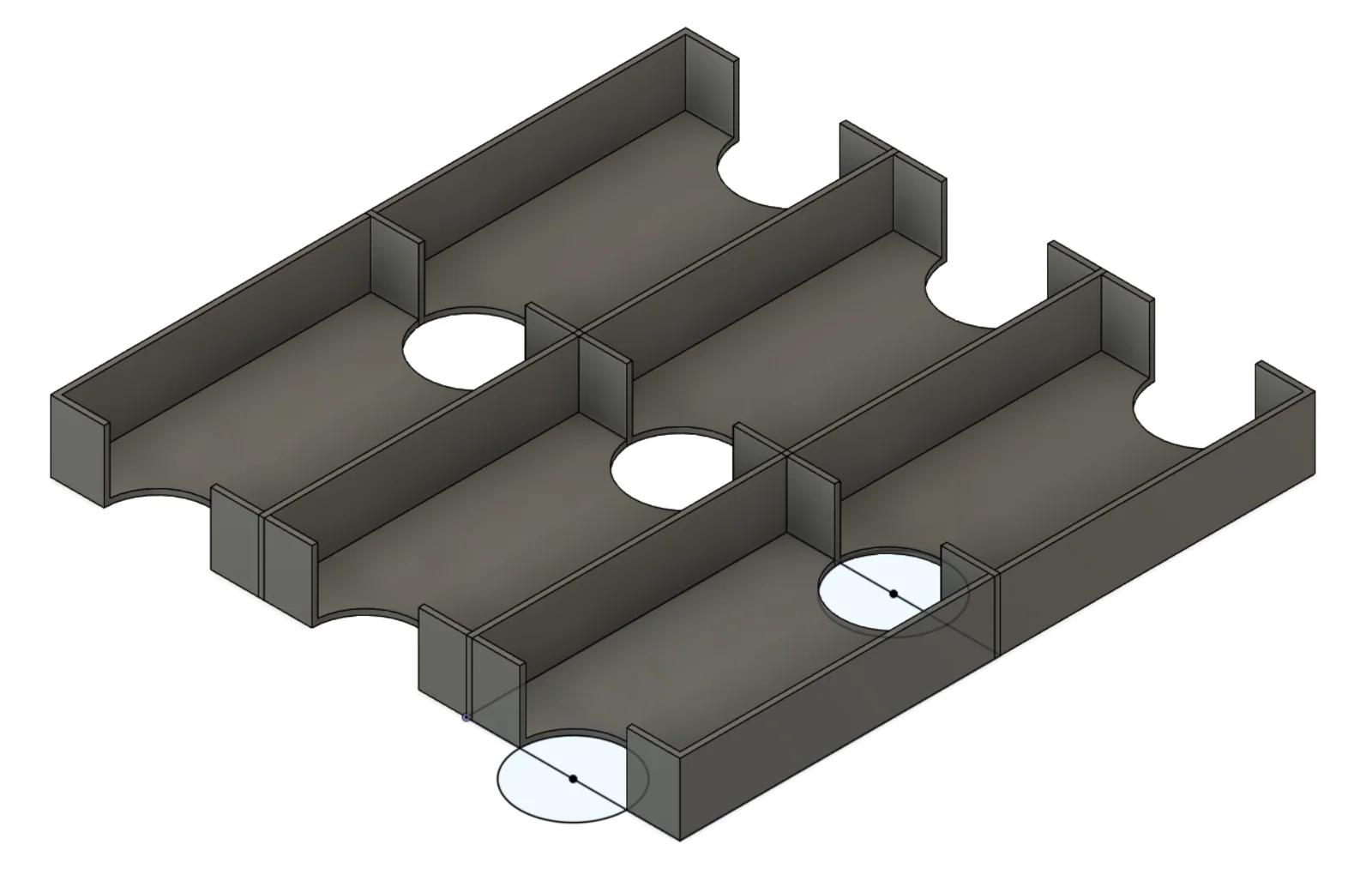
This is a parametric box that's designed to help you create custom storage solutions for your board games - especially the more obscure ones. 

Please leave a comment if there are other box types you would like.

Steps:

  1. Download and install fusion 360 personal, make an autodesk account, and login. https://www.autodesk.com/products/fusion-360/personal
  2. Download the file attached to this project, and open it in 360.
  3. In fusion, navigate to MODIFY > Change Parameters
  4. In the parameter window, change the expressions to match your desired proportions
  5. The parameters are:
    1. length - how long (in mm) the box will be on the Y axis
    2. width - how long (in mm) the box will be on the X axis
    3. height - how tall the box will be on the Z axis
      1. NOTE: All above measurements are for OUTER DIMENSIONS. This is to help create boxes that fit perfectly in the original game box.
    4. thickness - thickness of the walls. I recommend making this a multiple of you nozzle size. I use a 0.8mm nozzle, so I make my walls 1.6mm to get two layers and a much quicker print.
    5. columns - the number of card compartments you want in the x axis
    6. rows - the number of card compartments you want in the y axis.
    7. hole - the size of the finger hole.
  6. When you have set your parameters, click ok.
  7. On the left side of the screen, you'll see an item called Component1. Right click that component then click Save as Mesh.
  8. In the popup, change the format to STL. You need to do this because each box is a different body, and STL combines them. If you don't do this (or combine the bodies in fusion) you may get issues when you slice the model.
  9. Open the meshes in your slicer, slice, and print.

Please leave a comment if you have questions.

Read more Show less

Print spec

Formats
f3d
Model files
1
Total size
106.2 KB
Largest file
106.2 KB

0 comments

See all