
Board Game
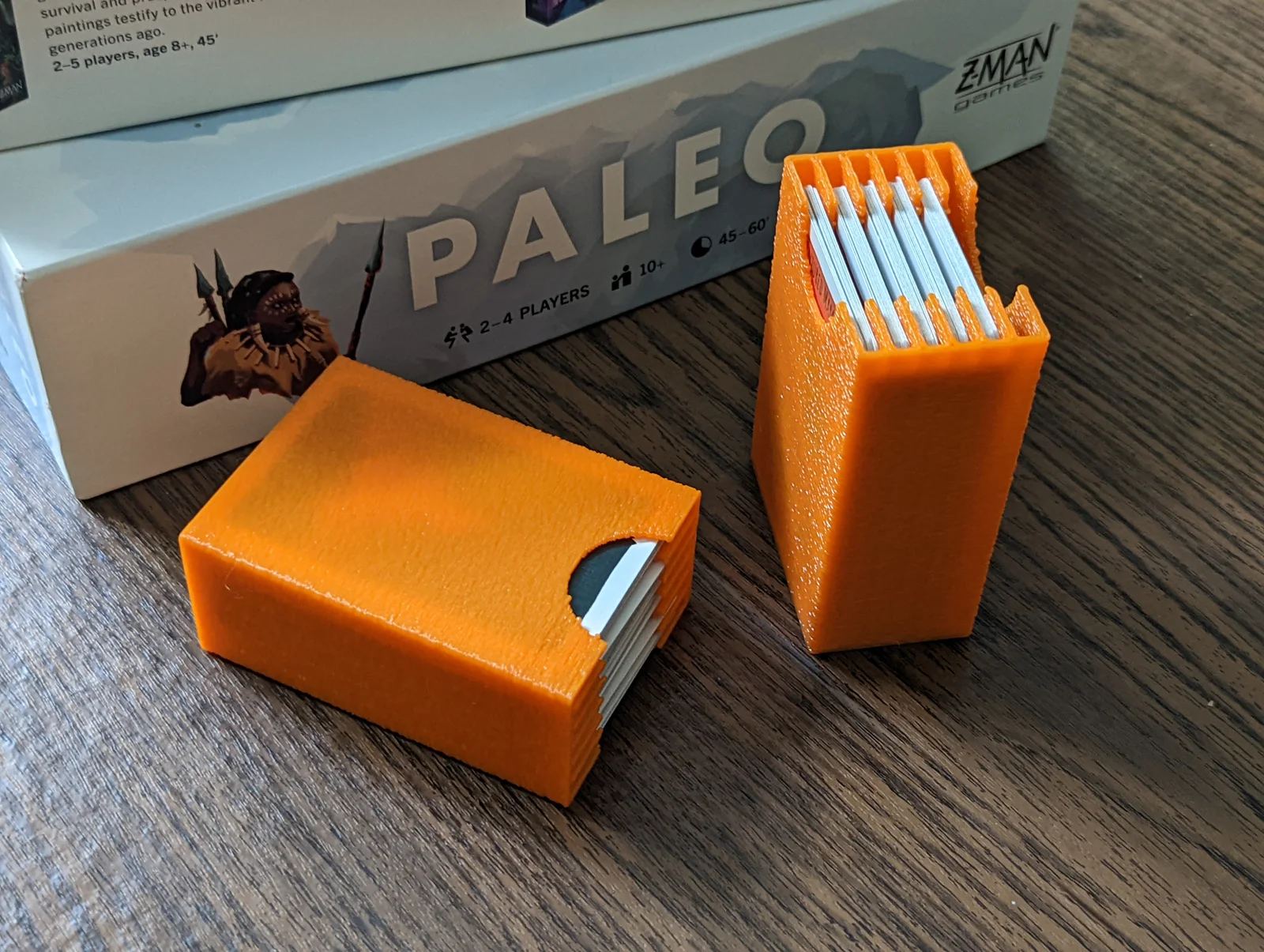
Hộp Đựng Thẻ Dọc Parametric để Sắp Xếp Board Game
- Downloads
- 100
- Likes
- 45
- Views
- 1,178
- Remixes
- 0
- Comments
- 0
Files 1 141.6 KB
- parametric_vertical_card_box_v5_1778186378.f3dF3D · 141.6 KB
Make a variant with AI
Build another version of this model.
Details
- Model ID
- #376726
- Category
- Board Game
- Published
Description
This is a parametric box that's designed to help you create custom storage solutions for your board games - especially the more obscure ones.
Please leave a comment if there are other box types you would like.
Steps:
- Download and install fusion 360 personal, make an autodesk account, and login. https://www.autodesk.com/products/fusion-360/personal
- Download the file attached to this project, and open it in 360.
- In fusion, navigate to MODIFY > Change Parameters
- In the parameter window, change the expressions to match your desired proportions
- The parameters are:
- length - how long (in mm) the box will be on the Y axis
- width - how long (in mm) the box will be on the X axis
- height - how tall the box will be on the Z axis
- thickness - thickness of the walls. I recommend making this a multiple of you nozzle size. I use a 0.8mm nozzle, so I make my walls 1.6mm to get two layers and a much quicker print.
- columns - the number of card compartments you want in the x axis
- rows - the number of card compartments you want in the y axis.
- hole - the size of the finger hole.
- When you have set your parameters, click ok.
- On the left side of the screen, you'll see an item called Component1. Right click that component then click Save as Mesh.
- In the popup, change the format to STL. You need to do this because each box is a different body, and STL combines them. If you don't do this (or combine the bodies in fusion) you may get issues when you slice the model.
- Open the meshes in your slicer, slice, and print.
Please leave a comment if you have questions.
Print spec
- Formats
- f3d
- Model files
- 1
- Total size
- 141.6 KB
- Largest file
- 141.6 KB