

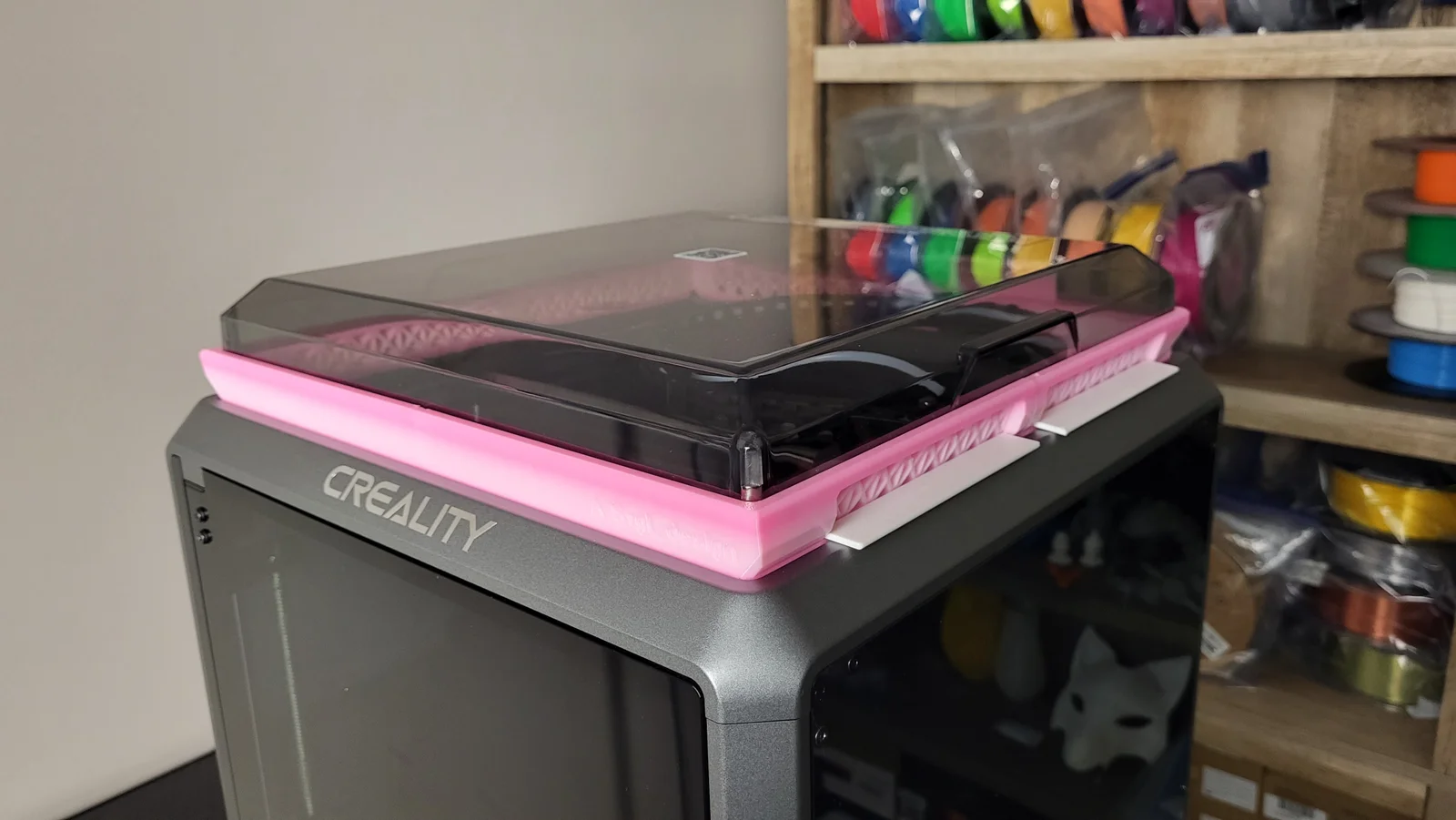


Kẹp giữ sợi Filament
 Bytinx_1344834Likes1.2KDownloads6K
Build another version of this model.
https://www.youtube.com/channel/UCBjyI1E1HROh1BAYgeRZy7g
Support my work: (click on image)
https://www.buymeacoffee.com/savagelau
You can get commercial license from here: (click on image)
https://www.patreon.com/SavageLau
______________________________________________________________________________________________________________
Okay, I spent few days working on design, test print, make improvements, and run test again. This is a good revision I think. So I want to share with you guys. BTW, I also made a bambu lab version of this riser with very similar(same) design.
I made a instruction video for this design, briefy explain the features:
There are two models: Singed and Plain. Pick whatever you like.
There are total of 4 pieces, you will need to break it apart on slicer and print it. They are connected with joints like these: Man, the joint is takes so long to get the perfect tolerance, but I made it. I have tested it with PLA, PETG, and ABS. they are all work fine, Sliding fits for most, if your printer work right.
There are total of 5 air ducts for better ventilation when you printing PLA filaments to prevent heat creep and nozzle clog.
When you printing ABS, CF and others requires higher ambit temp, you can close the shutters.
Open it up when you needed.
More over! You can DIY and modify the logo, text, and style on the shutter. I already made some so you can download and use it, I also included STEP file for the shutter. You can download shutter here:
Shutters is very easy to install, just put one side of the pin of the hole, then, bend the shutter and slide other side in.
Old revisions:
V1.1:
V1.2
Bytinx_1344834Likes1.2KDownloads6K

 ByBrokentooth_designsLikes17Downloads142

 ByreddLikes216Downloads2.2K

 ByJasonOlliff_519145Likes241Downloads2K

 Byarhi_585078Likes64Downloads537

 ByHanzo3dLikes155Downloads411

 ByGeek5DLikes147Downloads482

 By3DSourcererLikes48Downloads373

 ByWyomingWolf_261196Likes52Downloads424

 Bytopronix_2170418Likes41Downloads292

 Byoe123_1307374Likes7Downloads64

 ByBlackky98Likes25Downloads204