F3D
SPACE SHUTTLE – Model tàu con thoi NASA tỉ lệ 1:200 để in 3D 1

8 images

Large file collection Giáo Dục

SPACE SHUTTLE – Model tàu con thoi NASA tỉ lệ 1:200 để in 3D

By Kmobrain

Downloads
14,783
Likes
6,714
Views
95,983

Files 111 28.8 MB

  • ET_Jonction_Tank_Orange_x1_1777767244.3mf3MF · 2 KB
  • ET_Hat_Black_x1_1777767245.3mf3MF · 69.9 KB
  • ET_Cable_Top_Grey_x1_1777767245.3mf3MF · 63.9 KB
  • ET_Support_Shuttle_Top_Red_x1_1777767246.3mf3MF · 33.3 KB

Make a variant with AI

Build another version of this model.

Open Studio

Description

Support Me

     Support my work by subscribing to my Printable club to have access to my new model, my first lander, the Starship V2.

     You can also have access to the multi-material version of the Space Shuttle.

Updates

  • 22/11/2023
    • Added a better printing and assembly guide.
    • New stand that requires less material.
    • Rename files.

Description

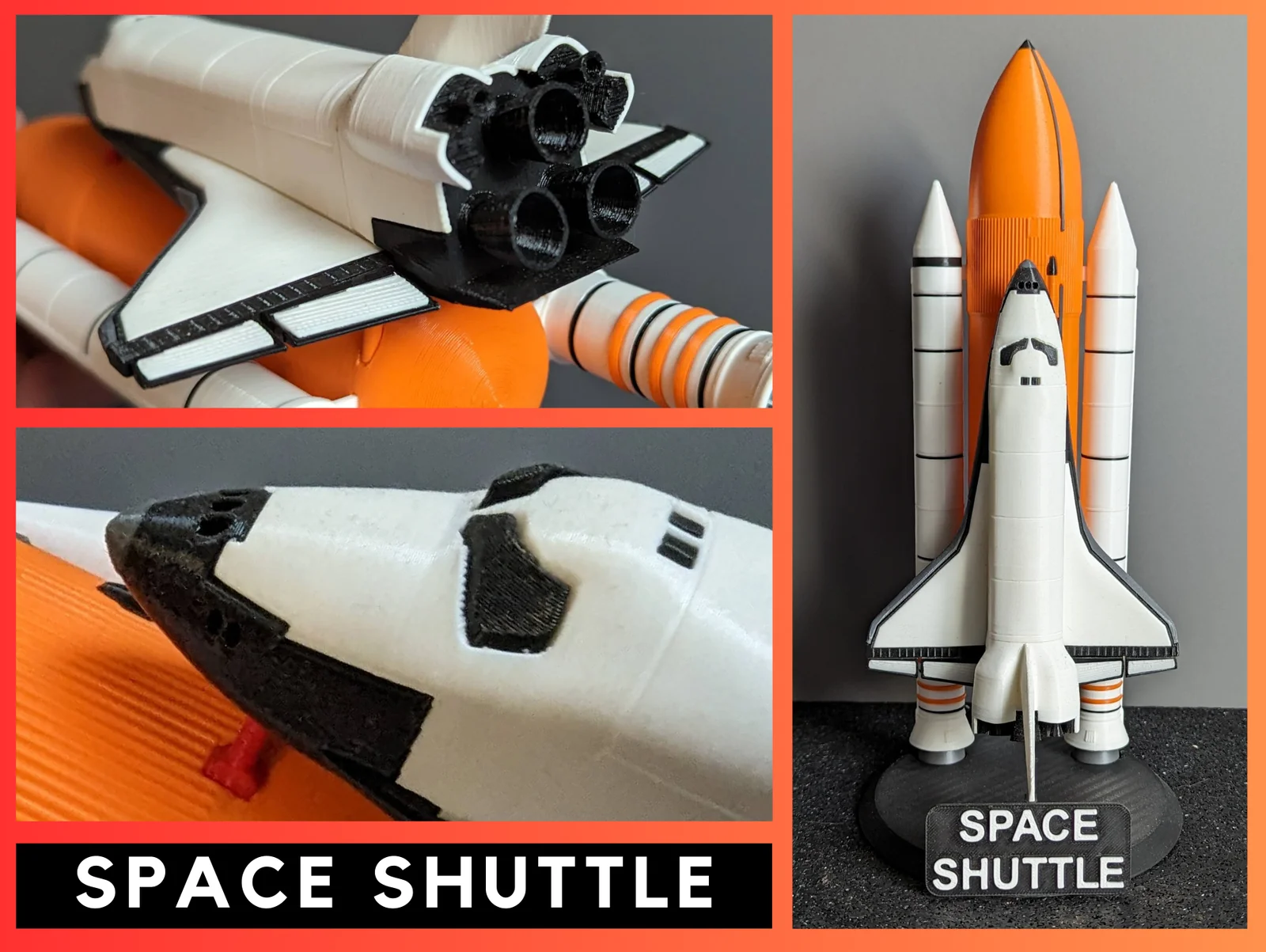
     The Space Shuttle "Space Transportation System, STS" model is a highly detailed 1:200 scale reproduction of NASA's historic reusable vehicle that first flew in 1981 for 135 flights. 

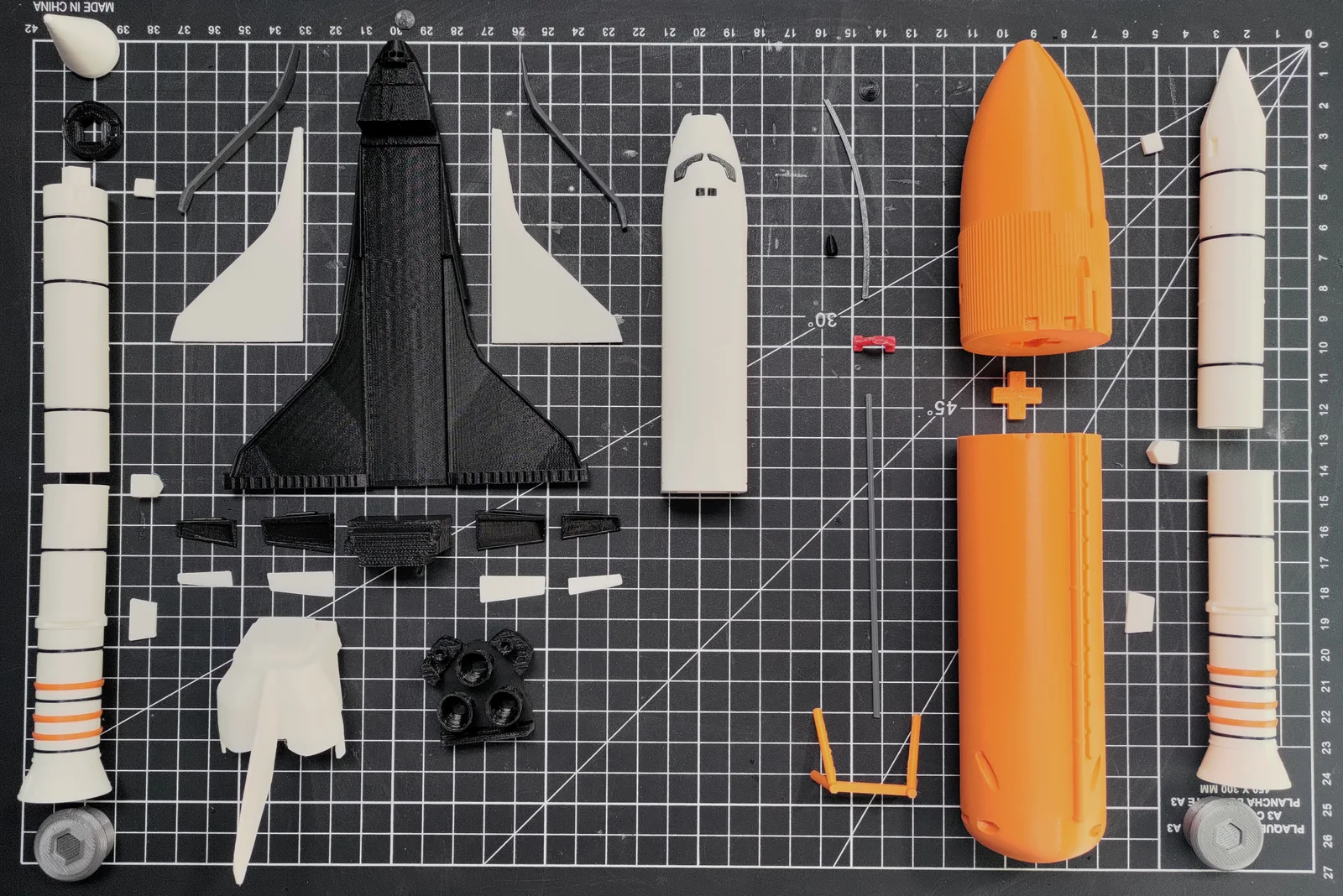
      The model consists of several separately printed parts, which are easy to print and assemble.

     The finished model dimensions are approximately 28cm high and 18cm wide for the Space Shuttle.

     There are 80 pieces to print ,the total printing time for the entire model is approximately 40 hours.

Choosing your configuration KIT

     There are multiple configuration options available for this model, depending on your printing and assembly preferences. (The download files contain what is needed for each configuration.)

     We offer 5 configuration for 3 kit: 

Kit Fuselage

CutFuselage (CF)

  • 🔼Small printer (max. height 14cm)
  • 🔼Easy to print
  • 🔽Large quantity of parts
  • 🔽Less good finish

Fuselage (F)

  • 🔼Small printer (max. height 14cm)
  • 🔼Good finish
  • 🔼Medium number of parts
  • 🔽Medium printing difficulty

FullFuselage (FF)

  • 🔼Small printer (max. height 16cm)
  • 🔼Excellent finish
  • 🔼Small quantity of parts
  • 🔽Major printing difficulties

Kit Solid Rocket Booster SRB

CutBooster (CB)

  • 🔼Small printer (max. height 13cm)
  • 🔼Easy to print
  • 🔽Medium number of parts
  • 🔽Less good finish

FullBooster (FB)

  • 🔼Excellent finish
  • 🔼Small quantity of parts
  • 🔼Easy to print
  • 🔽Large printer (max. height 22cm)

Kit Stand

CutName (CB)

  • 🔼Easy to print
  • 🔽Large quantity of parts

FullName (FB)

  • 🔼Excellent finish
  • 🔼Small quantity of parts
  • 🔼Easy to print

 Other configuration  

     You can choose to print only the orbiter and use my orbiter support

Assembly and Printing Guide

     You can use the assembly guide published on Instructables to help you assemble the Space Shuttle.

Tips

Settings

  • For infill, 10% is sufficient for a decorative object, and you can also use PrusaSlicer's "Lightning" infill settings. 
  • For some parts the supports will be necessary, see the Assembly and Printing Guide.
  • If some parts are loose or don't fit, you can change the scale by +/- 1% in the slicer to get a better fit. 

Printing

  • For a better final result, I recommend printing the Jonction_Block last so that you can adjust their size according to your print and have a better fit during assembly. 

Post Printing

  • You may need to sand the junction areas between the parts for a smoother finish.
  • Additionally, I recommend using glue for better strength and durability.

Read more Show less

Print spec

Formats
3mf
Model files
111
Total size
28.8 MB
Largest file
2.8 MB

0 comments

See all