


SpoolGrid — Hệ thống ngăn kéo mô-đun tận dụng lõi nhựa Prusament
 Bydona3d_Likes456Downloads680
Remix of Hộp Gridfinity có Nhãn In được bằng Tham số bởi Pred By Pred_457770
Build another version of this model.
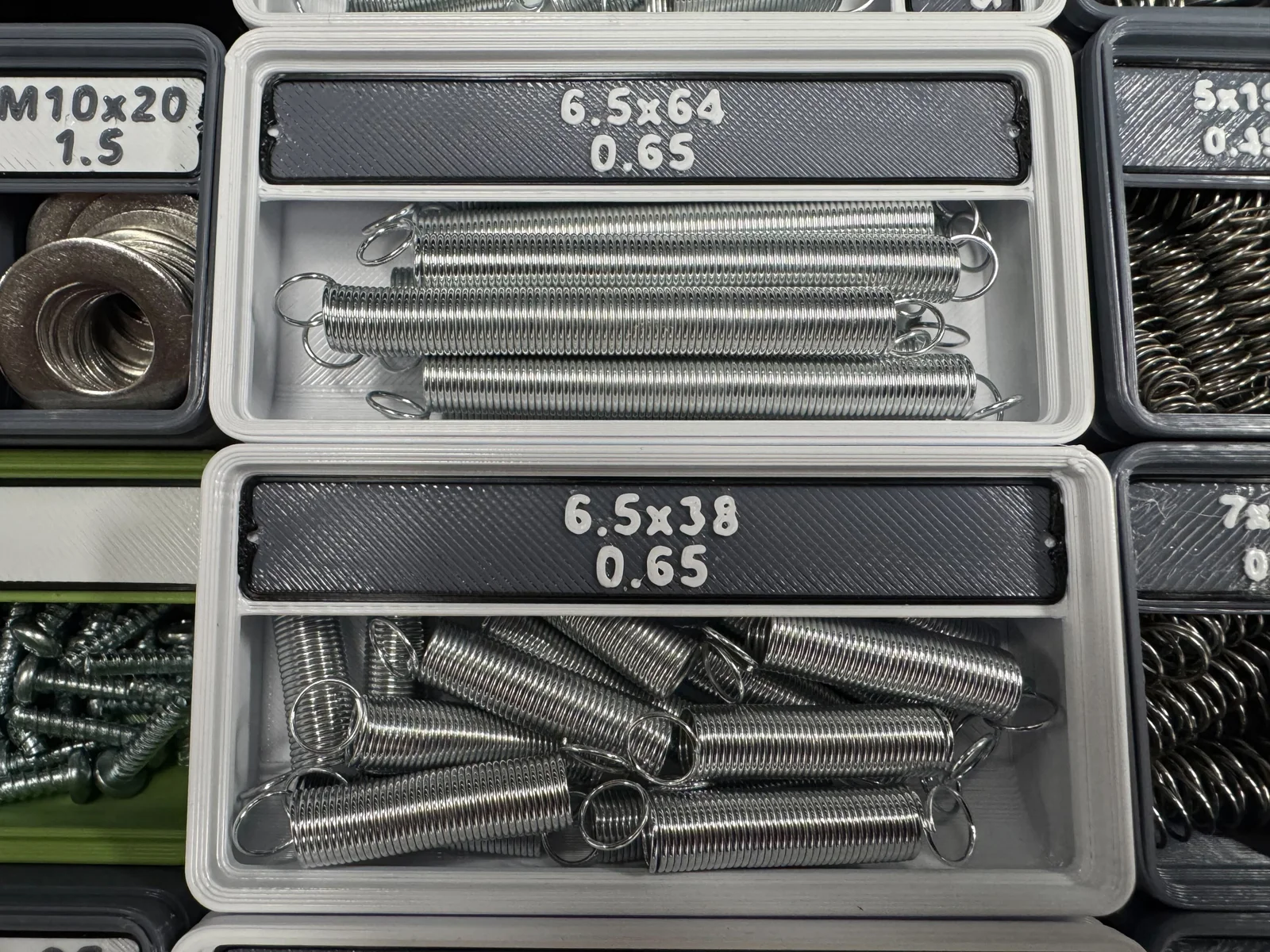
This model is based on the fantastic Gridfinity Bin with Printable Label by Pred. This has quickly become my go-to bin for organizing my hardware.
This blank label is useful if you want to use your slicer's Text tools to add your own text in the slicer.
The labels provided by Pred in the original model are a single object. You can print them in two colors easily enough by adding a pause in the G-Code and changing filament. But you have a fancy multi-material printer, and you want to print in multicolor without manual filament swaps! You can still insert a pause and a filament swap, or you can use the slicers Painting tools to apply colors to the frame and text/shapes, but this is a bit of a hassle. Easier is to split the design into separate objects, then right-click the objects in the Object list and set the filament from the list of available filaments.
This model is the same as Pred's original label design, with the objects named (as best I can) so you can easily set the filament color for each.
Some notes to assist you:
Bydona3d_Likes456Downloads680

 ByVC_DesignLikes721Downloads2.9K

 ByUpcrid3D_1585693Likes808Downloads2.1K

 ByWilko_SLOLikes935Downloads2K

 ByshoheiyLikes0Downloads428

 ByRobertoGalloc_356815Likes549Downloads1.8K

 ByTater_364200Likes486Downloads1.6K

 ByfifindrLikes709Downloads1.7K

 Bywhilex_1739192Likes644Downloads1.1K

 ByGi_TLikes801Downloads1.3K

 ByzeroflowLikes186Downloads1.2K

 ByMatthew_GhostLikes350Downloads942