



Grippy Broom Holder
 Byvc-designLikes0Downloads3.2K
Build another version of this model.
I have a really bad sounding keyboard that I bought for really cheap and wanted to make it sound better. Here is how I have been doing that with a small 3D printed insert.
Take apart keyboard and de-solder the switches to remove them from the keyboard.
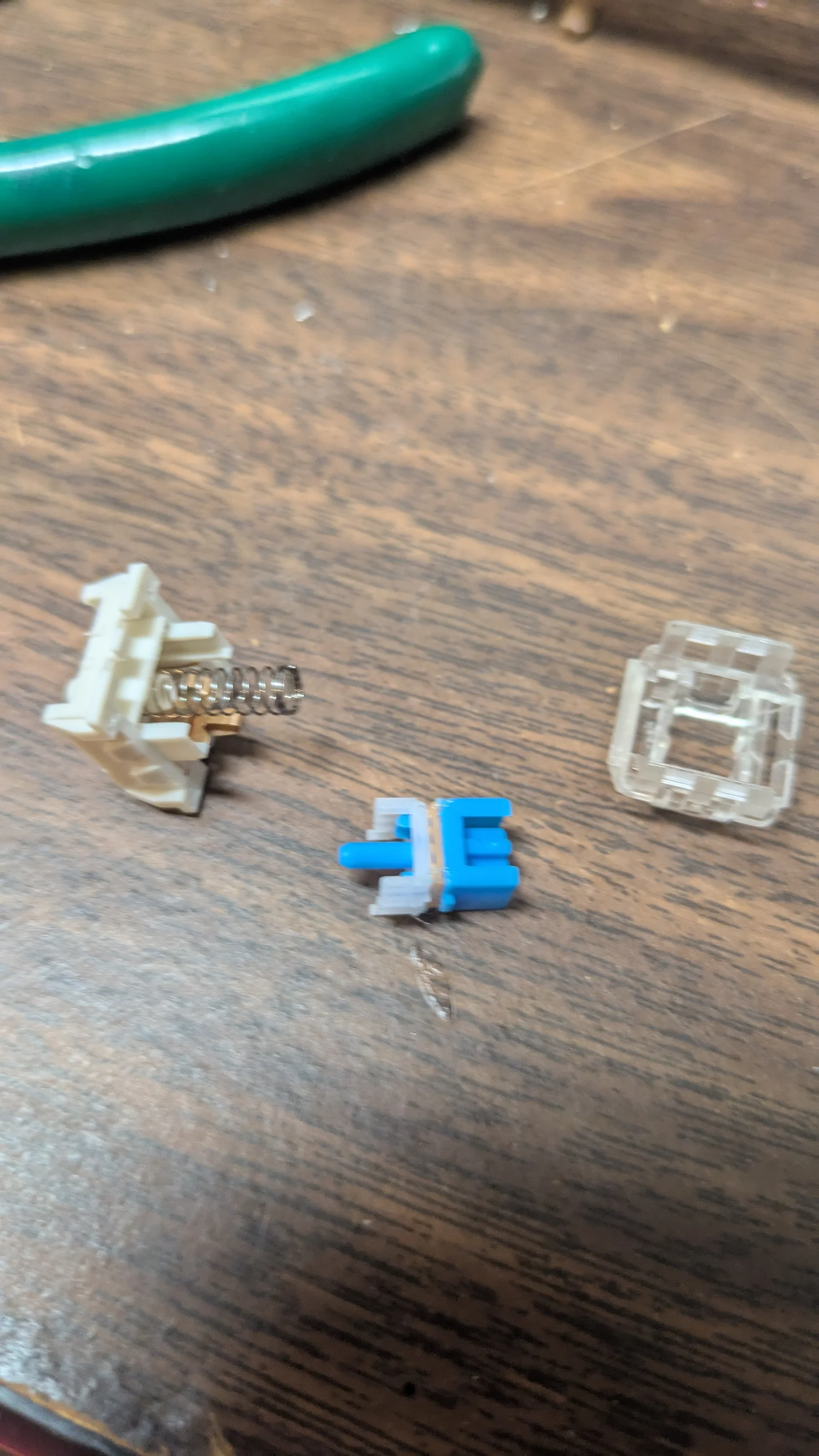
The top plastic part of the switch can be removed somewhat easily by levering off one side and lowering it halfway back down and then levering the other side off. I could do this without any tools, just fingernails. (be careful when removing the top part, there is a spring inside and it will fly away if you are not careful).
Take the middle, blue and white part and insert the 3D printed part between them. Use something to very slightly melt the three plastics together at one or two points (make sure it is in the right place and is not blocking the path of the spring). This will essentially make these red switches since red switches have one continuous plastic piece instead of two moving pieces.
Put the switch back together in the same way you took them apart and put them back on the keyboard.
Byvc-designLikes0Downloads3.2K

 ByKNIN_CustomLikes112Downloads436

 BySeppoTakaloLikes960Downloads1.9K

 Byrb_200934Likes48Downloads1.1K

 ByWolf_115355Likes513Downloads8.4K

 ByZED4EverLikes313Downloads5.2K

 ByfifindrLikes500Downloads4K

 ByVC_DesignLikes679Downloads3.6K

 ByDan Schwartz SchwartzLikes744Downloads3.4K

 ByUpcrid3D_1585693Likes808Downloads2.1K

 ByWilko_SLOLikes935Downloads2K

 Bychubbs8697_2027893Likes585Downloads1.7K